Group 8 Job Editor Page 151
JET3 Series Release 2.02
7.3.4 Menu Shortcuts
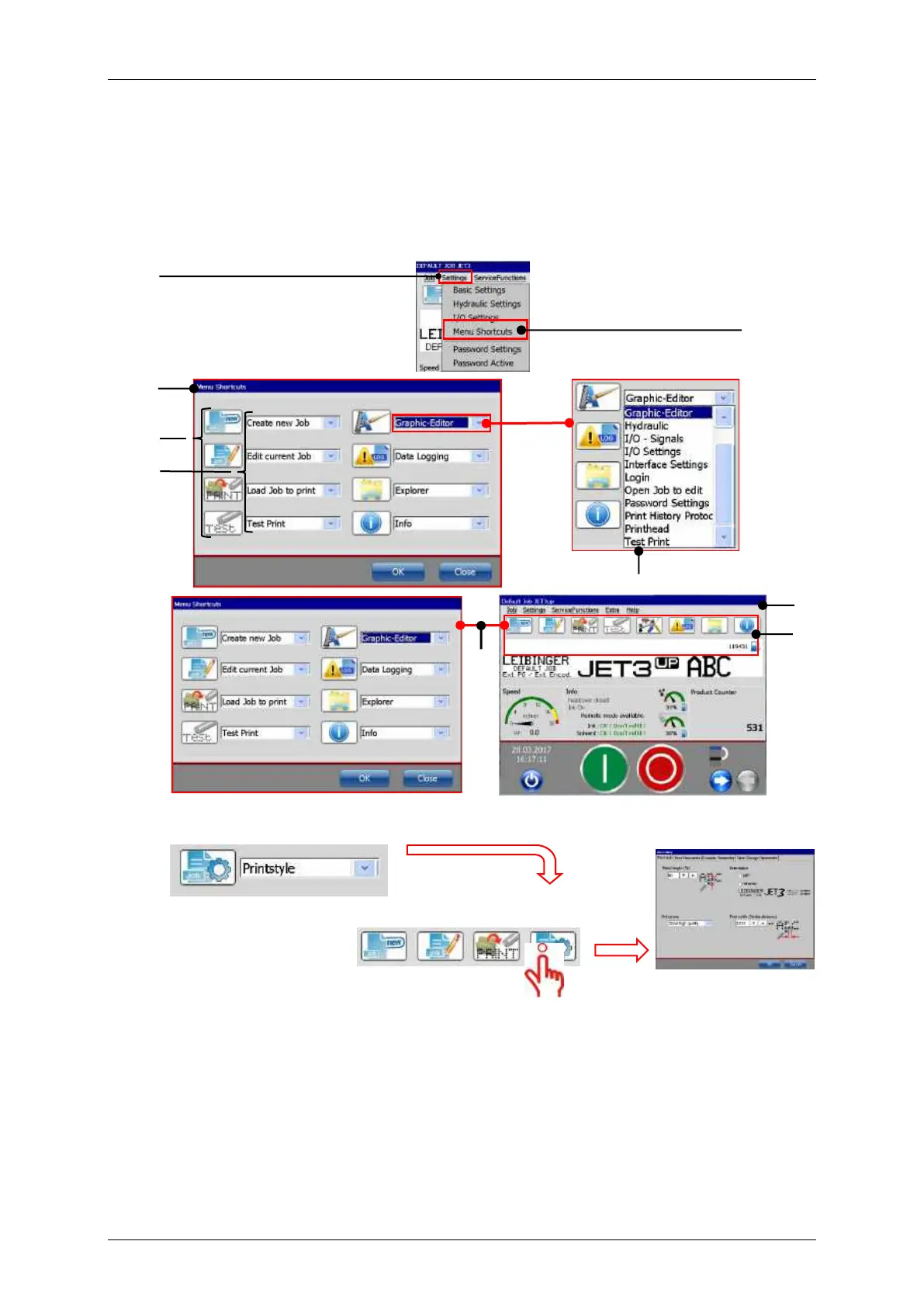
In the main window of the printer there are 8 buttons for direct acces to certain functions.
With the <Menu Shortcuts> dialog box one can configure these Menu Shortcuts.It is
possible to define the position and the function of each button.
Defined Menu Shortcut in
the Main Window
A click on the button starts the assigned
function.
1 – Drop-down menu <Settings>
6 – Drop –down list of functions
2 – Option <Menu Shortcuts>
7 – Main Window of the printer
3 – Dialog box <Menu Shortcuts>
8 – Menu Shortcuts in the Main Window
4 – Icons of the selected functions
9 – Assignments: Functions →
Menu Shortcuts
5 – Input fields for the direct buttons



 To Next Page