Page 188 Job Editor Group 8
Release 2.02 JET3 Series
7.5.2.3 Reset all job counters
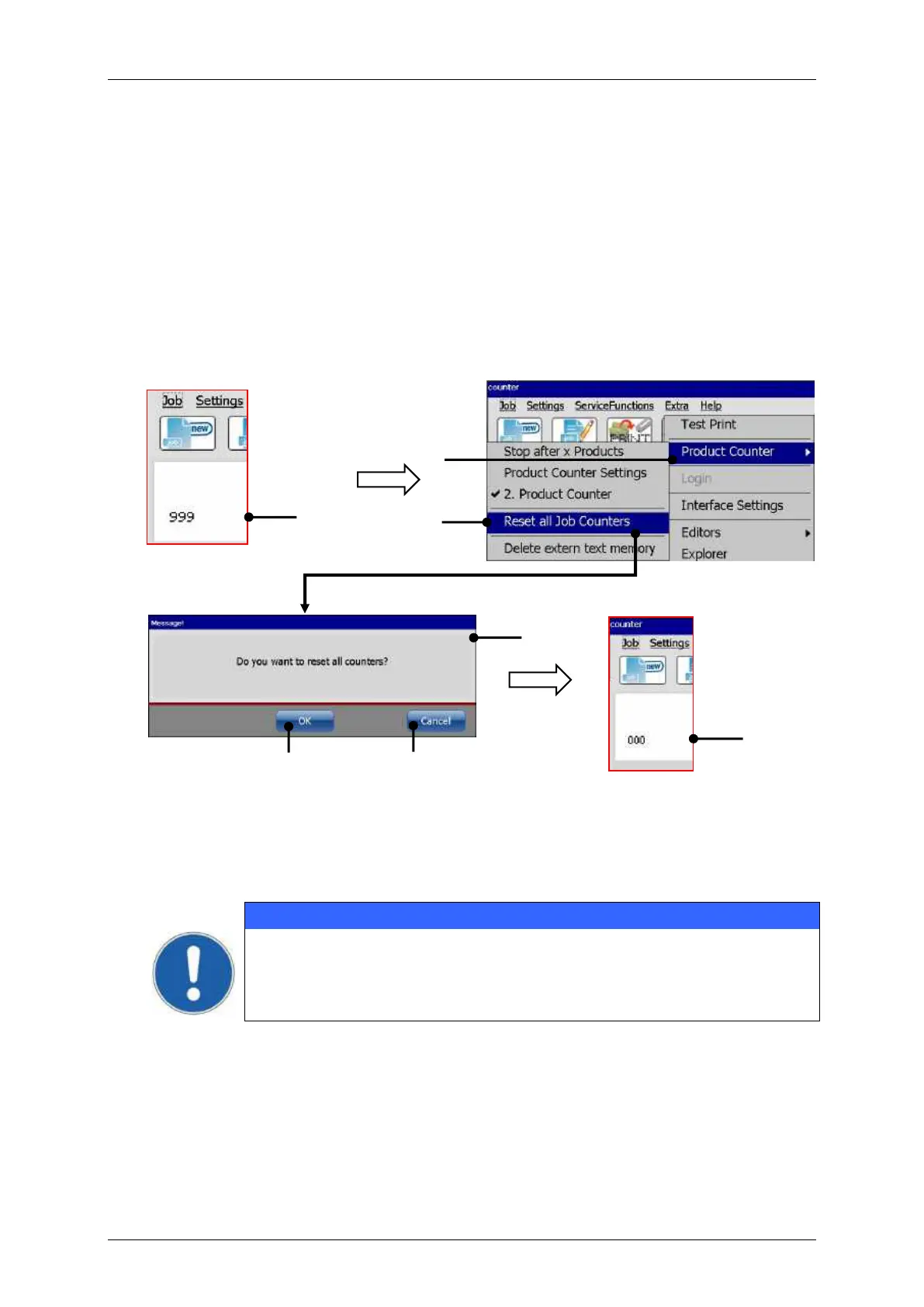
With this function all existing job counters in the currently loaded job will be reset.
Example: Print job with a counter object (job counter). The counter value is 999 (1).
Press the option <Reset all Job Counters> (2) and (3).
A confirmation prompt (4), is displayed.
Confirm the reset by pressing the <OK> button (5) or cancel the process with the
<Cancel> button (6).
All job counters are reset (7)
Product counter – Reset all counters
1 – Example: Counter object/value:999
2 – Option <Product Counter>
3 – Option <Reset all Job Counters>
7 – Example: Counter object/value:000
4 – <Confirmation prompt>
The reset of the job counter is irrevocably!



 To Next Page