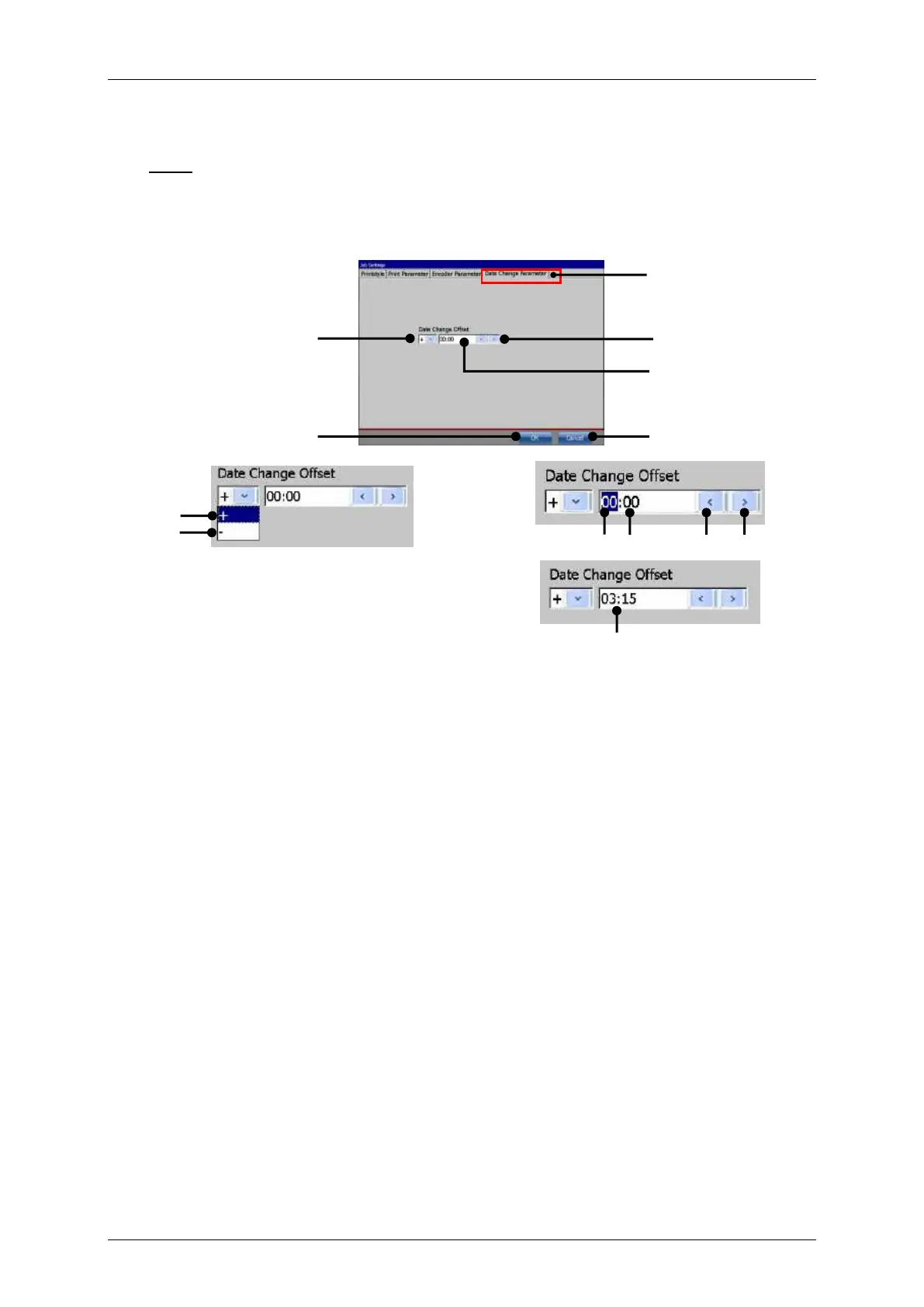
With this function you can shift the date change to an earlier or later point in time.
Note: The shifting happens in hours- and minutes. The max. possible offset is +/- 23
hours and 59 minutes.
Proceeding:
Select the <Date change Parameter> tab (1).
Select in the <+/-> drop-down list (2) the kind of offset. <+> stands for a positive
offset (7). The date change is shifted to a later point in time. <-> stands for a
negative offset (8). The date change is shifted to an earlier point in time.
Select the hour (9) or the minute block (10) in the input field (4) for the <Date change
offset> (13).
The <Date change offset> is set with the two arrow keys (3). The left arrow key will
decrease the <Offset> the right arrow key will increase the <Offset>.
All settings are confirmed with the <OK> button (5).
With the <Cancel> button (6) the tab is closed without saving.



 To Next Page