EasyManua.ls Logo

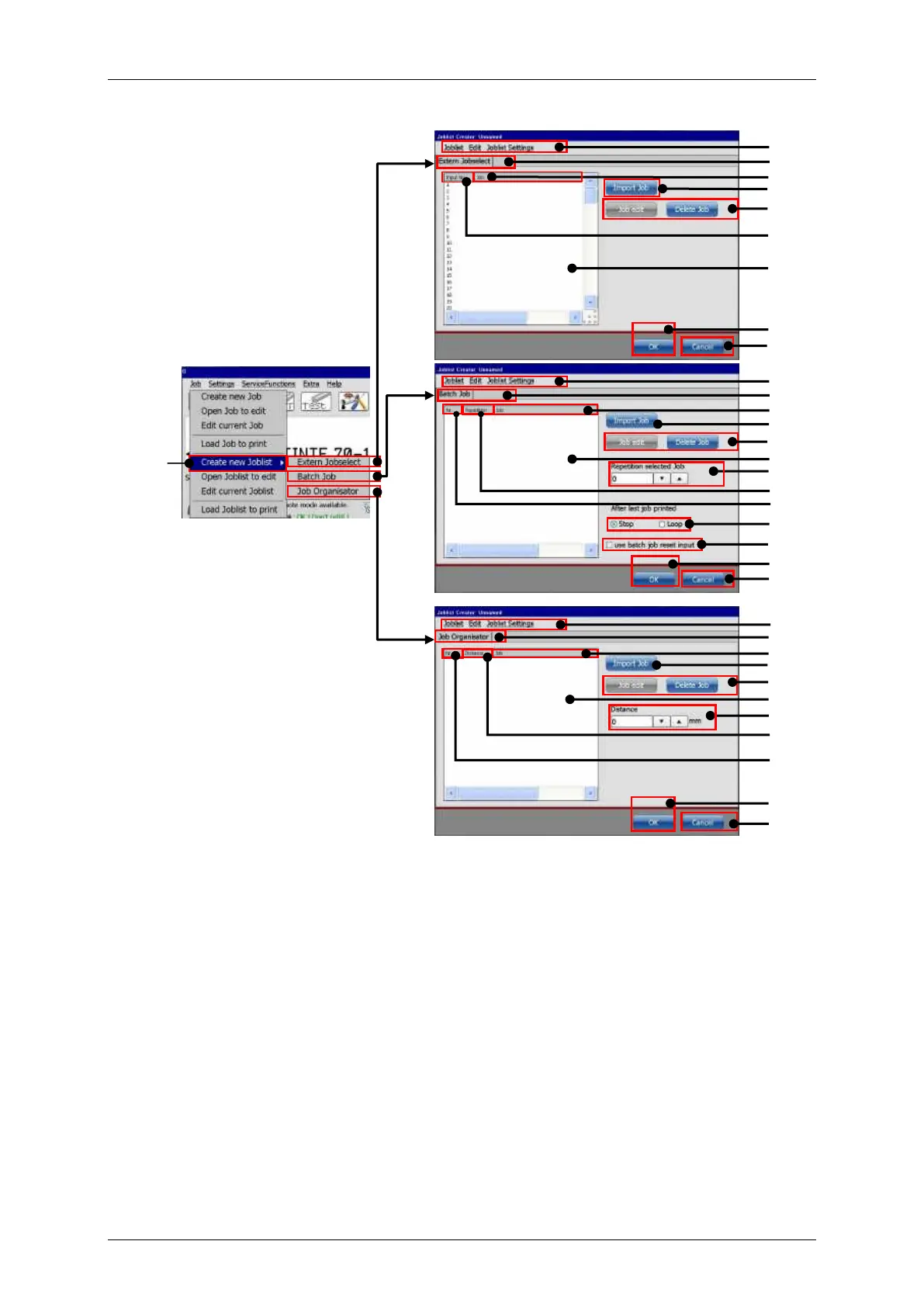
Leibinger JET3 Series - Figure 34 Creating a New Job List

Leibinger JET3 Series
406 pages
Print Icon
To Next Page IconTo Next Page
To Previous Page IconTo Previous Page
Loading...
Page 96 Job Editor Group 8
Release 2.02 JET3 Series
Figure
34
Creating a new job list
1 Option <Create new Joblist>
12 <Batch Job> Tab
2 Menu bar <Joblist Creator>
13 Setting <Repetition select. Job>
3 Tab <Extern Jobselect>
14 Column <Repetition>
4 Column <Job> name
15 Column job <No>
5 <Import> button
16 Option <Stop> after last job printed
6 <Job Edit> button
17 Option <Loop> after last job printed
7 <Delete> button
18 Option use <Reset Batchjob Input>
8 Column job <Input No> (address)
19 <Job organisator> Tab
9 Job list display
20 Settings <Distance> from ref. point
10 <OK> button
21 Column <Distance> from ref. point
11 <Cancel> button
12
4
6, 7
9
13
14
15
16,17
18
10
11
3
4
6, 7
8
9
10
11
19
4
6,7
9
20
21
1
13
10
11
1
2
3
2
3
2
3
5
5
5

Table of Contents

Related product manuals