EasyManua.ls Logo

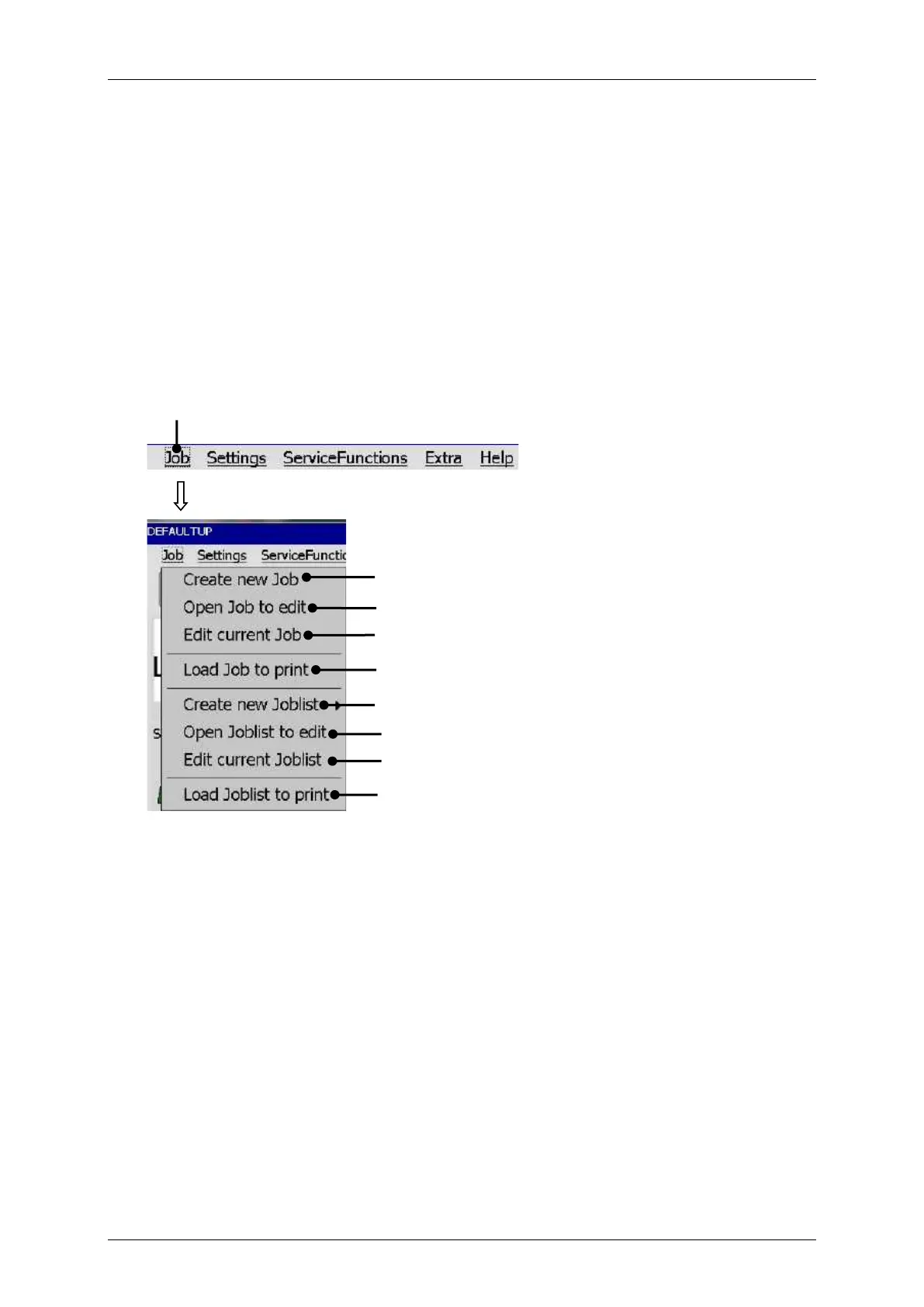
Leibinger JET3 Series - Job Administration; Figure 29 Job Menu

Leibinger JET3 Series
406 pages
Print Icon
To Next Page IconTo Next Page
To Previous Page IconTo Previous Page
Loading...
Group 8 Job Editor Page 87
JET3 Series Release 2.02
7.2 Job administration
With the button <Job> in the main window bar the submenu „Job“ is displayed. The
following options are available:
Create new Job
Open Job to edit
Load Job to print
Create new Joblist
Edit current Joblist
Load Joblist to print
Edit current Job
Open Joblist to edit
Figure
29
Job menu
1 Drop-down menu<Job>
6 Option <Create new Joblist>
2 Option <Create new Job>
7 Option <Open Joblist to edit>
3 Option <Open Job to edit>
8 Option <Edit current Joblist>
4 Option <Edit current Job>
9 Option <Load Joblist to print>
5 Option <Load Job to print>
1
2
3
4
5
6
7
8
9

Table of Contents

Related product manuals