EasyManua.ls Logo

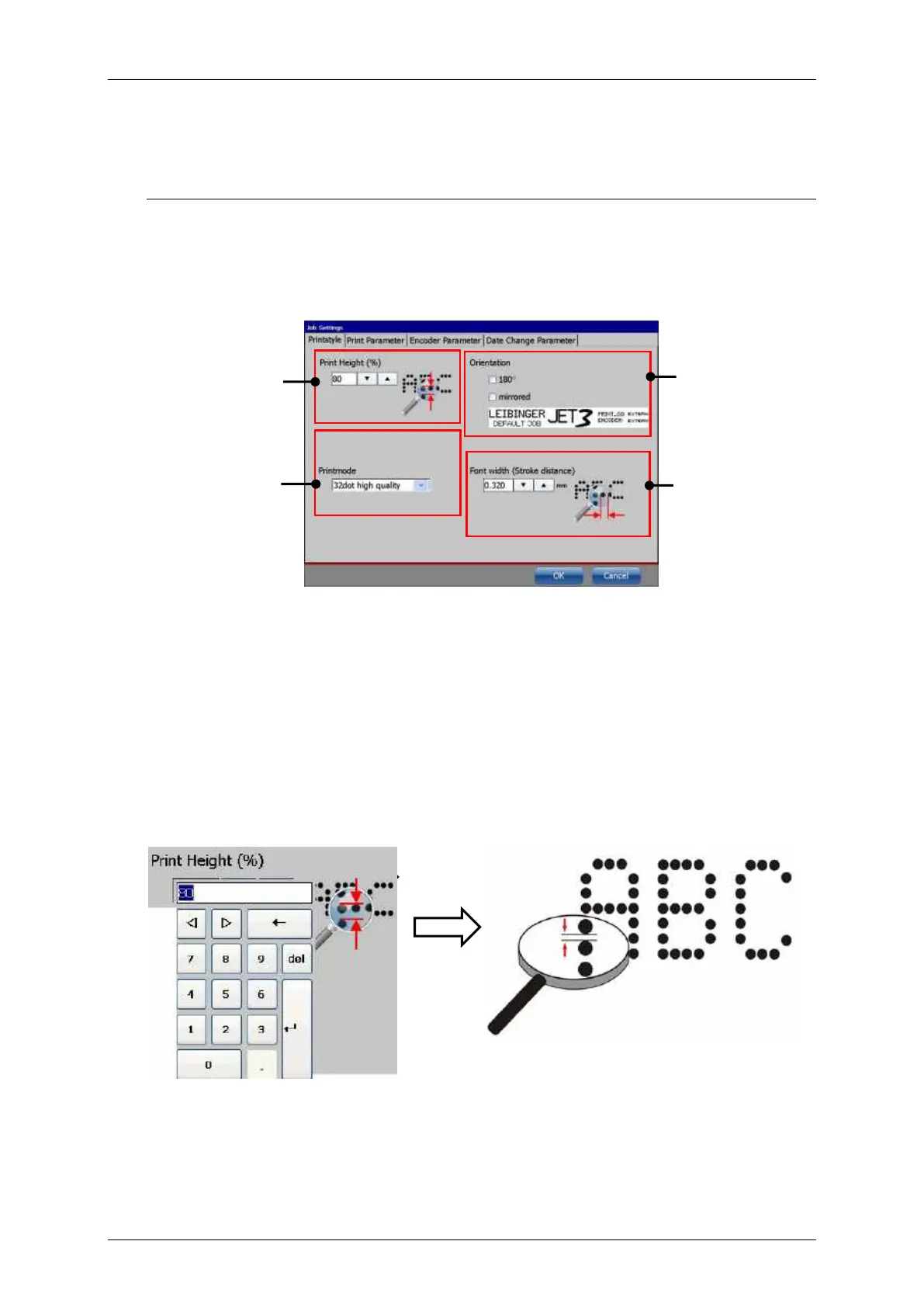
Leibinger JET3 Series - Print Style - Font Parameters; Print Height; Figure 135 - Printstyle Dialog Box; Figure 136 - Font Parameters - Print Height

Leibinger JET3 Series
406 pages
Print Icon
To Next Page IconTo Next Page
To Previous Page IconTo Previous Page
Loading...
Page 256 Job Editor Group 8
Release 2.02 JET3 Series
8.5.1 Print style - Font parameters
The <Printstyle> provides parameters for the design of the printout.
The following parameters are available:
Print height
Orientation
Font width (Stroke distance)
Print mode
Figure
135
Printstyle tab
1 Print height
3 Orientation
2 Printmode
4 Font width
8.5.1.1 Print height
The setting defines the print height. The print height is determined by the vertical drop
distance. The value can set between 1 100%.
The value set is displayed in the respective input field.
As higher the entered value, as larger the distance between the single dots.
Figure
136
Font parameter values (Print height)
1
2
3
4

Table of Contents

Related product manuals