Page 304 Job Editor Group 8
Release 2.02 JET3 Series
8.7.2 Date/time object
Provides the implementation of date and time specifications and the settings for the font
parameters, the display options and an expiry time.
Furthermore it is possible to generate accordant replacements (numbers, letters or
designations) for the date- and time values in order to get an operating-specific display or
coding of the specifications.
For more details about
the global settings (font settings, display options) please see chapter
8.4 Object settings
the generating of replacements please see chapter 8.8 Replacements
Note:
“Expiry time” is the time which elapses until the product cannot be used any-more.
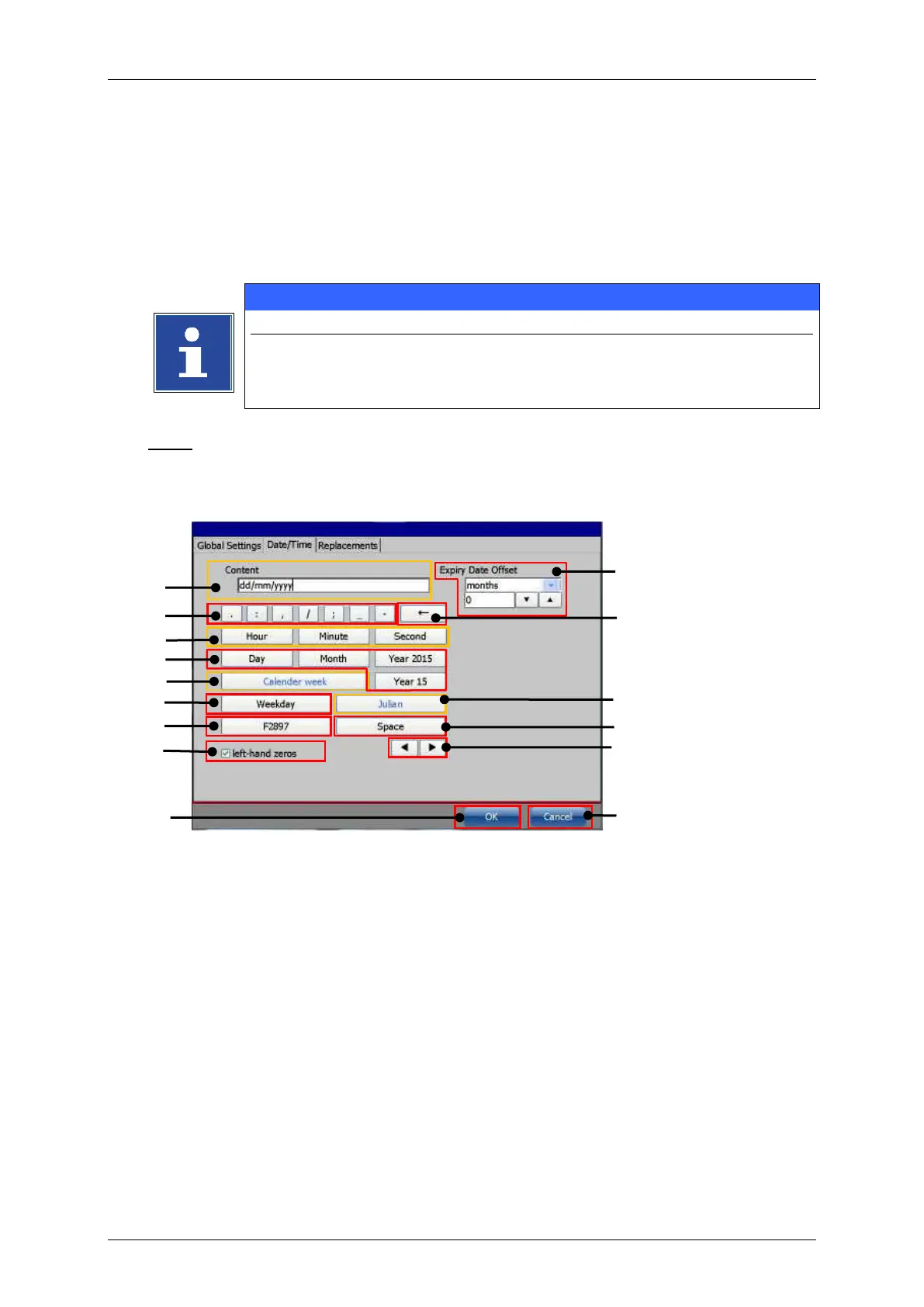
Date/Time object - settings
1 – Display field <Content>
2 – Buttons for <special characters>
10 – Expiry date settings
3 – Buttons for time settings
4 – Buttons for date setting
12 – Button <Julian date>
5 – Button <Calendar week>
14 – Arrow keys <display field>
8 – Check box <left-hand zeros>



 To Next Page