Group 8 Job Editor Page 141
JET3 Series Release 2.02
7.3.1.10 Remote sreen
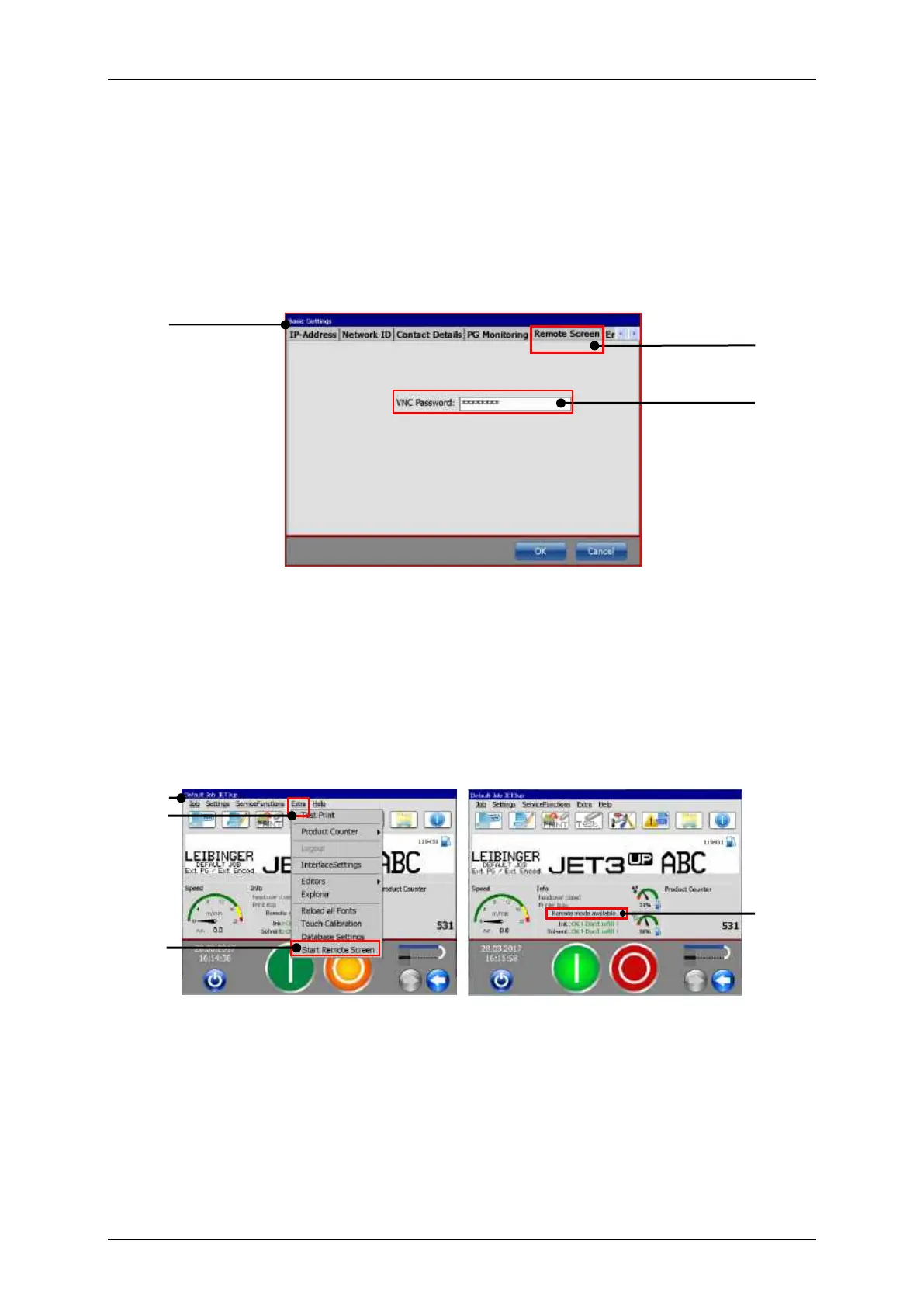
The Printer printer provides a VNC server for remote access. Basically it takes two steps
to use the VNC server of the printer:
1. Assign a password for the VNC server
2. Start the VNC server
This access to the VNC server is password protected. This password is set on the tab
<Remote screen>.
1 – Dialog box <Basic Settings>
A click on the Main window option <Extra> - <Start Remote Screen> will start the VNC
server. The active VNC server is indicated by a status display in the main window.
In order to stop the VNC server click on the Main window option <Extra> - <Close
Remote Screen>.
Remote Screen – Indicator remote mode
3 – Option <Start Remote Screen>
2 – Main window menu item <Extra>
4 – Status display <Remote mode
available>



 To Next Page