There are several printout options available which can also be combined with each
other. These options affect the look of the printout of the object selected.
The result is displayed in the preview area of the <Global settings> dialog box.
The following options are available:
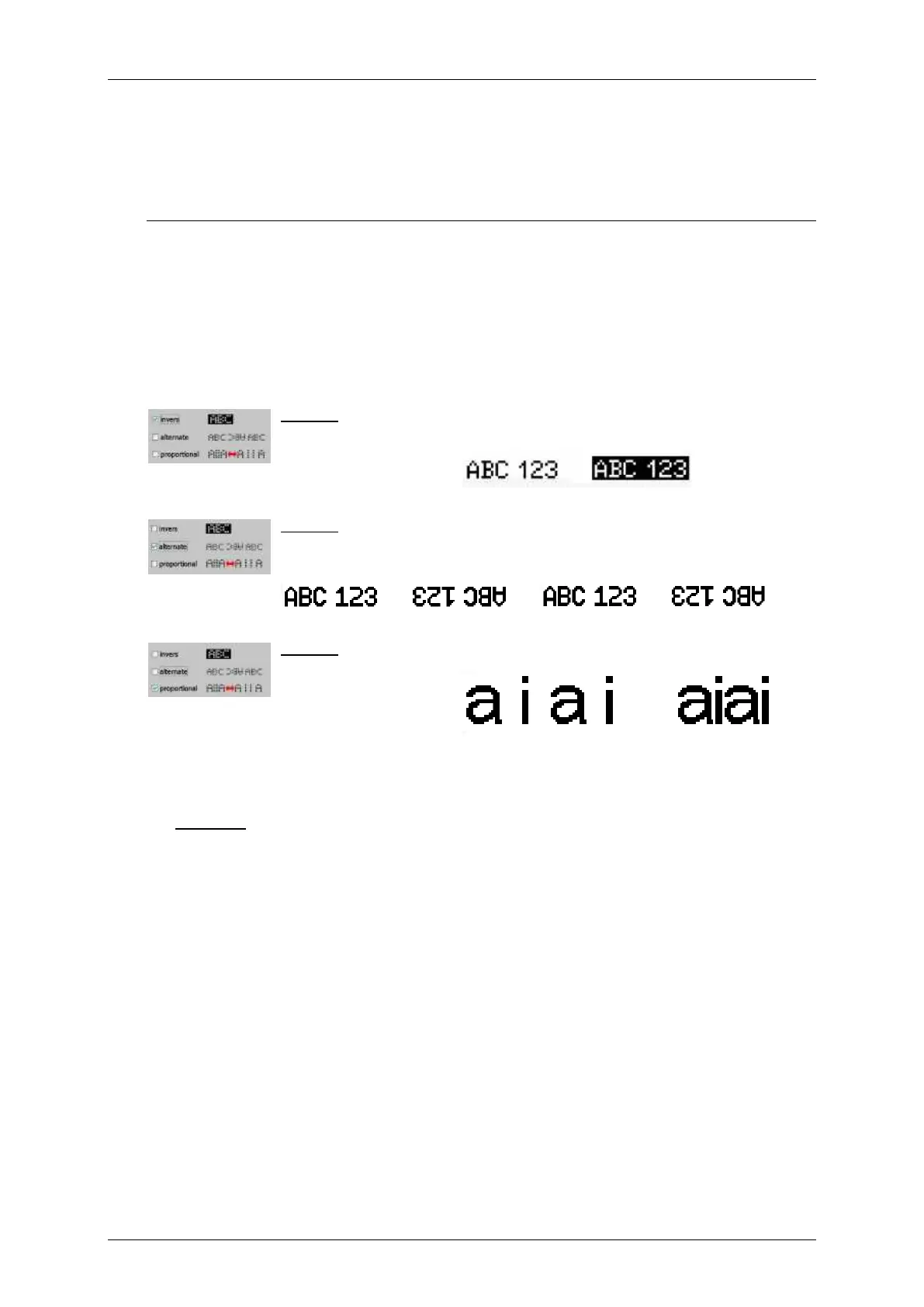
Inverse printout: The printing element is printed inverse.
Example:
A printout of letters with black ink on a white substrate.
Without the option <Invers> the letters are printed in black.
With the option <Invers> the area around the letters will be printed in black and the
letters stay white.
Alternating printout:
Every second printout is mirrored horizontally and vertically.
Proportional printout:
In standard mode each letter printed has a fixed width. With the <proportional>
option the space between the letters printed is optimized.



 To Next Page