Group 8 Job Editor Page 311
JET3 Series Release 2.02
Figure
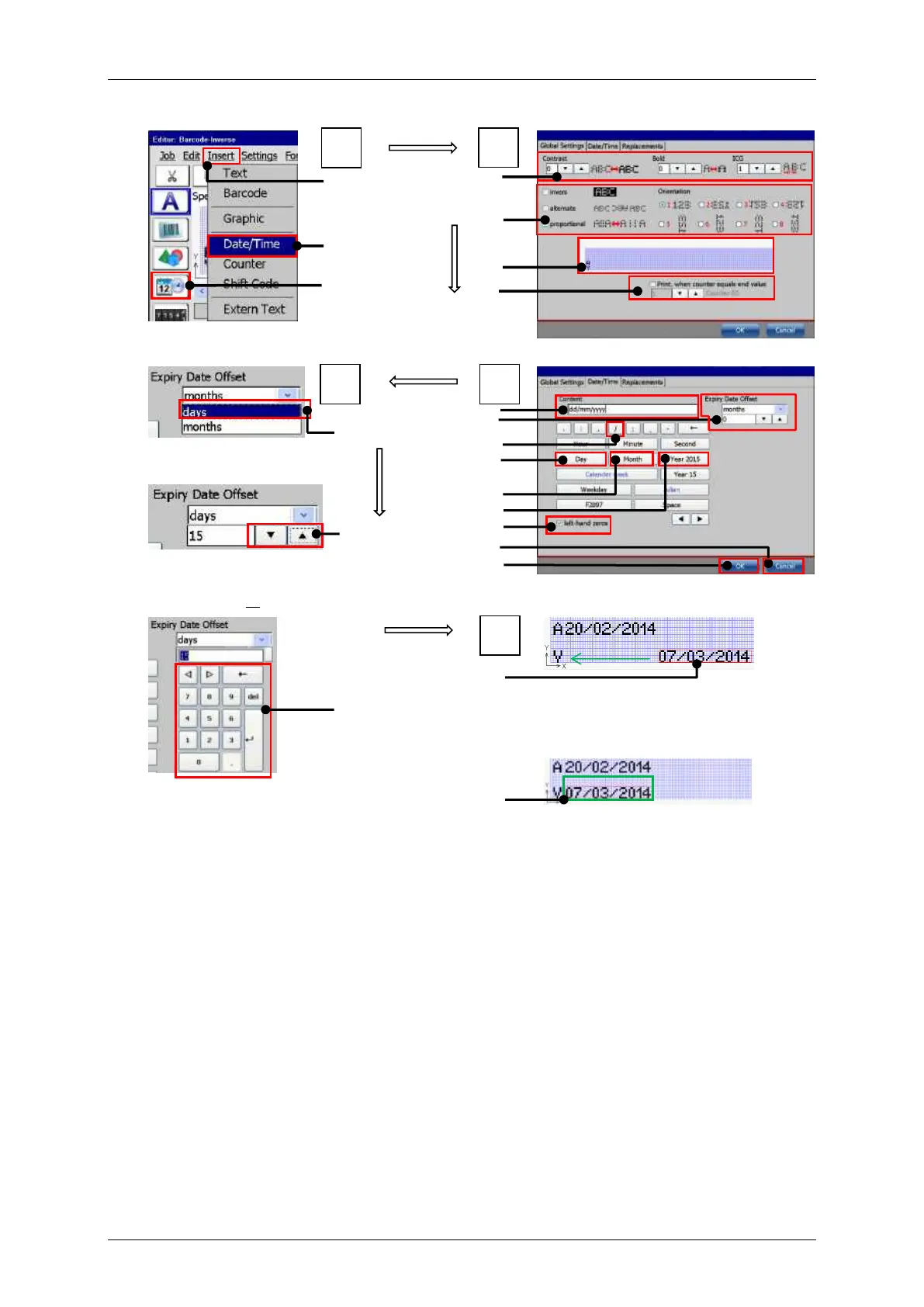
Print elements (Date/time input (Part 2)
Example – Global objects settings
Select “days” from the drop-
down menu
Set the number of days
stepwise with the arrow keys
Set the number of days with
the keypad
The created date object in the editing
window of the job editor. It can be moved
either by drag-and-drop or with the arrow
keys of the editor.
Created date object in its final position.
2 – Drop-down menu item <Date/Time>
3 – Direct button for <Date/Time> object
14 – Check box <left-hand zeros>
5 – Object attributes & orientation settings
7 – Counter assignment settings
17 – Drop down <day>/<month>
8 – Display field <Content>
18 – Data entry arrow keys
9 – Settings <Expiry date offset>
19 – Data entry with keypad
20 – Insertion position date object
21 – Final position of the date object



 To Next Page