Introducing the LU600 LiveU LU600 User Guide
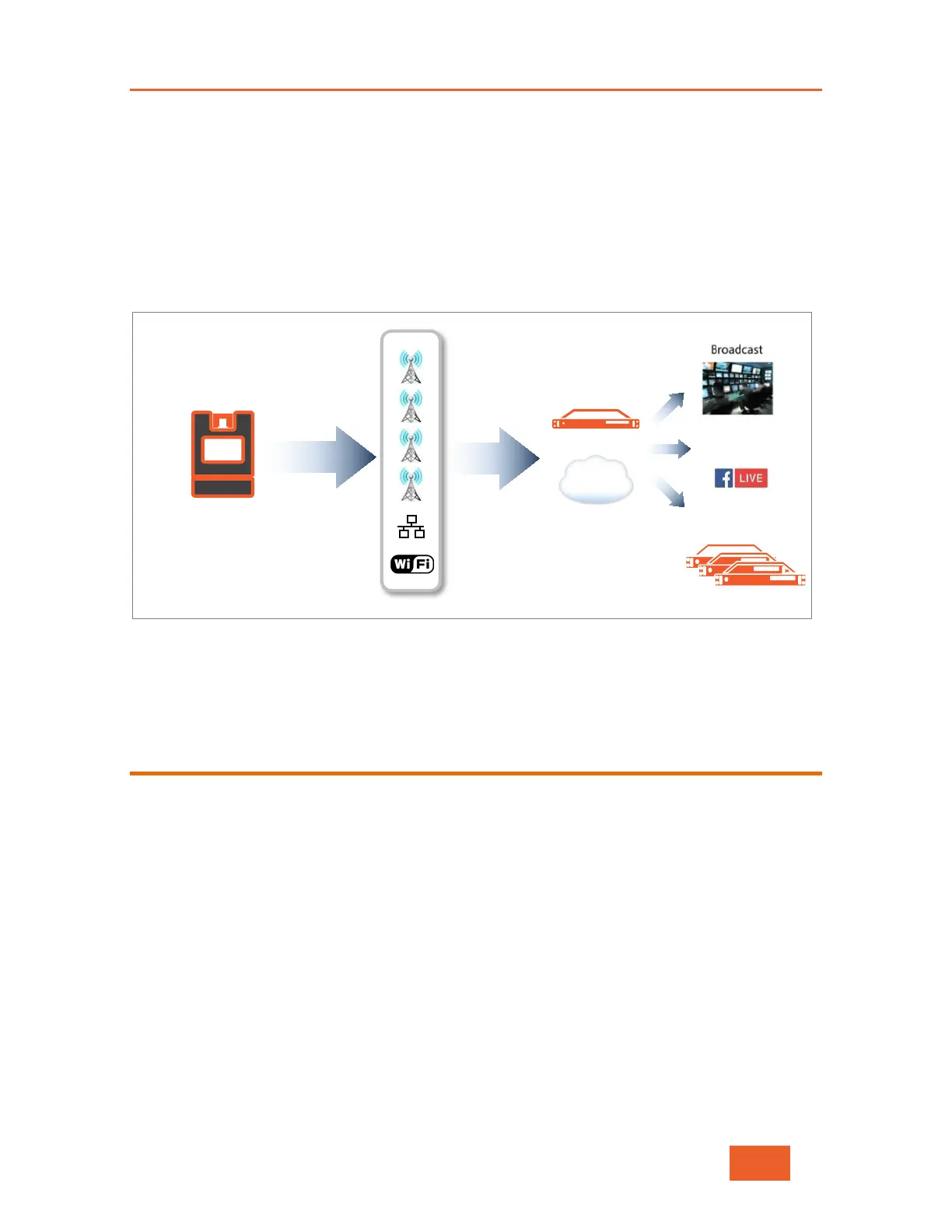
The LiveU LU2000 (server) receives these various streams of video via a standard Internet
connection. The LU2000 server runs multiple Multi-Media Hub (MMH) instances, where each
MMH recombines the streams received from a specific field unit (e.g. the LU600) into a
discrete broadcast-quality video stream that can be played out over an integrated SDI
interface on the LU2000 or streamed from the LU2000 to a CDN.
The LU2000 is normally installed at a studio or broadcasting center. Alternatively, a cloud-
server based MMH instance may be used when SDI output isn’t required.
Figure 2: Solution Architecture
Your LU600 (and indeed, any LU2000 that’s part of your organization) can be controlled
and configured using LiveU Central, as described on page 14.
What’s in the LU600 Box?
Check that your LU600 box contains the following items:
• LU600 portable video uplink unit & LU600 battery
• LU600 backpack
• AC power adapter (90W 16V) and power cord
• The following cables:
o SDI cable (BNC to BNC 2.2m)
o HDMI to Mini HDMI (2.5m)
o Micro HDMI (Male) to HDMI (Female - Orange), 25cm (for use with the
Video Return feature)
• LU600 remote control
• Optional accessories:
Anton Bauer/V-mount/PAG camera mount (does not fit the LU600 backpack)



 To Next Page