Store & Forward LiveU LU600 User Guide
Setting Up the Camera
In order to initiate an S&F session, a camera must be connected to the LU600 unit through
the SDI or HDMI inputs of the unit.
The camera should be sending video to the LU600 unit (either live, or playing out a
previously stored video from the camera’s storage).
Configuring S&F on the LU600 Unit
To configure how S&F operates:
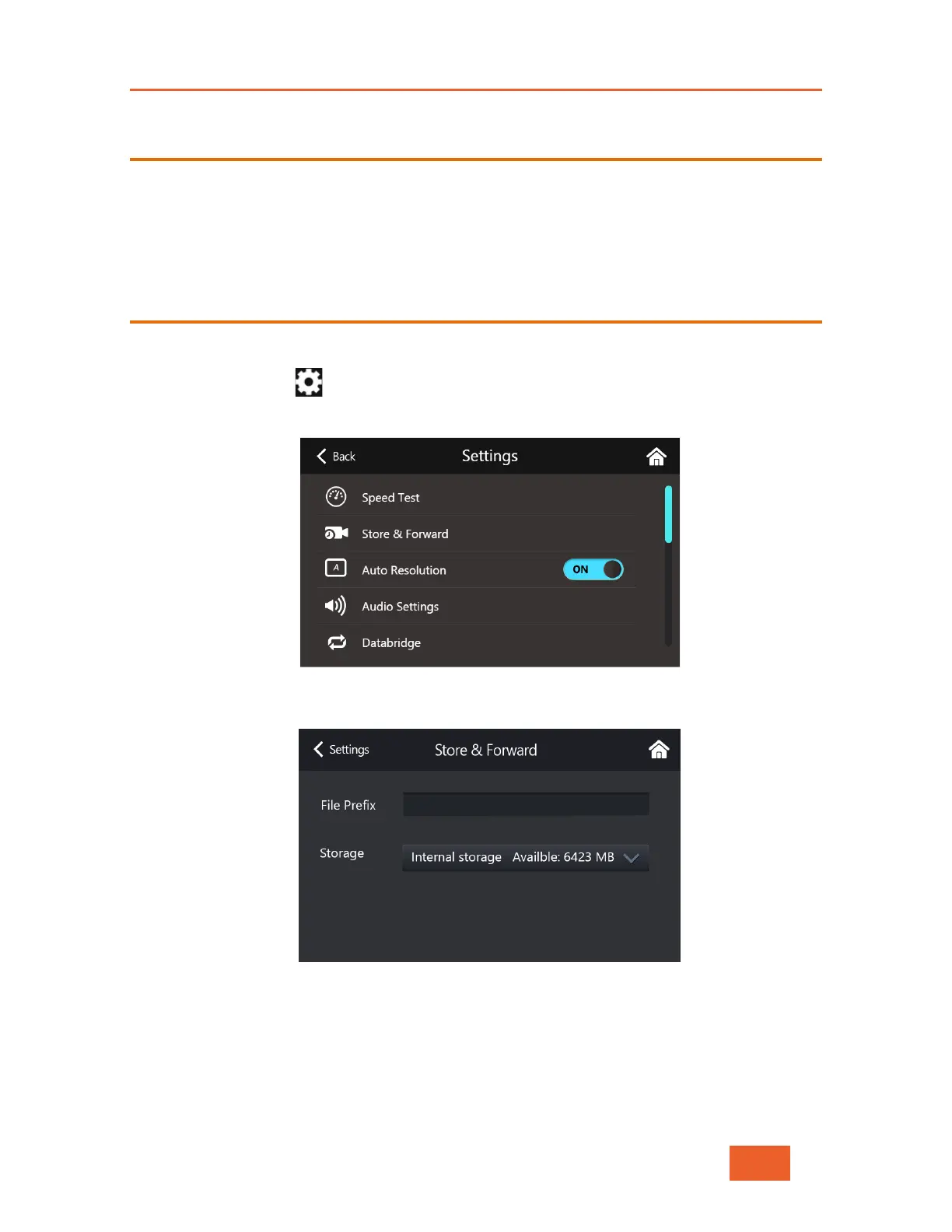
1 Tap the Settings button in the Home screen. The following displays:
Figure 59: Settings
2 Select Store & Forward. The following displays:
Figure 60: Store & Forward Settings
Setting the File Prefix
The File Prefix specifies the prefix to be appended to the filename for the files streamed
from the LU600. The prefix enables you to differentiate between files that were stored and
forwarded. Do not use special characters or spaces.



 To Next Page