DataBridge Operation LiveU LU600 User Guide
Once connected, the DataBridge Home screen will display the current downlink/uplink rate.
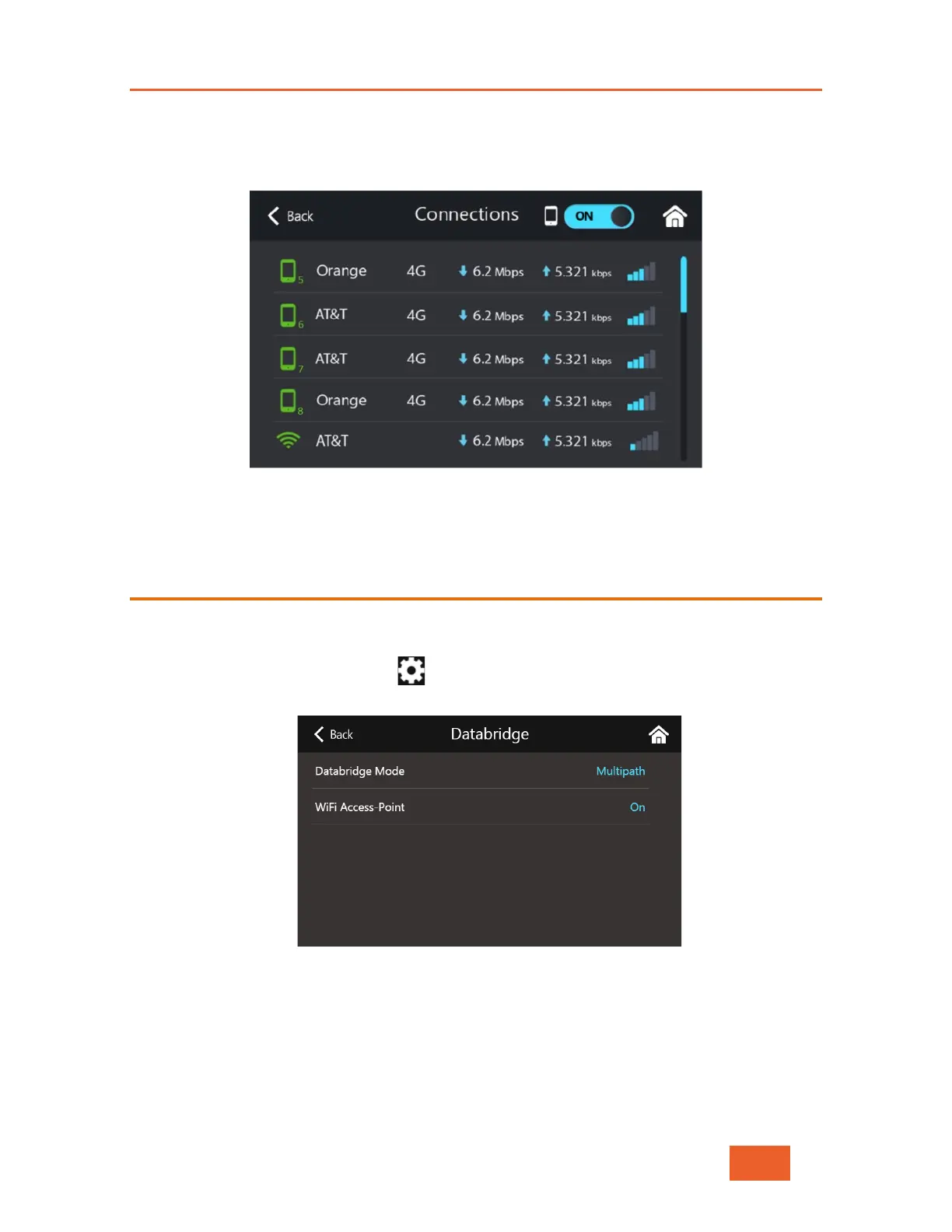
Pressing the Connections button at the top of the screen opens the Connections screen
and shows the specific bitrate used per interface.
Figure 88: Connections List in DataBridge Mode
When you are ready to disconnect from the gateway, tap the STOP DataBridge button.
DataBridge Settings
You can use the DataBridge settings screen to configure the DataBridge operational mode
as well as the WiFi Hotspot settings.
Tap the Advanced Configuration button in the Home screen and select the
DataBridge item.
Figure 89: DataBridge Settings Screen
Selecting DataBridge Operational Modes
Tap on the DataBridge Mode menu item in the DataBridge setting screen and select the
mode required (either Multipath, or Gateway).



 To Next Page