Advanced Configuration Settings LiveU LU600 User Guide
Store & Forward
The LU600 unit can operate in Store & Forward (S&F) mode, which simultaneously stores
incoming video while uploading the stored video to the LU2000 server, as described in
Chapter 5, Store and Forward on page 50.
Audio Settings
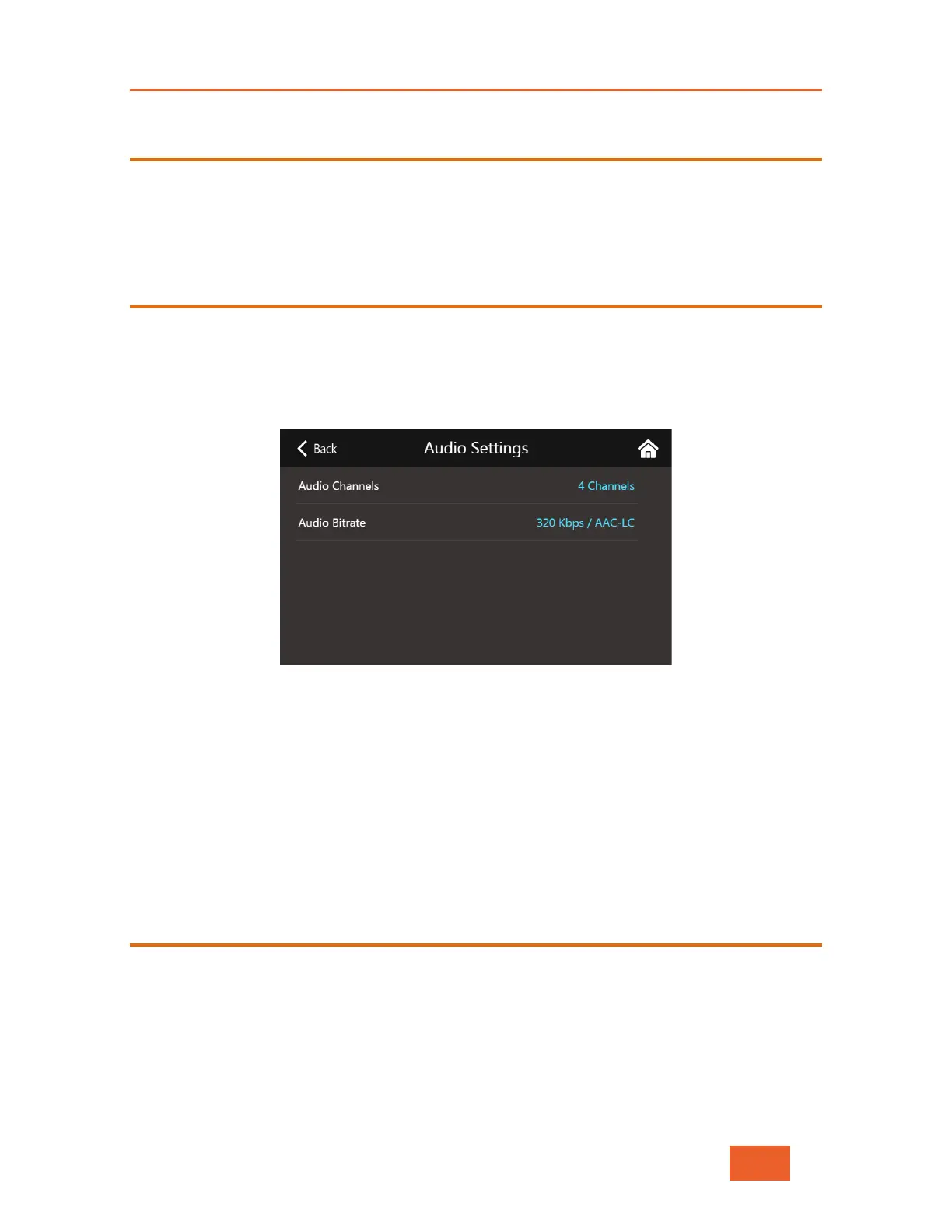
The Audio Settings window allows you to define the number of audio channels (2 Channels
or 4 Channels) and Audio Bitrate (96/128/192/200/320 kbps) used by the unit. The default
is 2 channels at 96 kbps. Note that 4 Channel input is only supported when using the SDI
connection. Setting the LU600 to 4 channels with an HDMI camera plugged in will only use
2 channels at 96 Kbps.
Figure 56: Audio Settings
Setting the Number of Audio Channels
Tap on Audio Channels to choose from either 2 Channels or 4 Channels.
Setting the Audio Bitrate
Tap on Audio Bitrate to choose from 96, 128 or 192 Kbps when 2 Channels have been
selected, and 200 or 320 Kbps when 4 channels have been selected.
DataBridge
The LU600 unit can provide a general purpose Internet connection when working in
DataBridge mode, as described in Chapter 8, DataBridge Operation on page 67. For more
details about switching to DataBridge mode, see page 68.



 To Next Page