Store & Forward LiveU LU600 User Guide
Selecting Local Storage
Store & Forward sessions can be stored either on the LU600’s internal storage (12 GB) or
on an inserted micro SD card.
To select the storage to be used during Store & Forward, tap the dropdown menu and
select either the internal storage or the micro SD card.
NOTE
The micro SD card storage size can be from 1GB to 2TB, and must be a Class
10/UHS-I SD card from an established manufacturer.
LU600 supports the following file systems: FAT32, NTFS, exFAT and ext3/ext4.
FAT32 supports single file sizes up to 4GB and therefore is not recommended.
Configuring an S&F Session
Perform the following to configure a specific S&F session. This should be done after the
camera has been connected and is feeding video into the LU600.
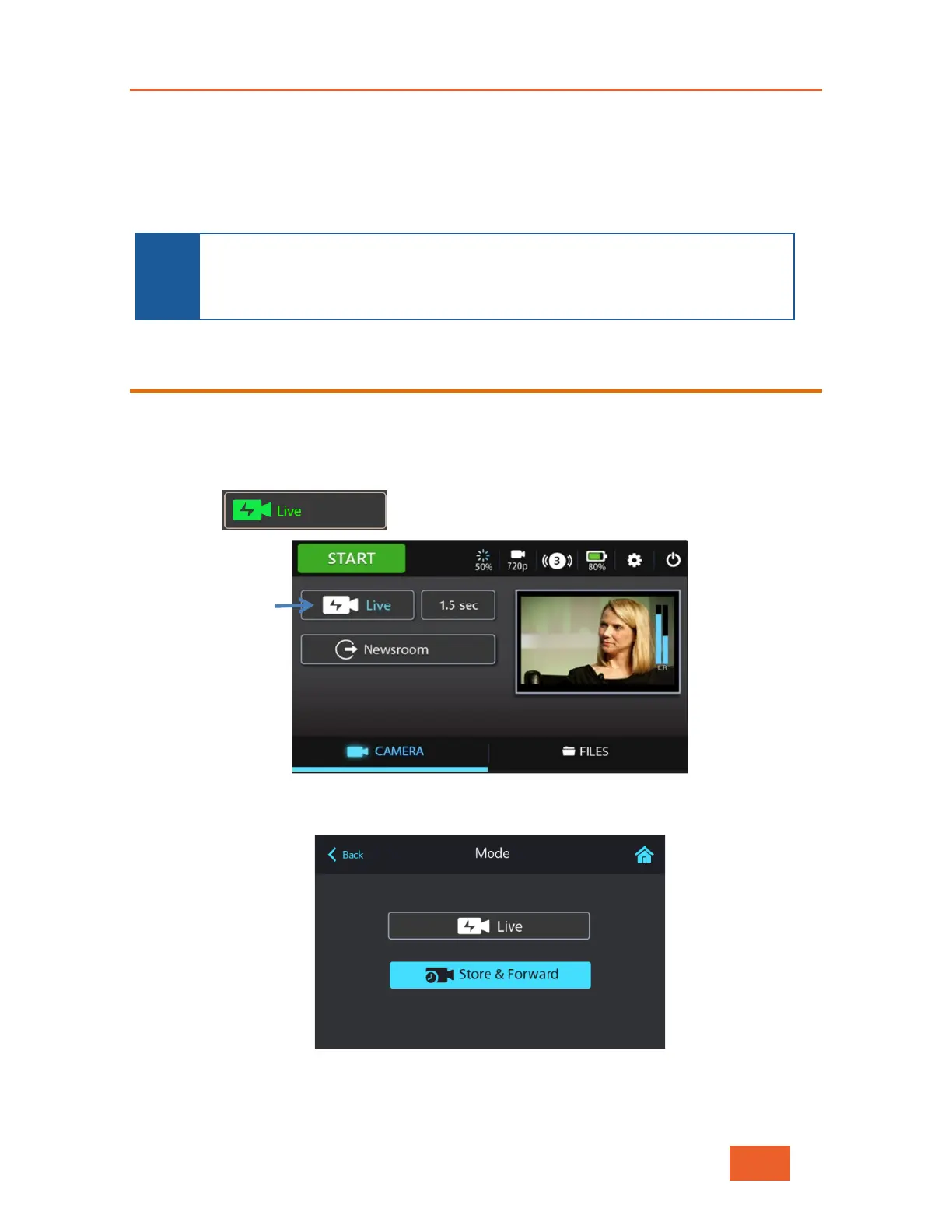
To start an S&F session:
1 Tap the button, shown below:
Figure 61: Selecting S&F Mode – 1
The following displays:
Figure 62: Selecting S&F Mode – 2
2 Select Store & Forward mode.



 To Next Page