Store & Forward LiveU LU600 User Guide
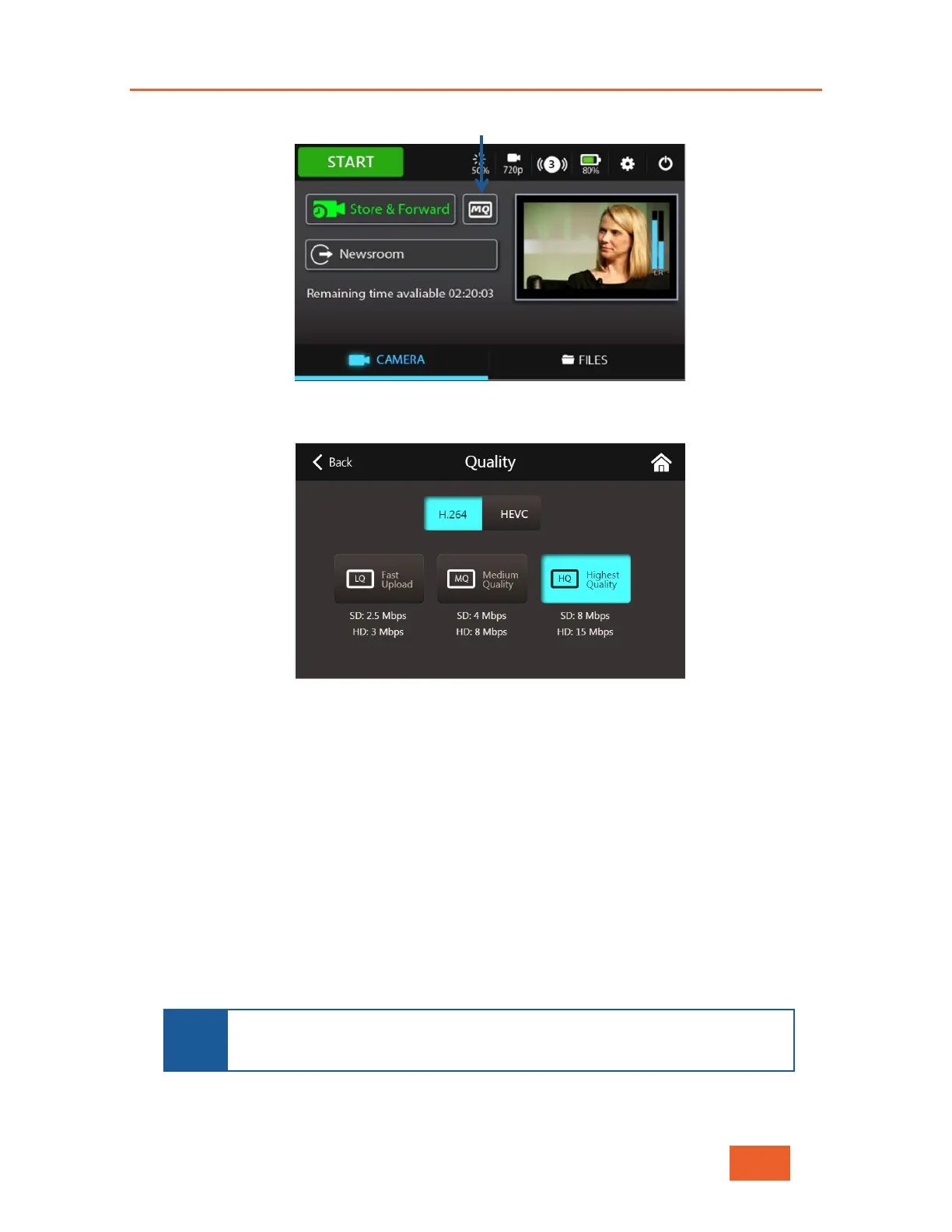
3 Select the Quality button, shown below:
Figure 63: Selecting Quality – 1
The following displays:
Figure 64: Selecting Quality – 2
3 On units with the HEVC Card, you can select either H.264 or HEVC by tapping the
relevant button. On units with no HEVC card, you will not be given the option to select
HEVC, and your files will be saved in H.264 format.
4 Select one of the quality levels:
LQ: Low video bit rate enables quick file upload to the server. This option is
recommended for urgent situations when network coverage is low.
MQ:
Medium bit rate. Provides good video quality with relatively quick file
upload.
HQ: Highest bit rate. Provides the best video quality with the slowest file upload.
This option is recommended when the highest quality is required and
network
performance is high, or when it is not urgent for the video to arrive at the
studio.
NOTE
The Remaining storage indication on the main screen shows the length
of time remaining to store the S&F files according to the quality level and
the selected target storage.



 To Next Page