Using the LU600 LiveU LU600 User Guide
Figure 36: Mobile Network Screen After Scan
7 To switch back to automatic selection, tap Select Automatically.
Optimized Roaming Pairing (ORP)
Your LU600 supports ORP (Optimized Roaming Pairing). This service provides optimized
network operator pairing on roaming SIMs based on LiveU’s field experience in different
territories worldwide. When left to their default dialing and connection preference, all of the
roaming SIMs in your LU600 will tend to pair to the same operator (either due to signal
strength or built-in commercial preference). ORP assures that the modems will pair to the
2, 3 or 4 operators that are available in the specific area / country you’re in.
Please contact your LiveU sales representative for more details on how to enable this
service.
Dual-SIM Modules – GUI Additions
Your LU600 now supports advanced SIM selection functionality when using Dual-SIM
modules. For more details on Dual-SIM module hardware, please see Dual-SIM Module
Installation on page 84.
Dual-SIM Software Support
If your LU600 unit contains one or more Dual-SIM modules, you will be able to access the
following additional functions:
Set global slot selection (A or B) for ALL Dual-SIM modules
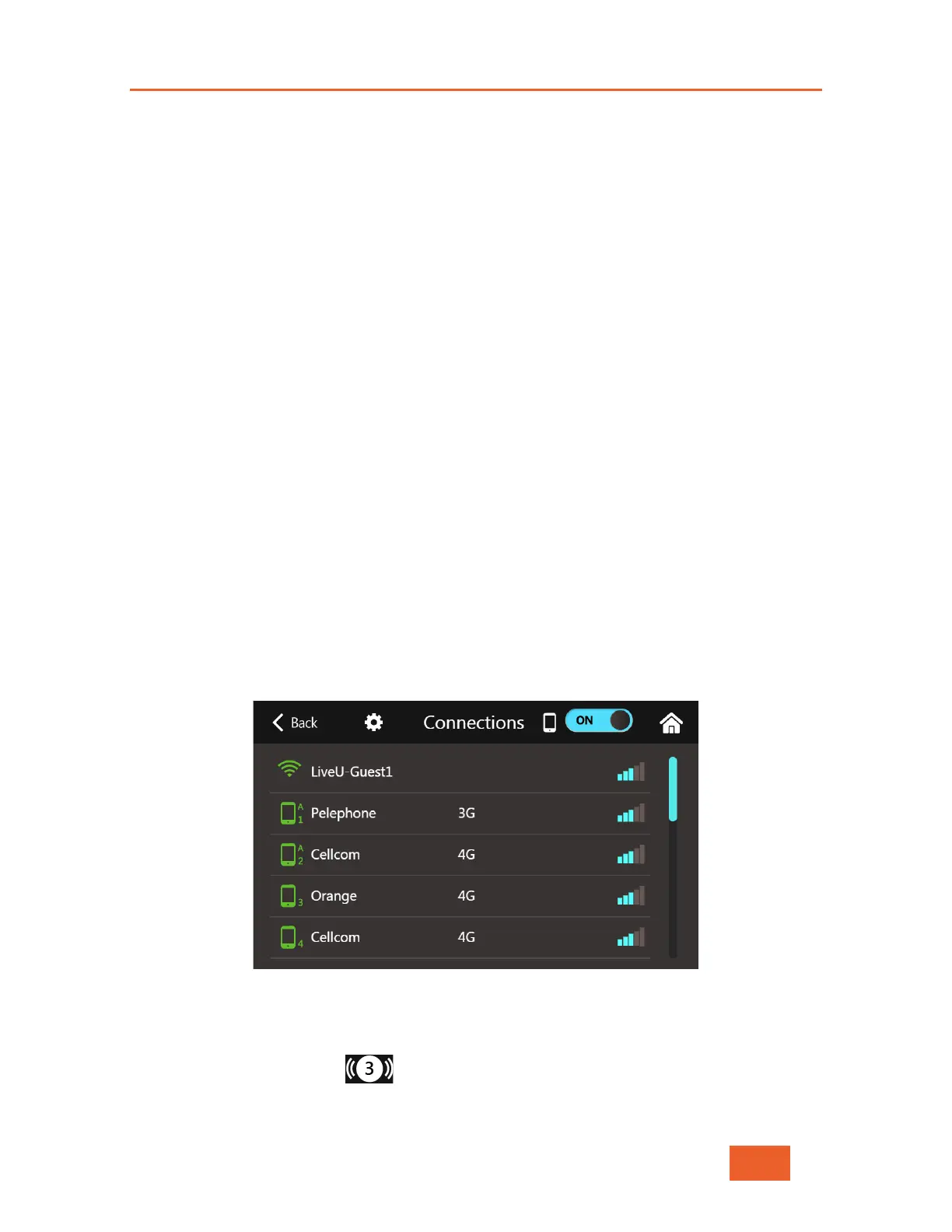
Figure 37: Connections Screen w/Dual-SIM Modules
To change the SIM slot that your LU600 will use for ALL of the installed Dual-SIM modules,
take the following steps:
• Tap the Connections button on the Home screen to display the Connections
screen which lists the interfaces that the LU600 can connect to.



 To Next Page