Quick Start LiveU LU600 User Guide
LU600 Home Screen
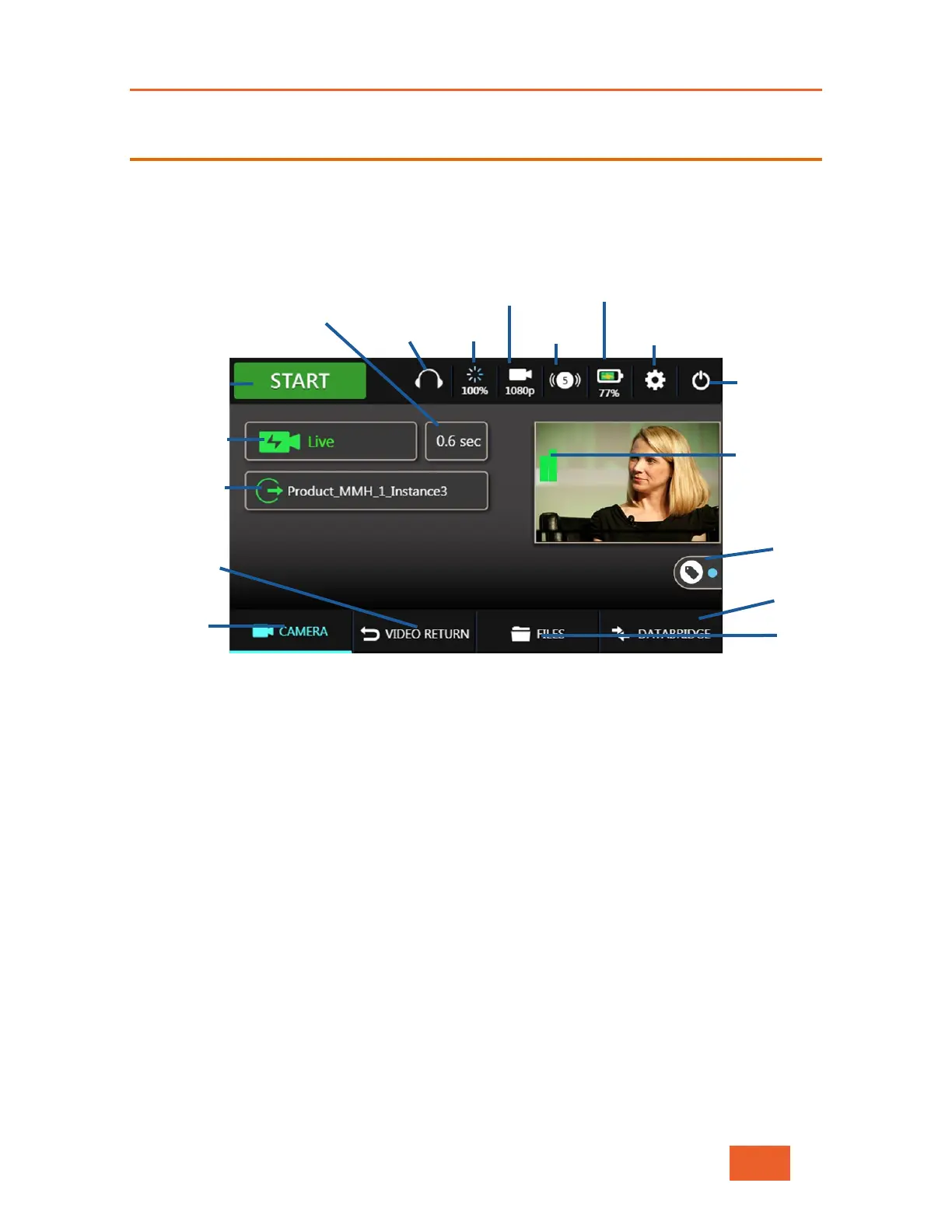
The LU600 user interface is accessed via the LCD touch screen. The Home screen
automatically displays when the unit is powered on.
All LU600 functionality is accessible directly from the Home screen.
Figure 10: LiveU LU600 Home Screen
The Home screen provides various buttons, icons and indicators for controlling the unit and
its broadcast, as follows:
• Battery Status, page 20
• Preview and Audio Bars, page 20
• IFB Headphone Detection & Control, page 21
• Video Input Resolution, page 25
• Streaming Operation Mode Selection, page 26
• Channel, page 28
• Delay, page 32
• Connections, page 33
• Start/Stop Streaming, page 43
• Power Down, page 44
• Advanced Configuration, page 46
• File Management, page 58
• File Transfer Status, page 62
Video Preview
and Audio Bars



 To Next Page