Using the LU600 LiveU LU600 User Guide
When you select a Virtual Group to stream to, the video will be streamed as a “light
stream” (low bandwidth, at lower resolution and frame rate) preview channel to LiveU
Central.
Once a LiveU Central operator has allocated a Virtual Channel in Preview mode to a
destination (SDI or CDN output), it is streamed at the appropriately defined resolution and
frame rate. For more details about handling preview channels, see the LiveU Central User
Guide.
To stop a Virtual Channel stream in Preview mode, tap the button. This returns
the LU600 to Ready state and the video will no longer stream.
You cannot define when the Virtual Channel in Preview mode goes live. This can only be
performed by a LiveU Central operator. When the LiveU Central operator defines that a
Preview channel is live, the Preview indication changes to Live.
When a LiveU Central operator changes a video stream from Preview to Live, that stream
stops for a few seconds and then starts again.
Marking a Channel as a Favorite
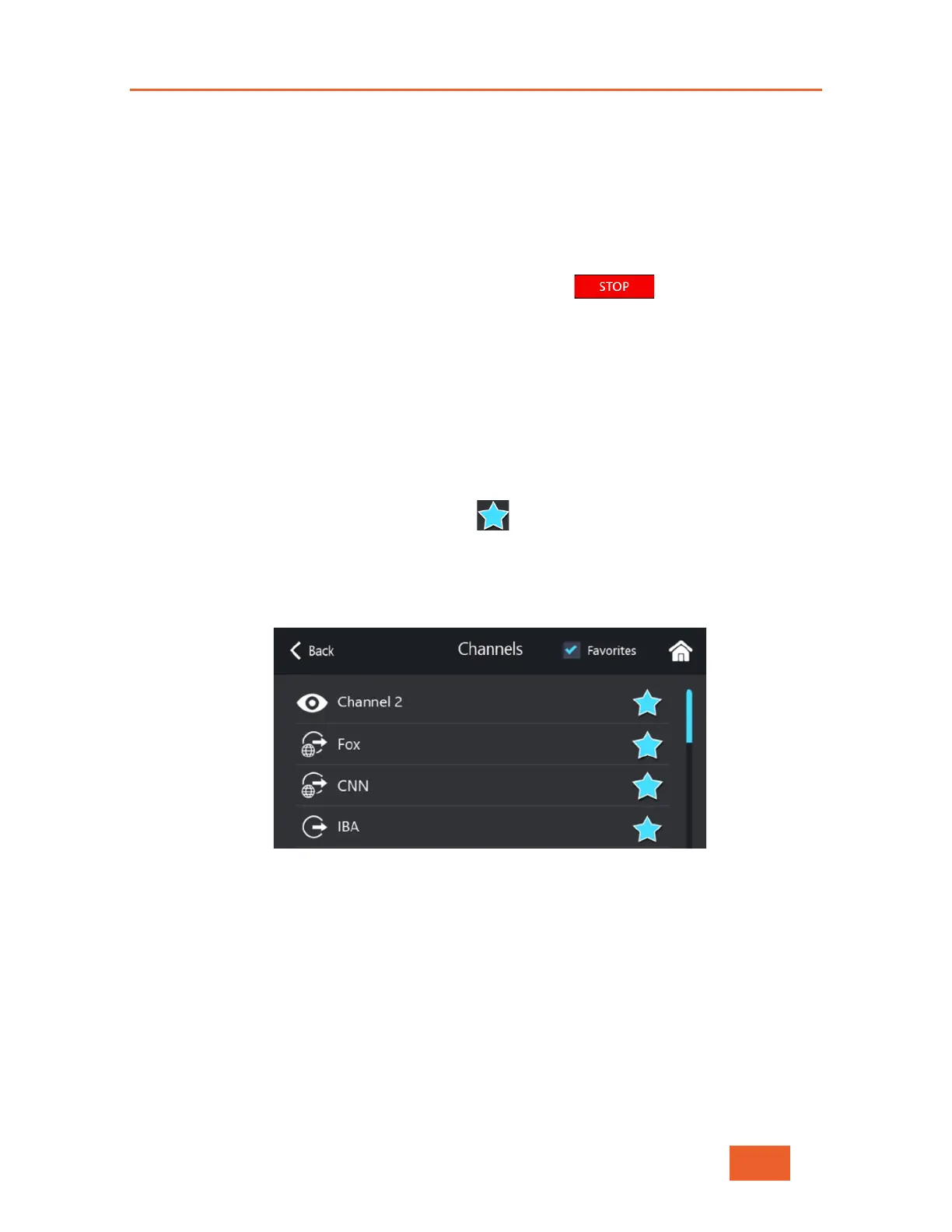
Favorite channels are indicated by a blue star in the Channels screen.
To mark a channel as a favorite channel:
• In the Channels screen, tap the channel you want to mark as a favorites channel.
Its black star changes to a blue star.
Figure 28: Marking a Favorite Channel
To display only favorite channels:
• In the Channels screen, check the Favorites checkbox. Checking this checkbox
displays only favorite channels in the channel list.



 To Next Page