Using the LU600 LiveU LU600 User Guide
To select a channel:
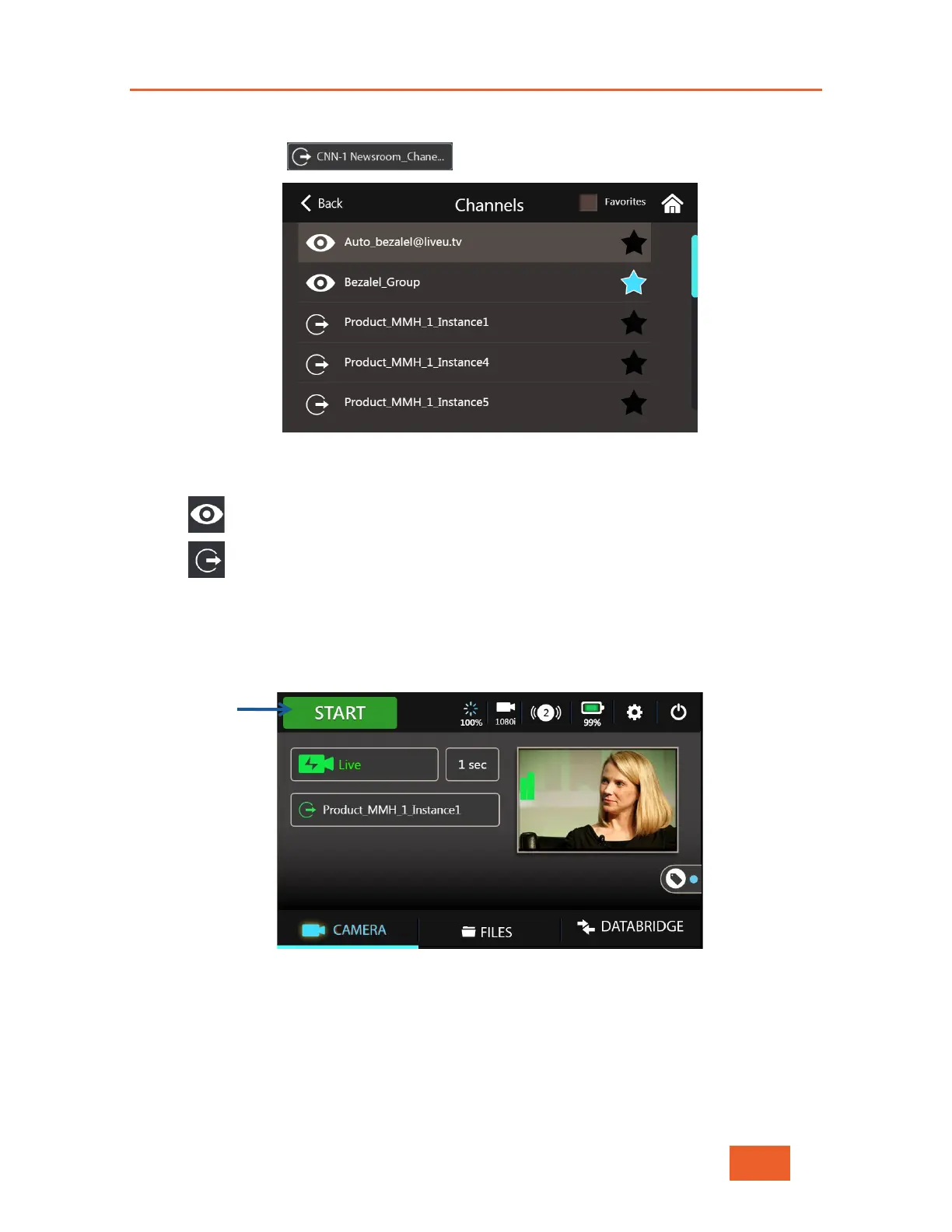
1 Tap the Channel button to display the following screen:
Figure 24: Selecting a Channel
The channel icons next to the channel name reflects the channel type as follows:
• Channel is a Virtual Group (see below)
• Channel is connected to an SDI output
2 Tap the channel to which you would like to stream. You can use the slider to scroll
through the channels.
Once the channel is selected, the main screen should be displayed with the Start/Stop
Stream button, as shown below
Figure 25: Ready to Go Live



 To Next Page