Using the LU600 LiveU LU600 User Guide
Power over Ethernet (PoE) Setting
The LU600 can use its Power over Ethernet (PoE) feature to provide power to a WiFi client,
such as the UBIQUITI client used with the Xtender. This replaces the need for the WiFi
client to be connected to an external power source. This option is only available for the
Ethernet 2 interface, and does not work on Ethernet 1. For more details about PoE and the
Xtender, see the LiveU Xtender User Guide.
NOTE
PoE should only be used for powering up the LiveU WiFi client, and not for any
other purpose.
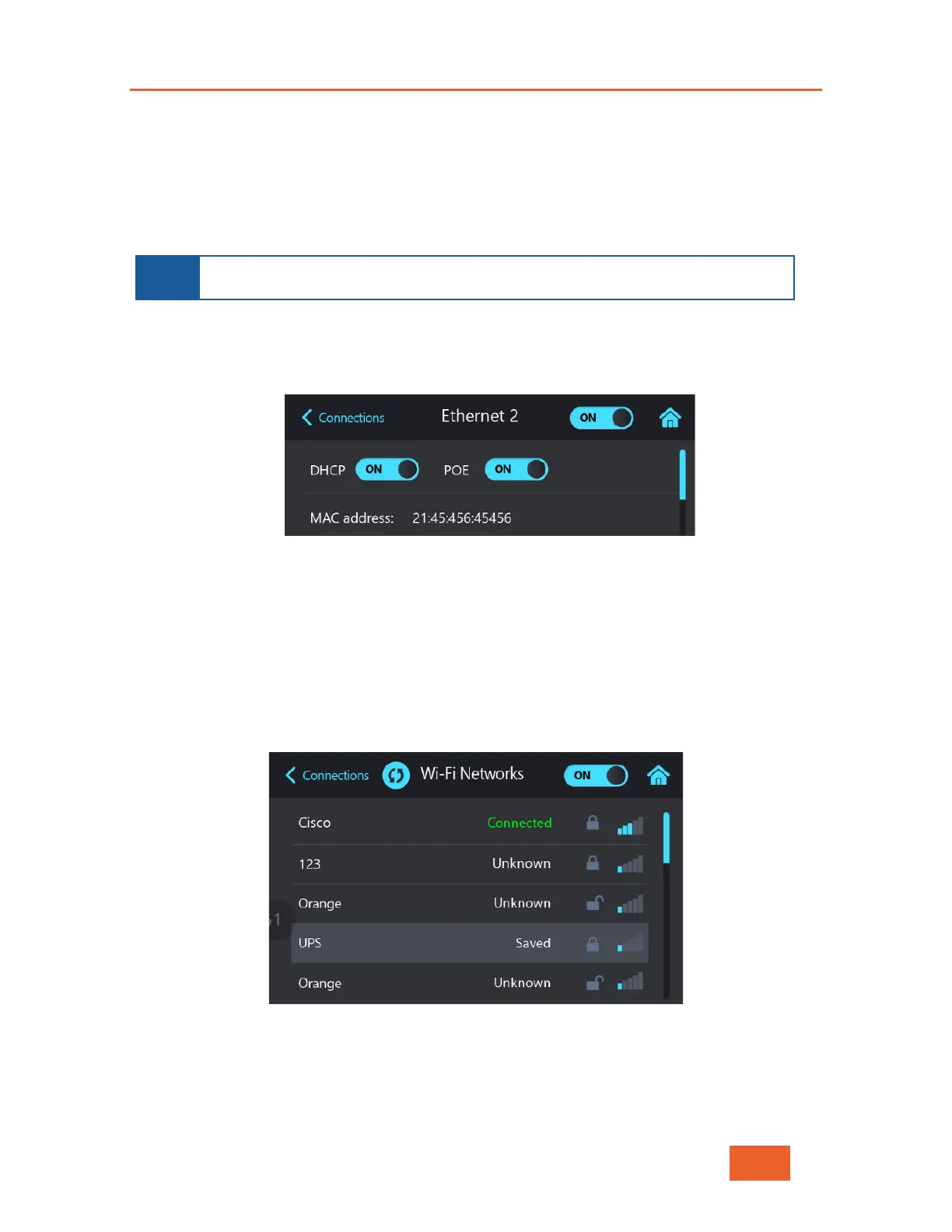
To enable PoE on an interface:
1 In the Connections screen (see Figure 30), tap an Ethernet interface. The Ethernet
screen displays.
Figure 44: Interfaces Screen – 2
2 Set the POE value to ON.
Configuring WiFi Network Parameters
The LU600 automatically attempts to connect to the most recent WiFi network to which it
was connected. The following describes how to connect to a different WiFi network or to
connect to a WiFi network for the first time.
The WiFi networks list shows all the WiFi networks detected in the vicinity.
Figure 45: WiFi Networks – 1
The following describes the options that may be displayed for each WiFi network, from left
to right:
• WiFi Network Name



 To Next Page