Using the LU600 LiveU LU600 User Guide
Setting Delay
Live video will be transmitted at the delay defined. The default delay is 5 seconds, which
provides the best of both worlds: low delay and high-quality video. The minimum delay is
0.6 second. The maximum delay is 20 seconds.
To set the delay:
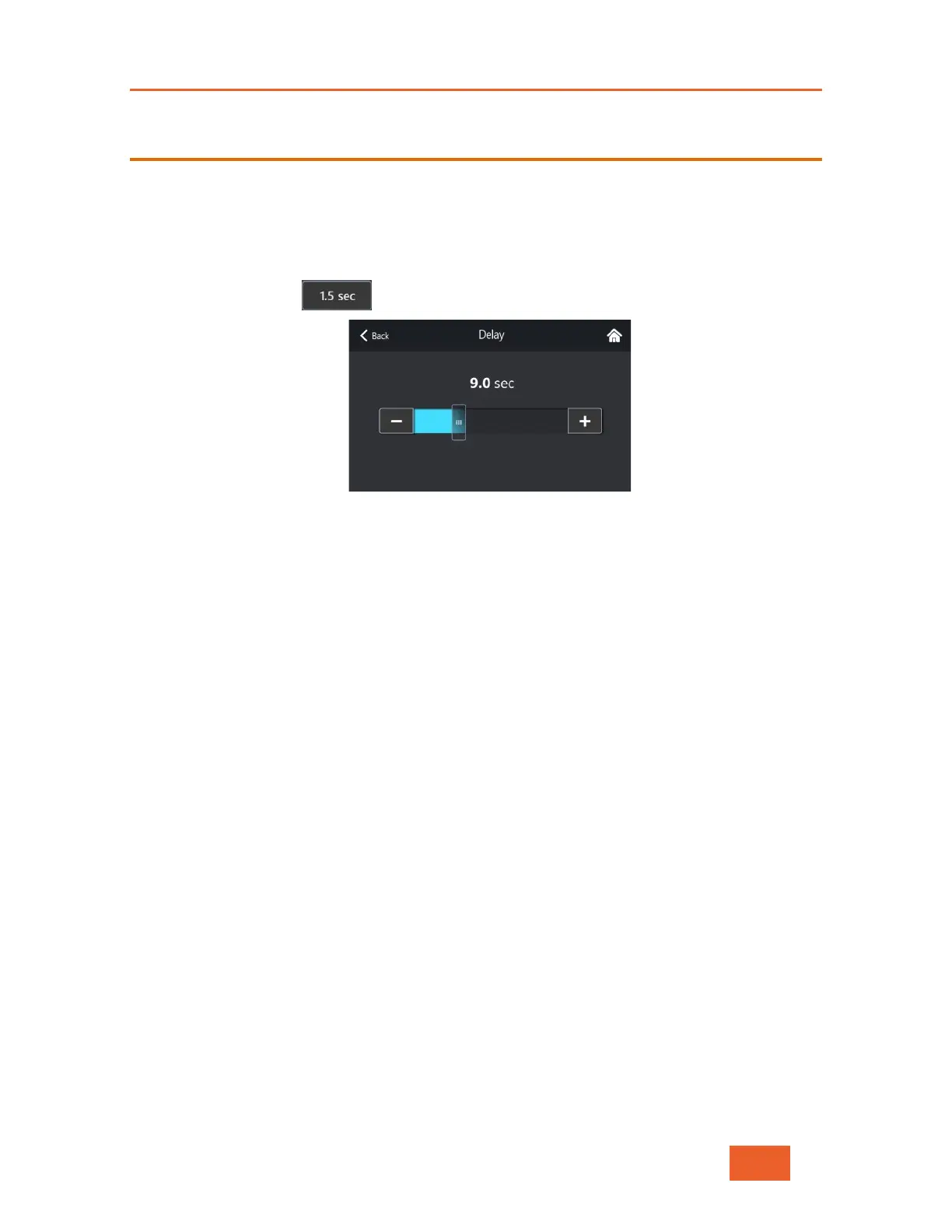
1 Tap the Delay button to display the following screen:
Figure 29: Setting the Delay
2 Use the slider to adjust the delay value. The LU600 will use this value until changed.
Here are some guidelines for selecting the delay that best suits your current delay-
versus-quality requirements:
• Delay of 0.6 – 4 Seconds: Provides the maximum quality within the
constraints of the shortest delay. This profile is resilient to changes (errors) and
adapts quickly to bandwidth changes.
• Delay of 5 – 9 Seconds: This option generally provides the best of both
worlds: lower delay and high-quality video.
• Delay of 10 – 20 Seconds: Prioritizes high-quality video over lower delay and
is suitable for most purposes.
NOTE: Whenever a delay value of under 1 second is selected, the LU600 will show a
warning message, recommending to only select values under 1 second when
connected to a high speed internet network.
NOTE: Delay values of 0.7 seconds or lower are NOT recommended when
your unit is only connected via Cellular networks.



 To Next Page