Store & Forward LiveU LU600 User Guide
Starting the S&F Session
To start the S&F session:
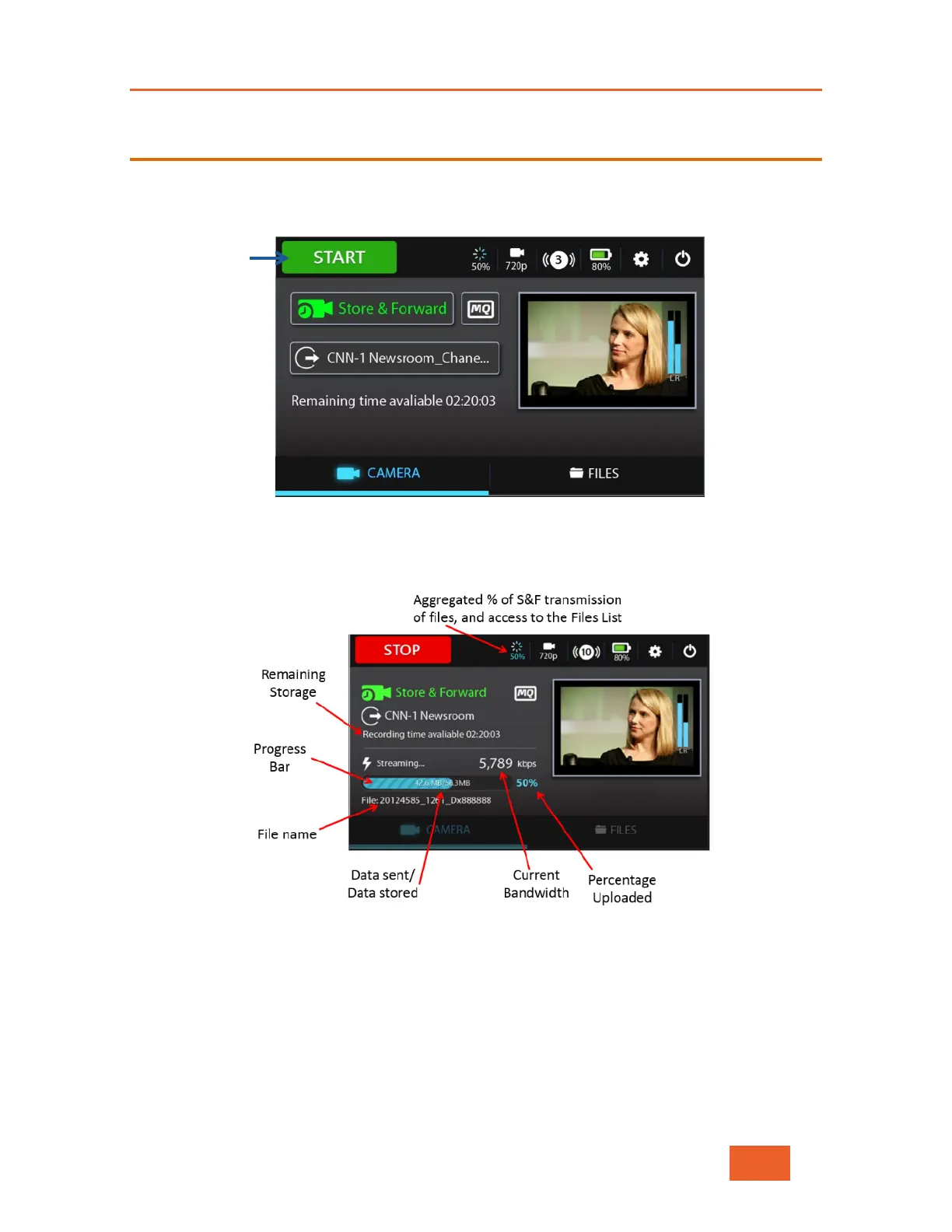
1 Tap the START button, shown below:
Figure 65: Starting the S&F Session
The following describes the information displayed describing the S&F session in
progress:
Figure 66: S&F Session in Progress



 To Next Page