215922 80 Revision A
Auxiliary Lift Switches
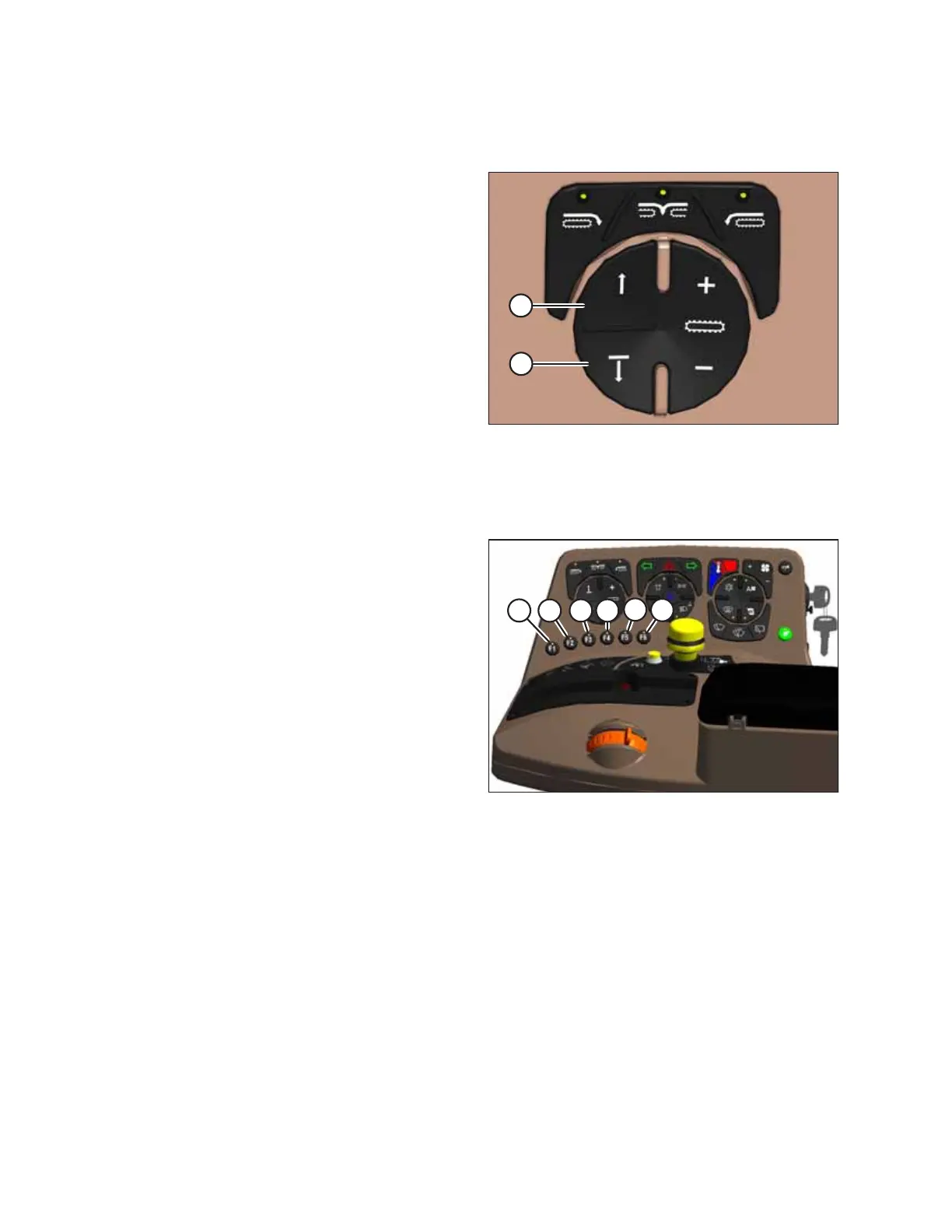
Buttons to control header functions are conveniently located on the console.
Figure 3.69: Operator’s Console Auxiliary Controls
With Double Windrow Attachment (DWA):
• Raise the DWA deck by pressing button (A), or lower the
deck by pressing button (B).
With swath compressor attachment:
• Raise the swath compressor by pressing button (A), or
lower it by pressing button (B).
F1 to F6 Function Buttons
The function buttons are located on the console.
Figure 3.70: Operator’s Console Shortcut Buttons
The following functions have been assigned to the function
buttons on the operator’s console:
• F1 (A) – Float menu
• F2 (B) – One-Touch-Return
• F3 (C) – Windrower settings
• F4 (D) – Header settings
• F5 (E) – Narrow transport drive wheel legs extend/retract
• F6 (F) – Narrow transport walking beam extend/retract
Press a function button to override the existing screen and
display the function.
Press the function button again or press the Back button to
return to the previous screen.
Press the HOME button on the Harvest Performance Tracker to
return to the run screen.
OPERATOR’S STATION



 To Next Page