215922 101 Revision A
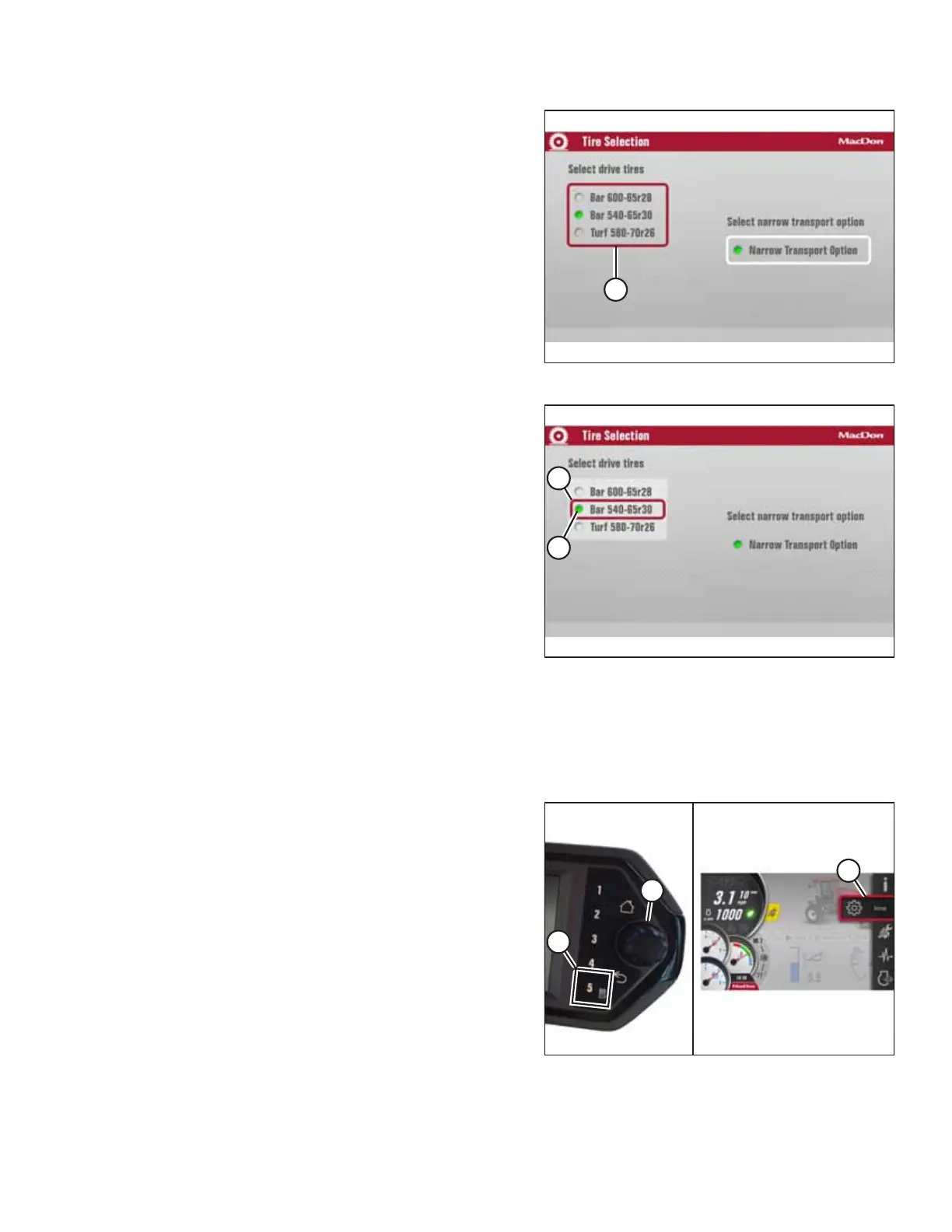
Figure 3.114: Tire Selection
4. Scroll to highlight SELECT DRIVE TIRES menu (A).
5. Press the scroll knob to select the list.
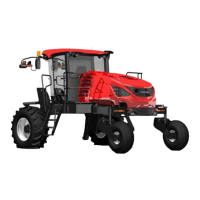
Figure 3.115: Tire Selection
6. Scroll until the correct tire size is highlighted (A).
7. Press the scroll knob. Make sure green radio button (B)
appears beside the tire size.
8. The tire size is now enabled.
9. You can now either exit the menu by pressing the BACK
button, or exit the TIRE SELECTION page by pressing the
HOME button.
NOTE:
Pressing the BACK or HOME buttons will save the settings
to memory.
3.17.6 Enabling Narrow Transport System in the Harvest Performance Tracker
The Harvest Performance Tracker (HPT) display includes a narrow transport menu option that must be enabled before
extending or retracting the transport system.
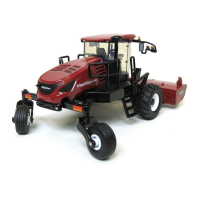
Figure 3.116: Narrow Transport Menu
1. Press MENU button 5 (A) to access the main menu.
2. Using SCROLL/SELECT wheel (B), select SETUP (C).
OPERATOR’S STATION



 To Next Page