215922 67 Revision A
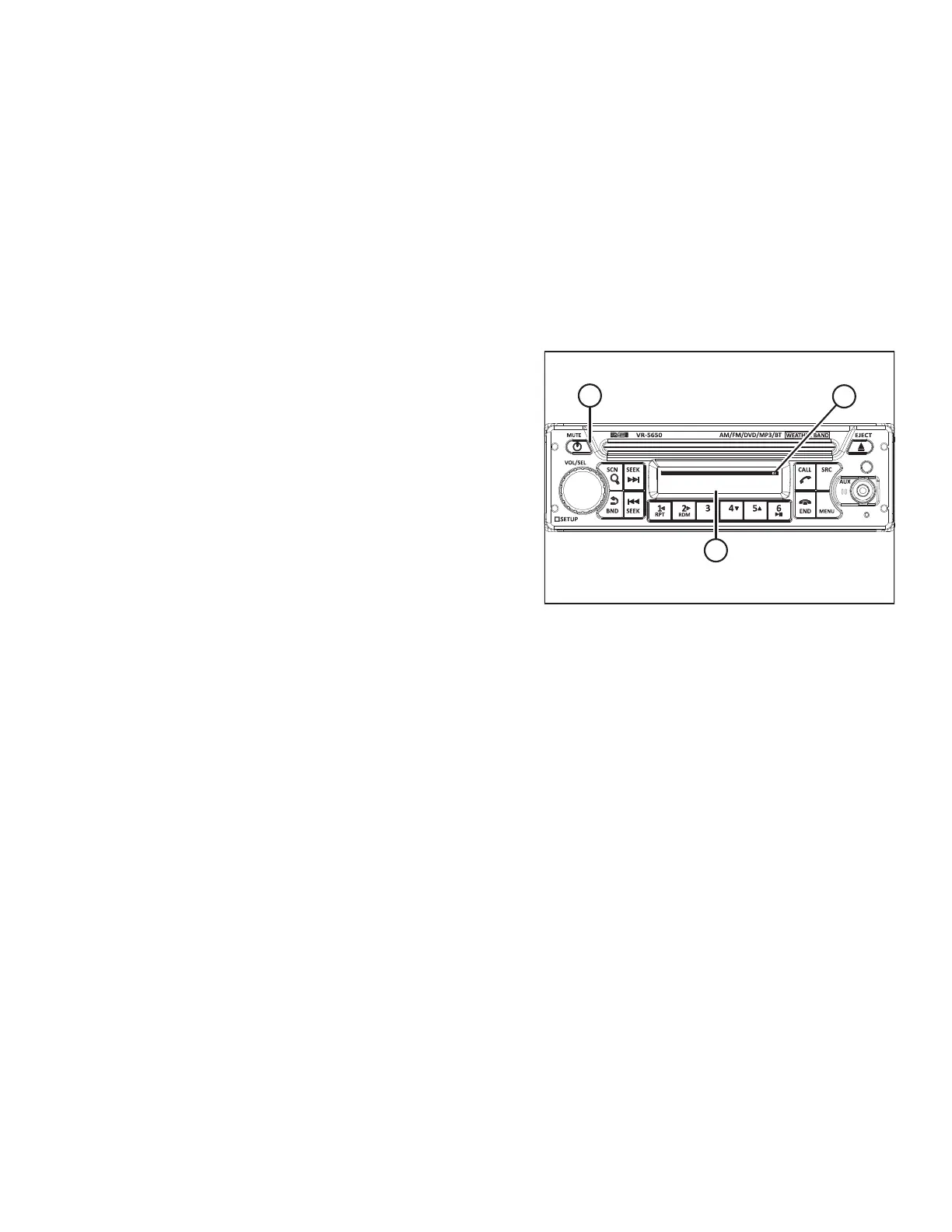
7. Rotate VOL/SEL knob (B) to display ON and press VOL/SEL
to select.
NOTE:
Bluetooth
®
discovery will be active every time the radio is
turned off and back on.
Pairing Bluetooth
®
Device
The installed radio allows the operator to pair a Bluetooth
®
phone or audio device.
1. Check that Bluetooth
®
is enabled and that the radio has been set to DISCOVER mode. For instructions, refer to
Activating Bluetooth
®
Feature, page 66.
MOTOROLA
CONNECTED
ϭϬϯϲϴϵϮ
A
B
C
Figure 3.48: Radio Display
2. Press POWER button (A) to turn the radio ON.
This will set the radio to Bluetooth
®
discover mode if the
Bluetooth
®
feature has been activated. If not, refer to the
radio operator’s manual for instructions to access the
SETUP MENU, BT SET screen.
3. Turn the mobile device’s Bluetooth
®
to ON. For instructions,
refer to the device’s operator’s manual. The radio appears
as a discoverable device.
4. Select VR-5650 on the mobile device.
NOTE:
A passkey is required to connect to the Bluetooth
®
radio.
The default passkey is four zeros (0000).
5. Enter the default passkey 0000. The radio will display
CONNECTED (B) and Bluetooth
®
icon (C) appears in the
upper right corner of the screen.
OPERATOR’S STATION



 To Next Page