215922 117 Revision A
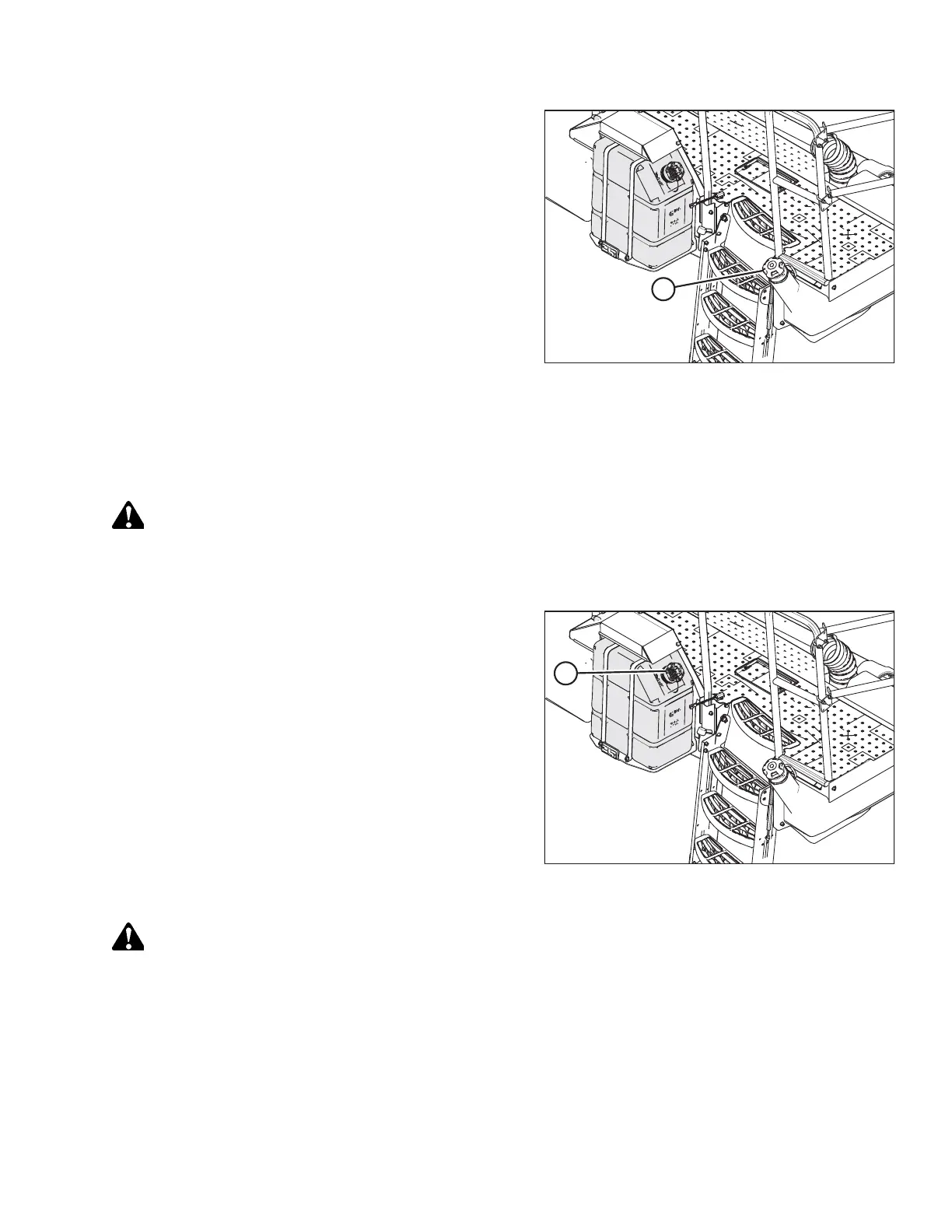
Figure 4.7: Fuel Tank Filler Cap
2. Clean the area around fuel filler cap (A).
3. Turn fuel filler cap (A) counterclockwise until it is loose.
Remove the cap.
4. Fill the tank with approved fuel. For fuel type and quantity,
refer to 5.1.4 Lubricants, Fluids, and System Capacities,
page 232.
IMPORTANT:
Do NOT completely fill the tank as space is required for
expansion. A filled tank could overflow if exposed to a rise
in temperature, such as direct sunlight.
5. Replace fuel tank filler cap (A), and turn the cap clockwise
until it clicks.
Filling Diesel Exhaust Fluid Tank
The symbol inside the diesel exhaust fluid (DEF) gauge on the Harvest Performance Tracker (HPT) display will signal when
DEF level is low.
DANGER
To prevent bodily injury or death from the unexpected startup of the machine, always stop the engine and remove the
key from the ignition before leaving the operator’s seat for any reason.
1. Shut down the engine, and remove the key from the ignition.
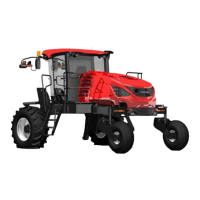
Figure 4.8: DEF Tank
2. Clean around filler cap (A).
3. Turn cap (A) counterclockwise until it is loose and then
remove the cap.
NOTE:
The filler cap for the DEF tank is blue and the nozzle
dispenser is smaller than that of the fuel tank.
CAUTION
Avoid contact with eyes. In case of contact, rinse immediately with water for 15 minutes.
OPERATION



 To Next Page