215922 220 Revision A
Figure 4.227: Setting Knife Speed
4. Scroll to and select KNIFE SPEED setting (A).
5. Adjust the knife speed using the HPT scroll knob.
6. Press the scroll knob to select.
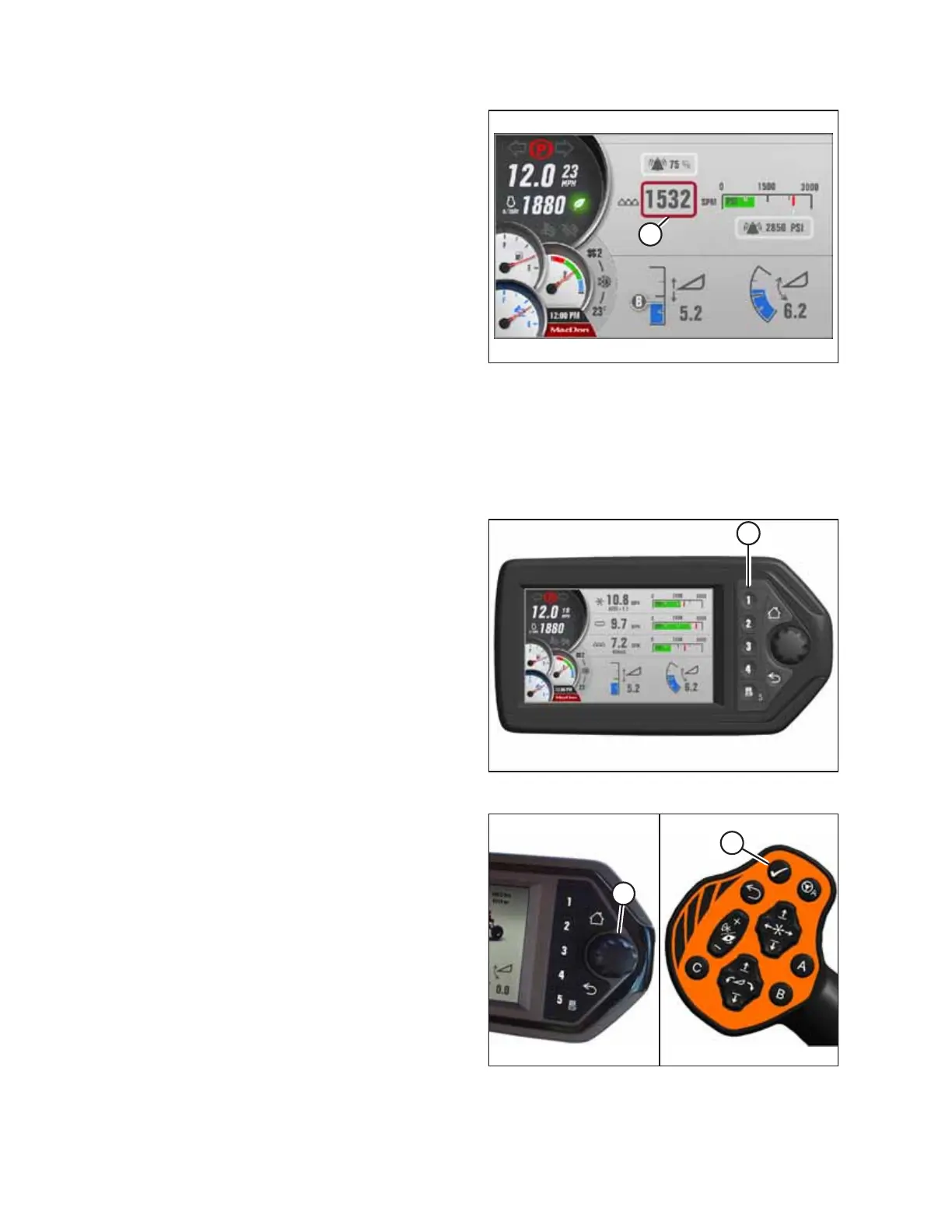
Adjusting Knife Alarm Pressure – Draper Header
Adjusting the knife alarm allows the Operator to set an alert to inform them that the knife is operating above the desired
pressure. A lower setting will cause the alarm to be set off more often; a higher setting will allow the alarm to be set off
less frequently. This adjustment requires the header to be in operation.
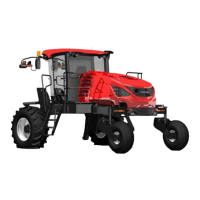
Figure 4.228: Header Run Screen 1
1. If RUN SCREEN 1 is not already displayed, press soft
key 1 (A) on the Harvest Performance Tracker (HPT) to
display draper RUN SCREEN 1.
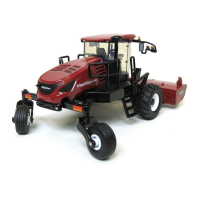
Figure 4.229: HPT Scroll Knob and GSL Select Button
2. Press scroll knob (A) on the HPT, or SELECT button (B) on
the ground speed lever (GSL) to display the
QuickMenu page.
OPERATION



 To Next Page