215922 200 Revision A
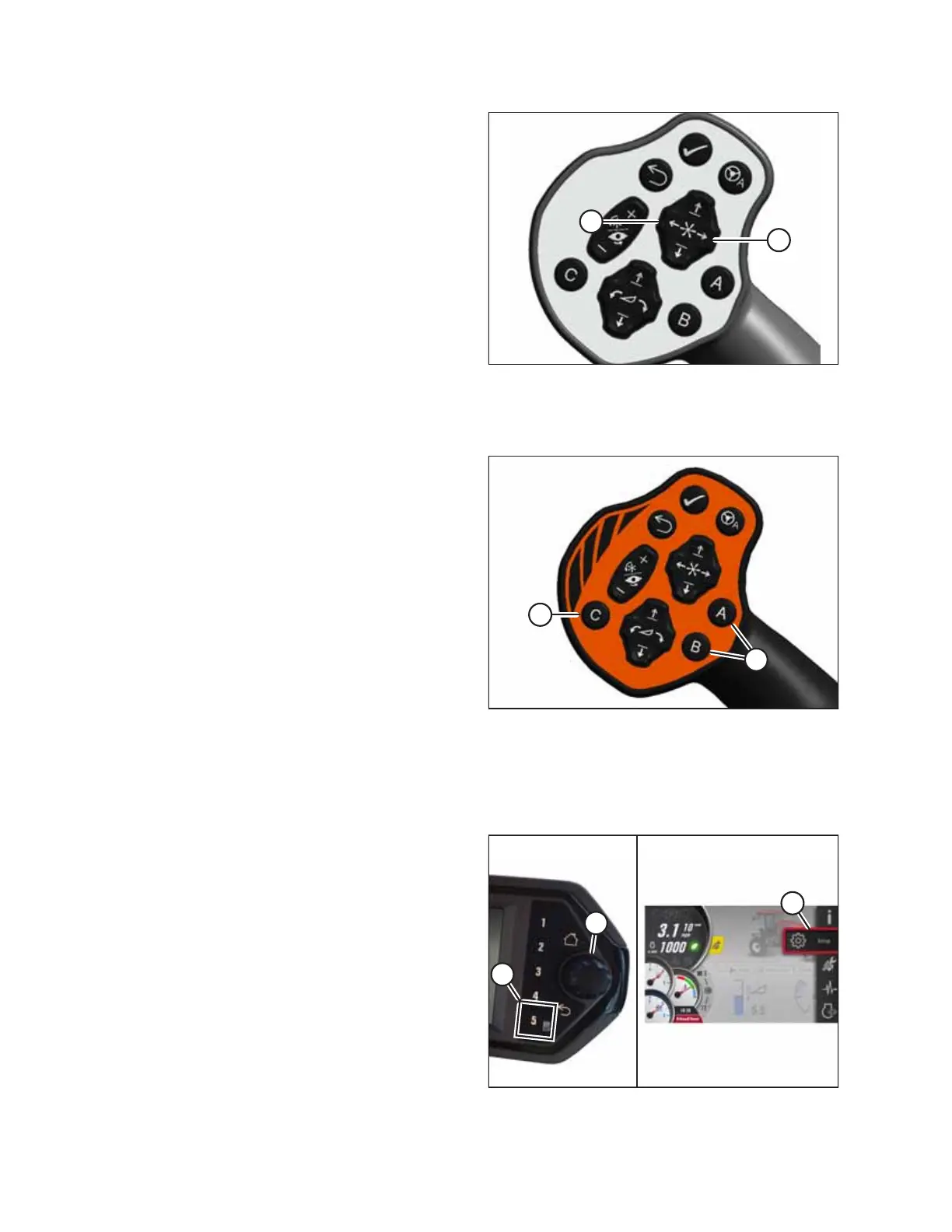
Figure 4.179: GSL
The DWA conveyor speed is also adjustable with the reel fore-
aft switches on the GSL. Press switch (A) to increase speed or
switch (B) to decrease speed.
4.6.7 One-Touch-Return
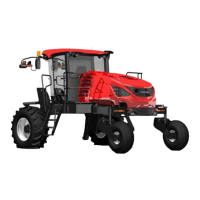
Figure 4.180: GSL
One-Touch-Return allows you to choose and apply three presets
to the A, B, and C keys (A) on the ground speed lever (GSL). The
presets can be set to control variables such as height, tilt, reel
position, and speeds. For instructions, refer to One-Touch-
Return Buttons, page 77.
4.6.8 Adjusting Header Raise and Lower Rates
The header raise and lower rates control how fast a header is raised or lowered. Adjust the speed if it is not satisfactory.
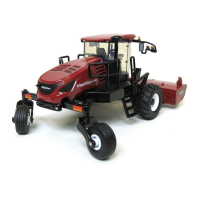
Figure 4.181: Opening the Main Menu
1. On the Harvest Performance Tracker (HPT) press soft
key 5 (A) to display the menu.
2. Use HPT scroll knob (B) to place the red cursor over
SETTINGS icon (C), and press knob (B) to select.
NOTE:
In addition to the HPT scroll knob (B), the scroll wheel on
the ground speed lever (not shown) can be used to
highlight and select items on the HPT display.
OPERATION



 To Next Page