215922 161 Revision A
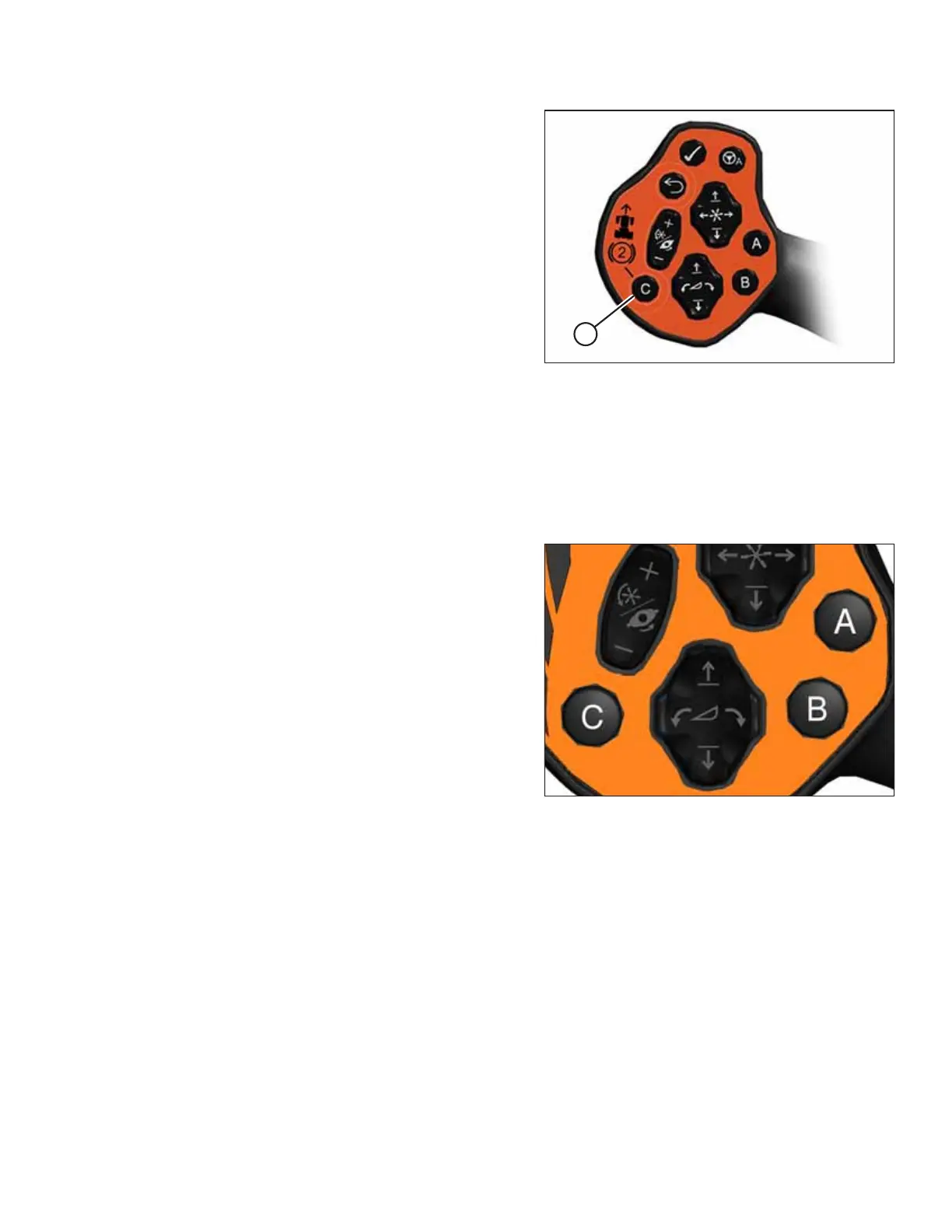
Figure 4.88: Secondary Brake System Enable Button –
German Export Only
2. Move the GSL to the PARK position and press BUTTON C (A)
again to disable the secondary brake system. The secondary
brake icon turns off on the HPT display.
4.4.2 One-Touch-Return and Secondary Braking Buttons – German Export Only
For machines exported to Germany, the One-Touch-Return buttons (A, B, and C) on the Ground Speed Lever (GSL) save
header configuration settings when the machine is in cab-forward mode. When the machine is in engine-forward mode,
button “C” enables the secondary braking system.
Figure 4.89: One-Touch-Return Buttons on GSL
The One-Touch-Return buttons A and B, always save header
height settings, but the following settings can also be saved
depending on the header type:
• Header tilt
• Deck position/header float selection
• Swath compressor raise/lower
• Knife speed
• Draper speed
• Reel speed
• Reel height
• Reel fore-aft
• Disc speed
To program the One-Touch-Return buttons, press and hold button A, B, or C on the GSL handle for 3 seconds until an
audible tone is heard, indicating the current header settings are saved to that button.
To return the header to a preset condition, tap the A, B, or C button quickly.
NOTE:
Holding the One-Touch-Return button too long can inadvertently reprogram the current header settings.
OPERATION



 To Next Page