215922 66 Revision A
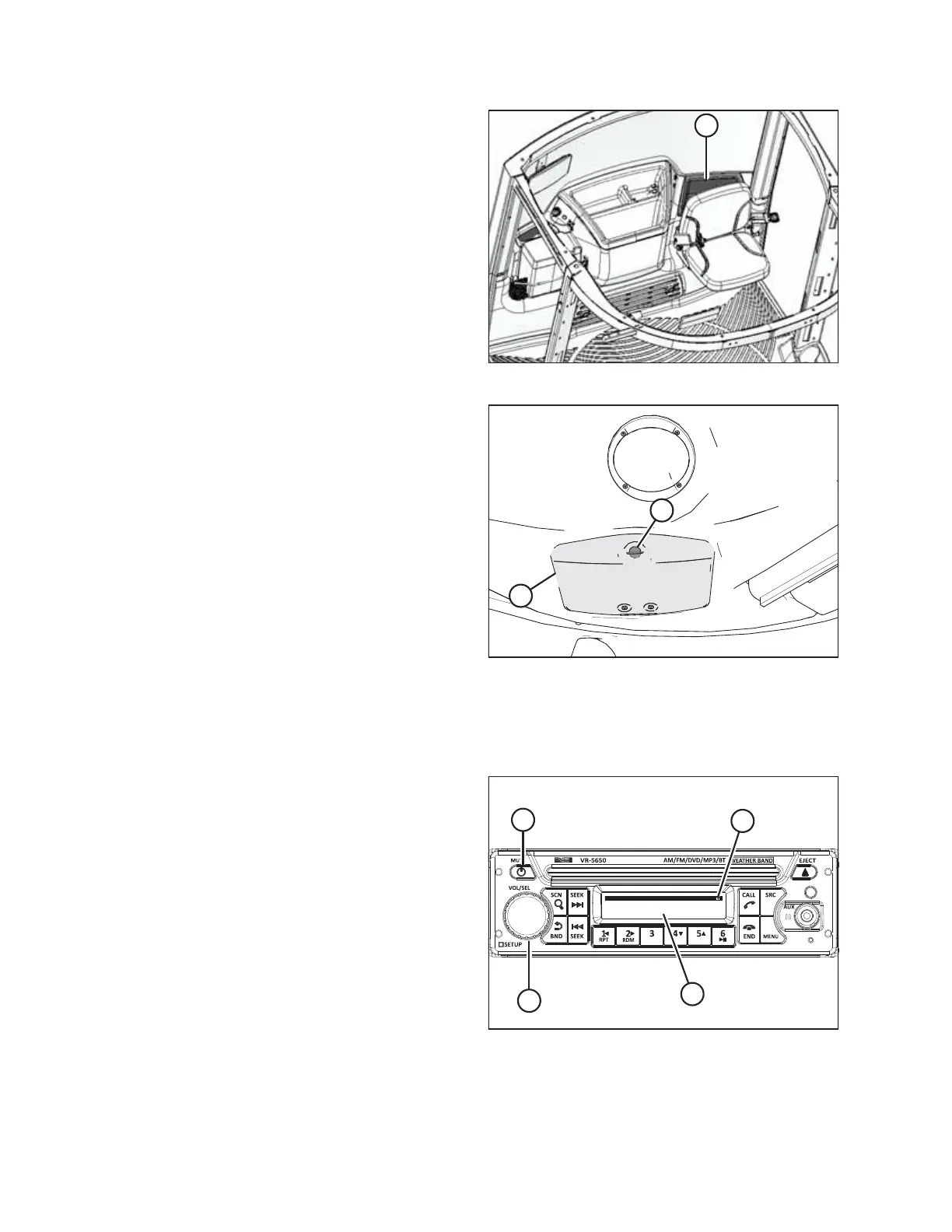
Figure 3.45: Manual Storage Location
3. When finished with the radio manual, place the manual in
manual storage case (A) located behind the training seat.
Figure 3.46: Relay Module Cover
4. Close relay module cover (B) and turn latch (A) to lock it.
Activating Bluetooth
®
Feature
The Bluetooth
®
feature must be activated on the receiver to allow mobile device pairing.
Figure 3.47: Bluetooth
®
Radio
1. Press POWER button (A) to turn the radio on.
2. Press and hold VOL/SEL knob (B) for 2 seconds. MENU is
displayed on screen (C).
3. Rotate VOL/SEL knob (B) to highlight BT SET menu and
press the VOL/SEL knob to select. BLUETOOTH ON/OFF is
displayed (C).
4. Press VOL/SEL knob (B) to select BLUETOOTH
®
.
5. Rotate VOL/SEL knob (B) to display ON and press VOL/SEL
knob (B) to select. Bluetooth
®
icon (D) will appear on the
screen.
6. Rotate VOL/SEL knob (B) and select DISCOVER.
OPERATOR’S STATION



 To Next Page