215922 45 Revision A
3.3.6 Tilt
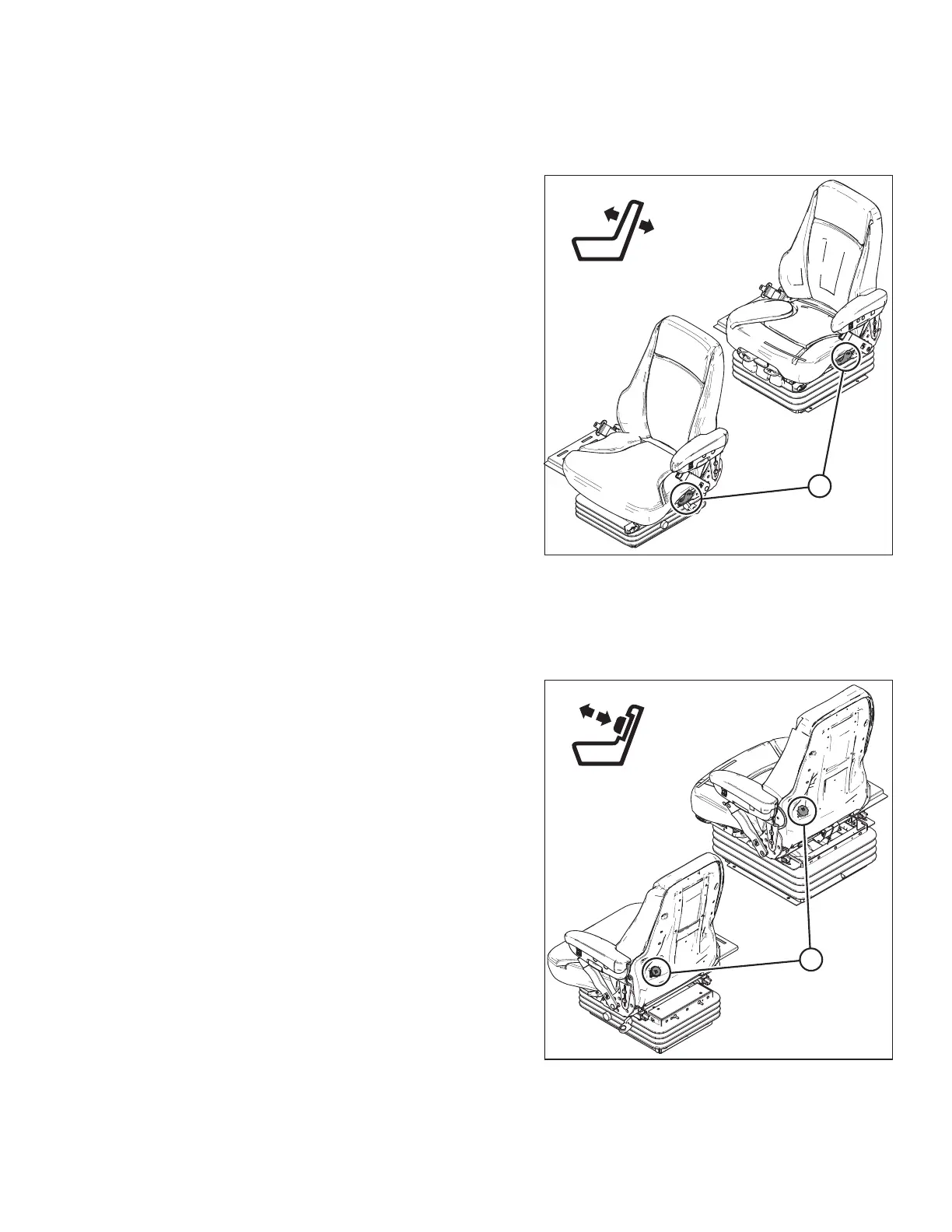
Use the controls on the side of the seat to adjust the seat’s tilt.
Figure 3.9: Operator’s Seat Tilt Controls
1. Pull lever (A) up to release.
2. Position the seat back as desired.
3. Release lever (A).
3.3.7 Lumbar Support
Use the controls on the back of the seat adjust the stiffness of the seat’s back.
Figure 3.10: Operator’s Seat Lumbar Support Controls
• Rotate knob (A) clockwise to increase the lumbar
support.
• Rotate knob (A) counterclockwise to decrease the
lumbar support.
OPERATOR’S STATION



 To Next Page