215922 348 Revision A
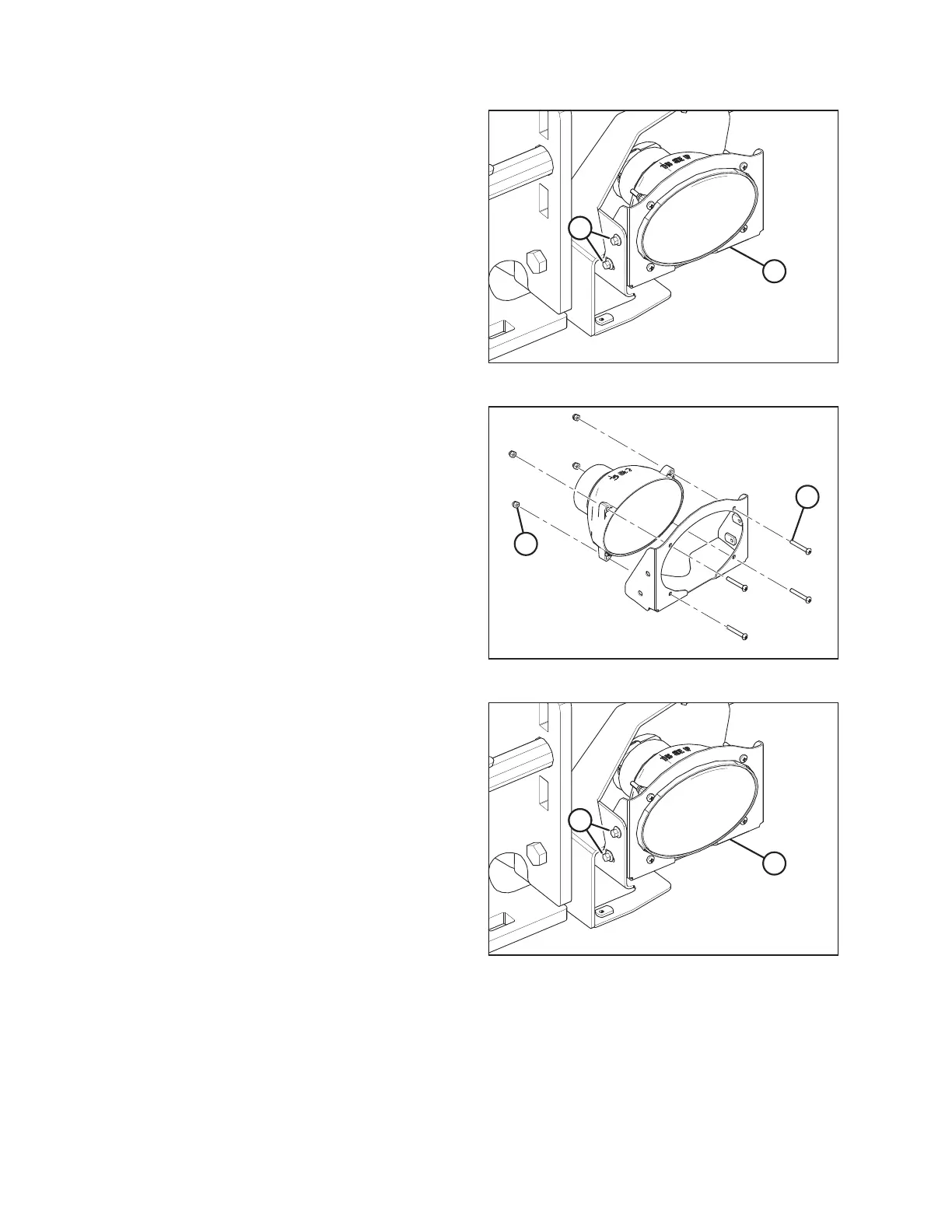
Figure 5.187: Right Headlight Shown – Left Similar
4. Remove two bolts (A) holding headlight bracket
assembly (B) in place and slide the bracket forward.
5. Pull the wiring harness connector off the headlight and
remove assembly (B).
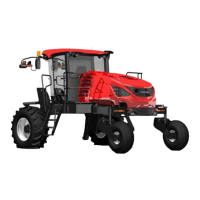
Figure 5.188: Right Headlight Shown – Left Similar
6. Remove four machine screws (A) and nylon nuts (B) and
retain the hardware.
7. Remove the old headlight from the bracket and replace it
with a new headlight.
IMPORTANT:
Do NOT touch the glass of the halogen bulb as oils or other
chemicals from your skin will cause the bulb to fail
prematurely.
8. Attach the headlight to the bracket using four retained
machine screws (A) and nylon nuts (B). Torque the screws
to 2.0–2.7 Nm (18–24 lbf·in).
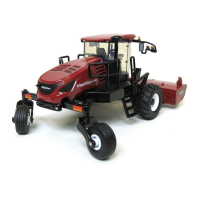
Figure 5.189: Right Headlight Shown – Left Similar
9. Connect the wiring harness connector to the headlight.
10. Attach headlight bracket assembly (B) using retained
bolts (A).
11. Align the new headlight. For instructions, refer to Aligning
Headlights – Engine-Forward, page 340.
MAINTENANCE AND SERVICING



 To Next Page