McHale Fusion 2 electronic control system section
11- 28
McHale Fusion 2 round baler wrapper technical service manual
Issue 1: 0208
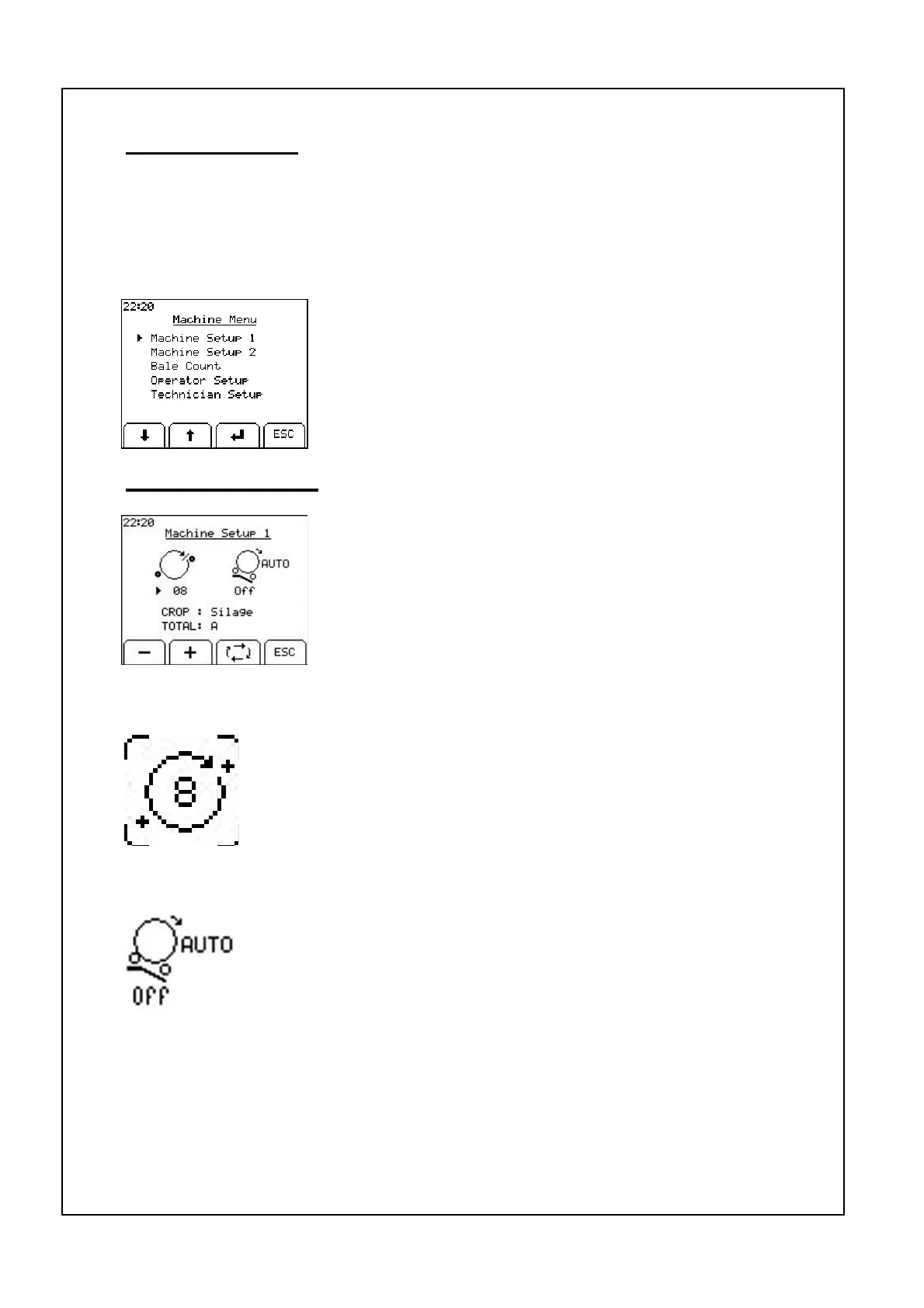
Machine setup 1
The four parameters in this menu are: Wrapper Rotations,
Auto Tip, Crop Type and Bale Count. Use the toggle key to
move the arrow head to each of the parameters and the +
and - Keys to change the value of the selected parameter.
ESC will return to the machine menu.
Machine menu
The Expert Plus Series control box has a number of options that can be selected or
adjusted by the operator. To enter the machine menu press menu button. The
machine menu has five options listed: Machine Set-up 1, Machine Setup 2, Bale
Count, Operator Setup, and Technician Setup.
To select one of these menus press the down or up arrow
to move arrow head to the required menu and then press
enter. ESC will return to the working display.
Film layers
Film layers are set by the number of ring rotations. Count the number
of rotations required to cover the bale once and add 0.5 of a rotation
then multiply this resultant figure by half the number of layers
required, e.g. (3.5 + 0.5) X 2 = 8 rotations for four layers. Use the +
and - soft keys to adjust this figure.
Auto tip
Auto Tip can be set on or off. When set to off the bale will only be
tipped when the bale tip button is pressed. When Auto Tip is enabled
the wrapped bale on the wrapping table will be automatically tipped
off when the next bale is being netted. Pressing the tip button will tip
off the bale earlier if desired. In automatic mode the auto tip can be
paused by pressing the cradle up button if the conditions are not suitable to tip off
the bale. This stops the bale transfer cycle after the net is applied. When the
machine has been moved to a suitable tip location then the cradle tip button can be
pressed to tip the bale and this will also resume the automatic bale transfer.



 To Next Page