McHale Fusion 2 electronic control system section
11- 29
McHale Fusion 2 round baler wrapper technical service manual
Issue 1: 0208
Crop
There are three crop options: Straw, Hay and Silage. Use the toggle soft key to
move the arrow head to the crop parameter, then use + and - soft keys to change
the crop type. When set to bale straw and hay the bales will not be wrapped. The
straw setting has only a one second pause between the time the bale chamber
sensor opens and the net is applied.
Bale sub total
There are ten bale sub totals to choose from (A – J). Using the toggle soft key move
the arrow head to the parameter and then use the + and - soft keys to change the
sub total.
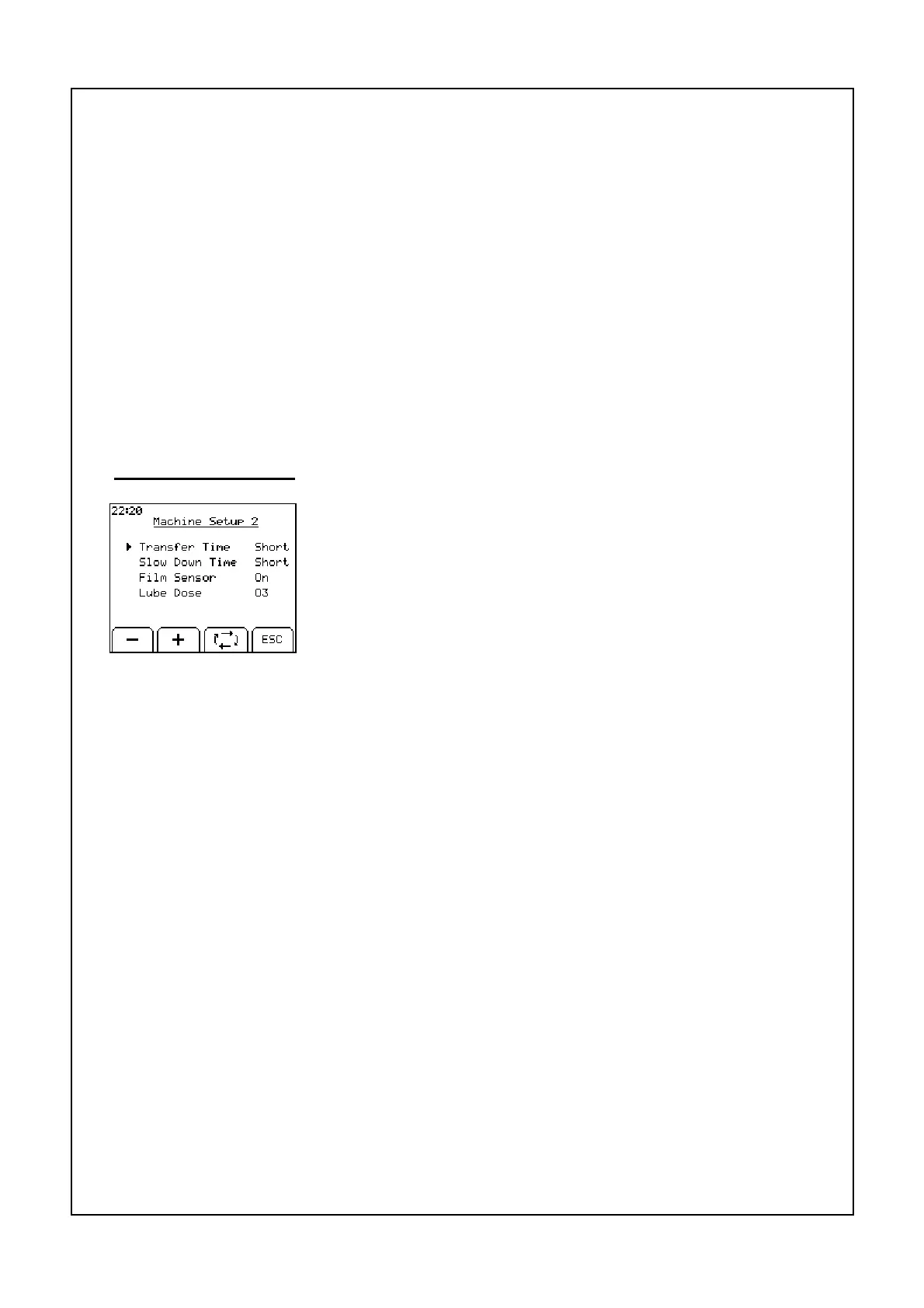
Machine set-up
The four parameters in this menu are: Transfer Time, Slow
Down Time, Film Sensor and Lube Dose. Use the toggle
key to move the arrow head to each of the parameters and
the + and - Keys to change the value of the selected
parameter.
ESC will return to the machine menu
Transfer time
There are three options for transfer in automatic mode: Short, Long and Manual.
• Short will open the door fully and close with no pause.
• Long will open the door fully and pause open for two seconds before closing
the door again.
• Manual transfer will open the door fully and it will remain open until the operator
presses the chamber advance button to continue the cycle. Manual is only
necessary in very difficult conditions.
Set this function to “LONG” when baling straw, hay or other “difficult to transfer” dry
crops. It may also be used when using the baler in difficult conditions, such as hills,
but this will increase cycle time. Set to “SHORT” for all other baling conditions. When
working in automatic mode as the chamber door opens press the chamber advance
button to pause the cycle when the door is fully opened. Press the chamber advance
button to resume the cycle when the bale has fully transferred. This function is for
use in difficult transfer conditions.



 To Next Page