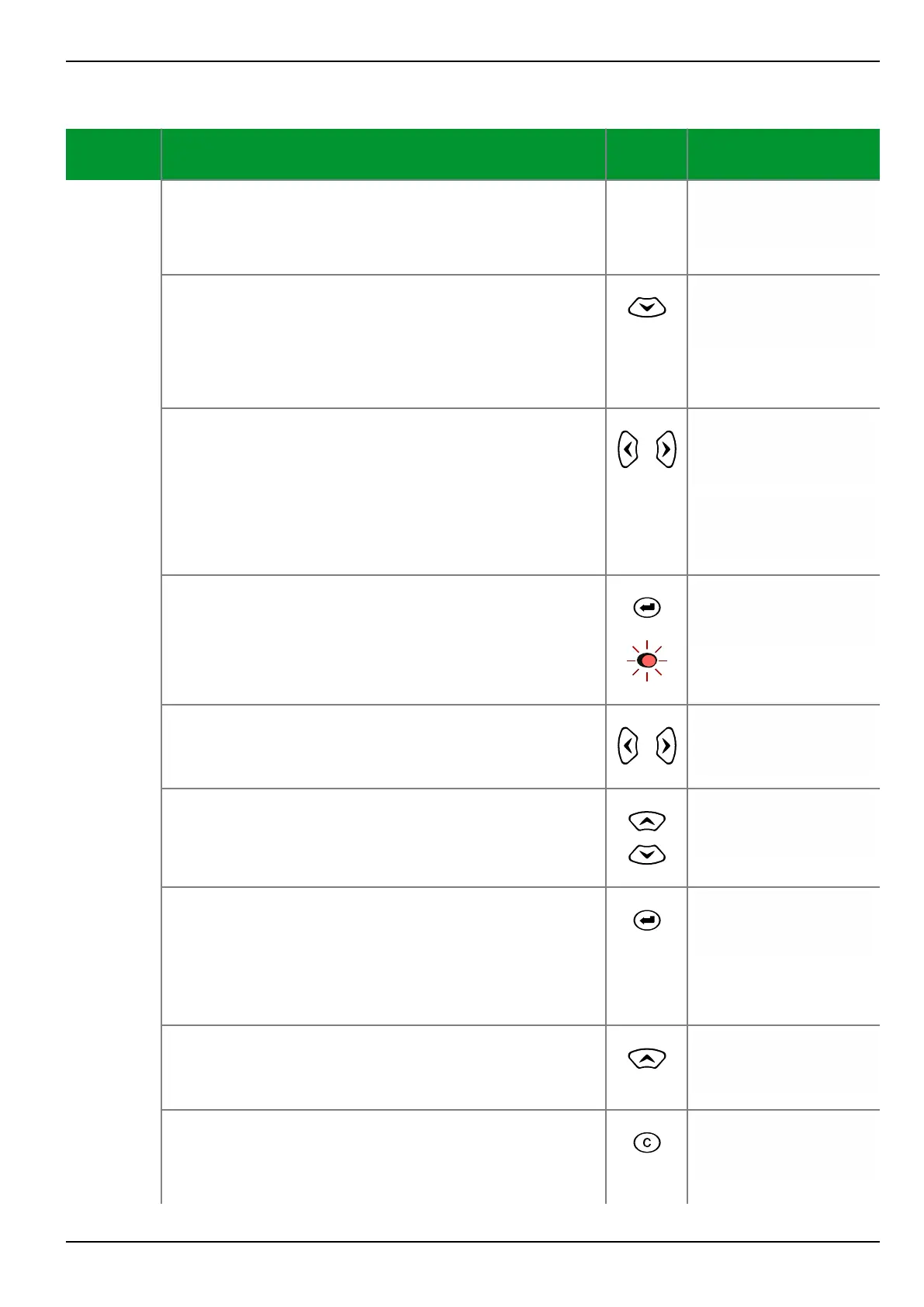
Control Step / Description Control
Action
Display
Step 0
Select a list setting (in this example, the parameter
MAIN: Fct.assig.trip cmd.1 at “Par/Func/Glob/
MAIN” in the menu tree). The down arrow (↓) indicates
that a list setting has been selected.
Par/Func/Glob/MAIN
Fct.assign.trip cmd.
↓
Step 1
Press the “down” key. The first function and the first
selected signal will appear in the third and fourth lines,
respectively. The symbol “#01” in the display indicates
the first item of the selection. If MAIN: Without
function appears for the first item, then this means
that no function assignment has yet been made.
Par/Func/Glob/MAIN
Fct.assign.trip cmd.
#01 DIST
Trip zone 1
Step 2
Scroll through the list of assigned functions by pressing
the “right” and “left” keys.
Par/Func/Glob/MAIN
Fct.assign.trip cmd.
OR #02 DIST
Trip zone 2
Once the end of the list is reached, the display shown
on the right will appear.
Par/Func/Glob/MAIN
Fct.assign.trip cmd.
#05 MAIN
?????
Step 3
Press the ENTER key at any position in the list. The LED
indicator labeled EDIT MODE will light up.
Par/Func/Glob/MAIN
Fct.assign.trip cmd.
#02 DIST
Trip zone 2
Step 4
Scroll through the assignable functions by pressing the
“right” and “left” keys in the input mode.
Par/Func/Glob/MAIN
Fct.assign.trip cmd.
#02 DIST
Trip zone 4
Step 5
Select the operator or the class using the “up” and
“down“ keys. In this particular case, only the “OR”
operator can be selected. There is no limitation on the
selection of classes.
Par/Func/Glob/MAIN
Fct.assign.trip cmd.
OR #02 DIST
Trip zone 4
Step 6
Press the ENTER key. The LED indicator will go out. The
assignment has been made. The unit will now operate
with the new settings.
If no operator has been selected, the “OR” operator is
always assigned automatically when the ENTER key is
pressed. There is no automatic assignment of classes.
Par/Func/Glob/MAIN
Fct.assign.trip cmd.
OR #02 DIST
Trip zone 4
Step 7
Press the “up” key to exit the list at any point in the
list.
Par/Func/Glob/MAIN
Fct.assign.trip cmd.
↓
Step 8
If you wish to reject the new setting while you are still
entering it (LED indicator labeled EDIT MODE is on),
press the CLEAR key. The LED indicator labeled EDIT
MODE will be extinguished.
Par/Func/Glob/MAIN
Fct.assign.trip cmd.
OR #02 DIST
Trip zone 2
6 Local Control (HMI) P634
P634/EN M/R-42-A // P634‑311‑653 6-23



 To Next Page