34 Handling of Consumables
_______________________________________________________________________________________________
_______________________________________________________________________________________________
MICROPLEX Operator’s Manual logiJET T4-2 /T6-2 /RFID Edition 2.2
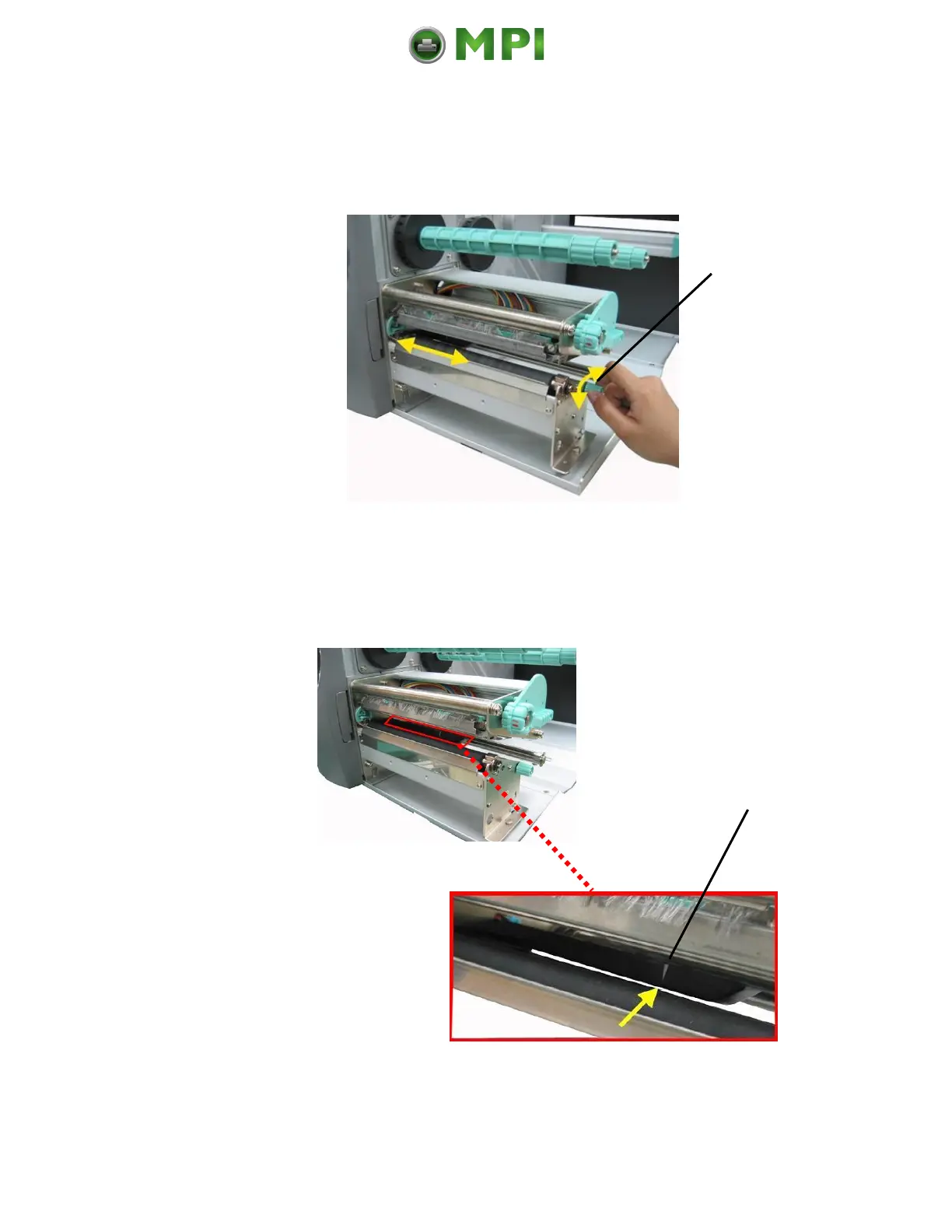
16. Use the setting knob to adjust the sensor position (light
barrier). (If you turn the setting knob clockwise, the sensor
will move rightward.)
Fig. 5.2.1.k Adjusting the sensor position
17. The right position is found when the pointer is located
above the material’s gap.
Fig. 5.2.1.l The pointer indicates the sensor position
Mantenimiento Periféricos Informáticos C/Canteras, 15 28860 Paracuellos de Jarama (Madrid) Tel: 00 34 917481604 Web: https://mpi.com.es/



 To Next Page