Max: This shows the maximum number available for IPMC Profile. The
maximum number is 60.
Profile Name: Enter an identification name. This field is limited to 20 characters.
Segment ID: Specify the segment ID that is registered in IPMC Segment.
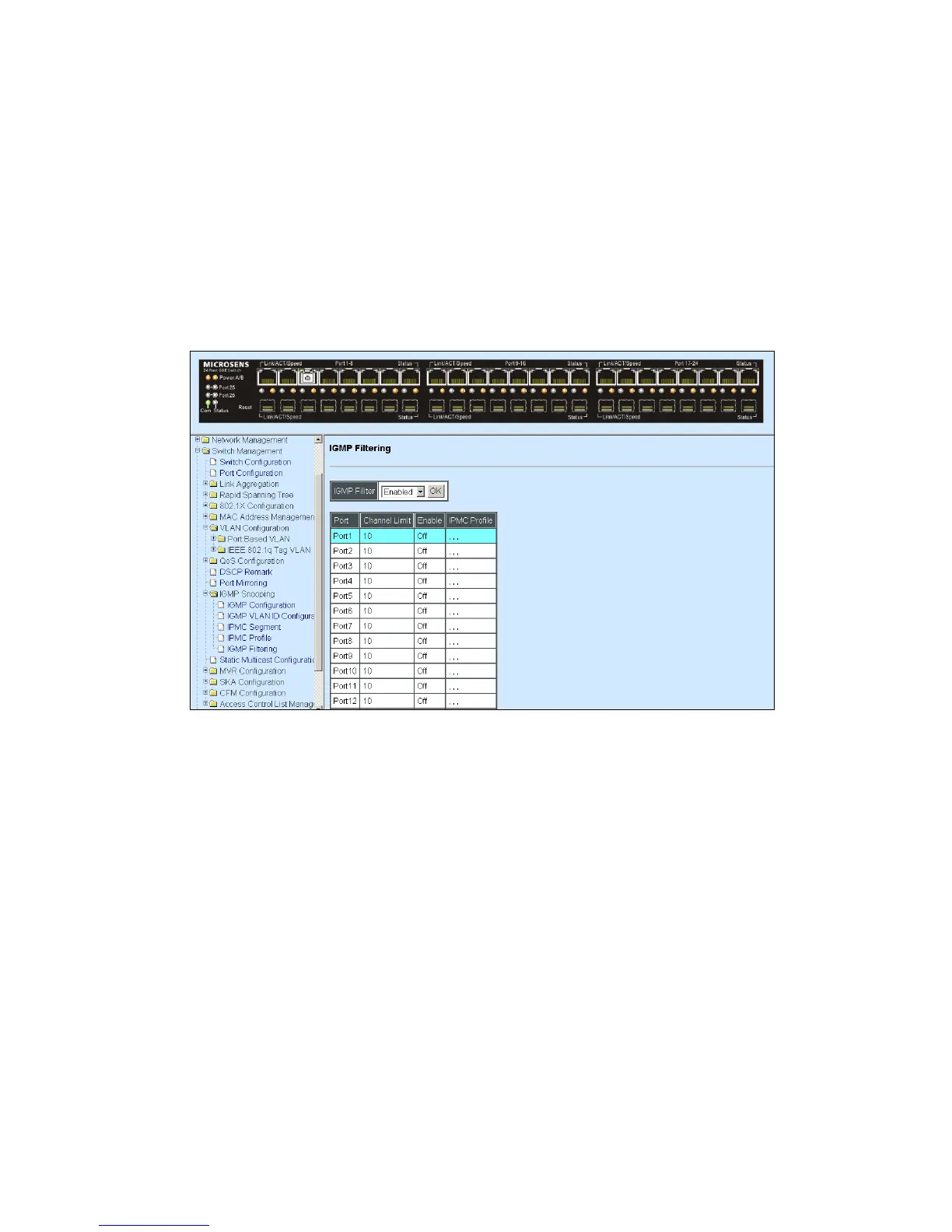
4.4.11.5 IGMP Filtering
Select the option IGMP Filtering from the IGMP Snooping menu and then the following
screen page appears.
IGMP Filter: This option may enable or disable the IGMP filter. The default setting is
“Disabled”.
Channel Limit: View-only field that shows the maximum limit of each port‟s multicast
streams.
Enable: View-only field that shows each port‟s IGMP filter is turned on or off.
Move the cursor to the port that you would like to edit (click then the entry will be highlighted
in blue) and click Edit to view and edit the ability setting. The editing table is shown below.

 To Next Page
 Loading...