7. Battery and charging
MiR1350 User Guide (en) 05/2022 - v.1.2 ©Copyright 2021-2022: Mobile Industrial Robots A/S. 78
The robot is delivered 40-60% charged.
CAUTION
Charging the robot with a charging station and a cable charger
simultaneously can damage the battery.
•
Never charge with two chargers simultaneously.
The left side compartment holds the robot's battery. To access the side
compartments, see Accessing the internal parts on page43.
To charge MiR1350 using the cable charger, follow these steps:
1. Plug the cable charger into an ACpower supply. Always make sure to connect
the cable charger to a power supply before connecting it to the battery. Over
time, the battery cells may get damaged if you connect the charger to the
battery before the power supply.
2. Connect a battery adapter to the other end of the cable charger.
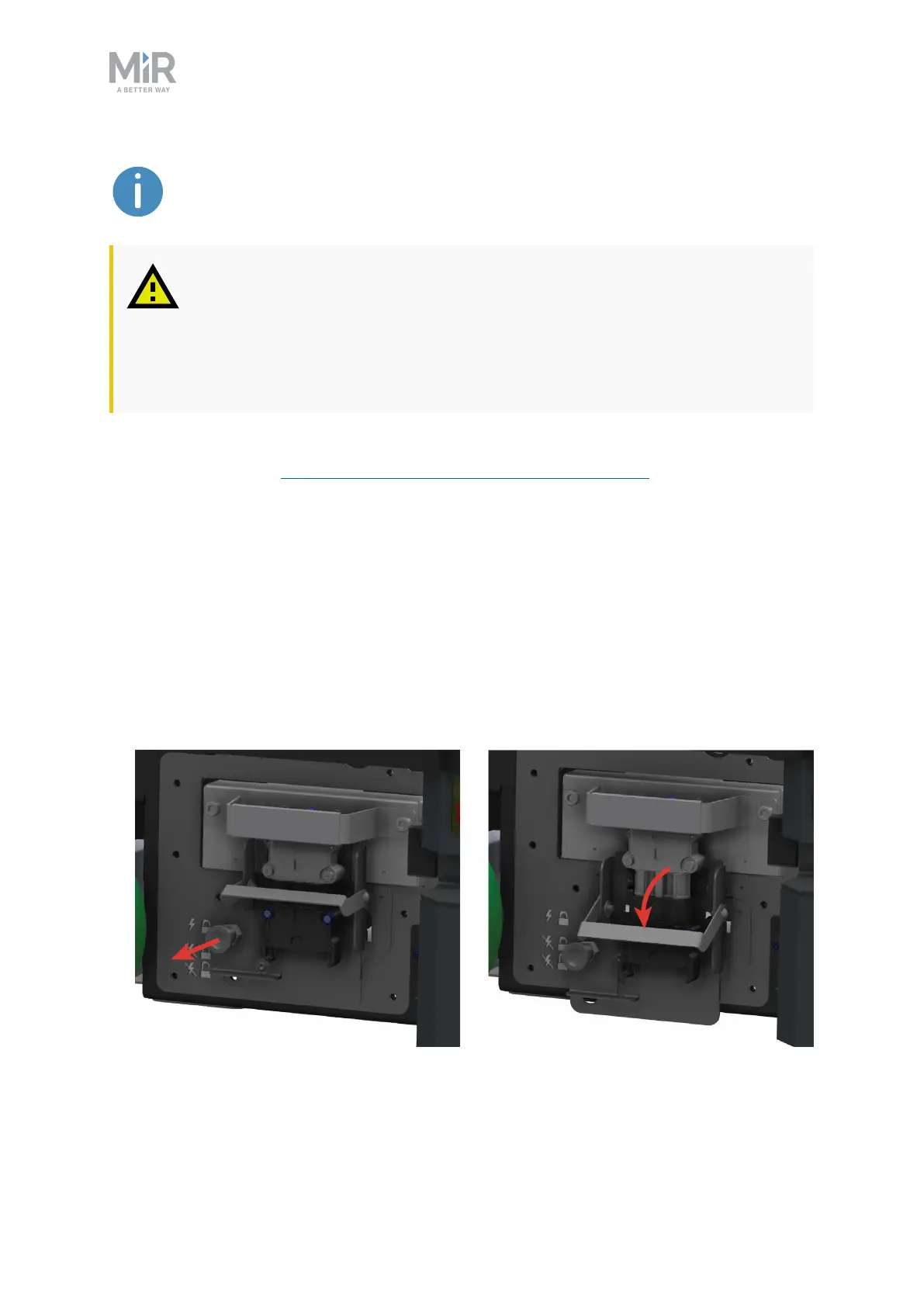
3. On the robot, pull out the Battery lock pin, and pull the Battery lever down to
the bottom position. The battery is now disconnected and unlocked.



 To Next Page