MOOR INSTRUMENTS moorLDI2 RESEARCH USER MANUAL
115
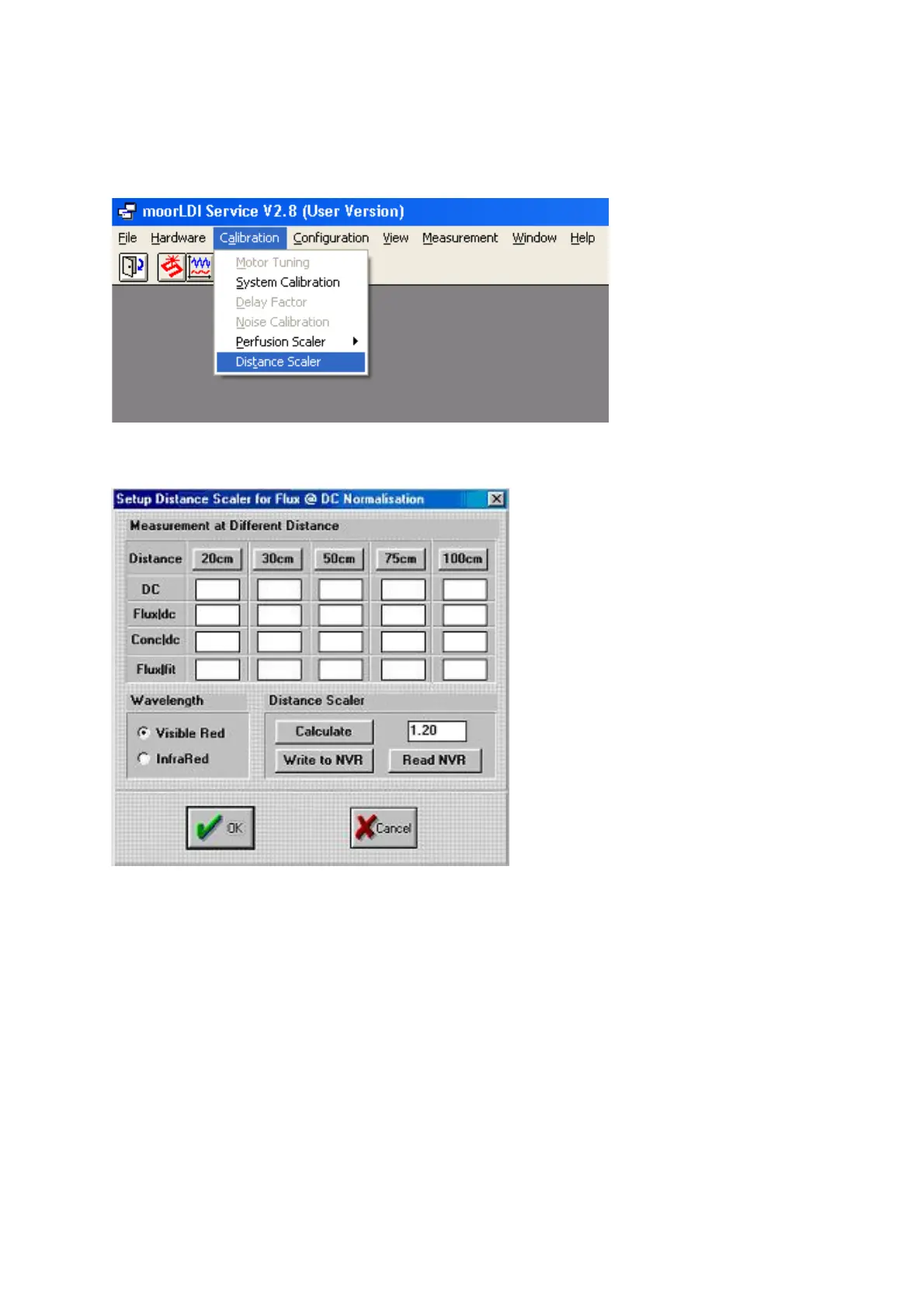
Select Calibration, Distance Scaler as shown:
The following window opens and enables the distance factor to be calculated:
Using calibration block procedures previously described (Section 9.1, Set-up) and with the scan head
directing the beam at a constant height above a table, place the calibration block at the distances
indicated in turn (20, 30, 50, 75, 100cm).
At each distance, click on the appropriate distance button for measurements to be taken. When
complete, click on
Calculate
and then
Write to NVR
. Click
OK
to finish the procedure and close
the program.



 To Next Page