MOOR INSTRUMENTS moorLDI2 RESEARCH USER MANUAL
138
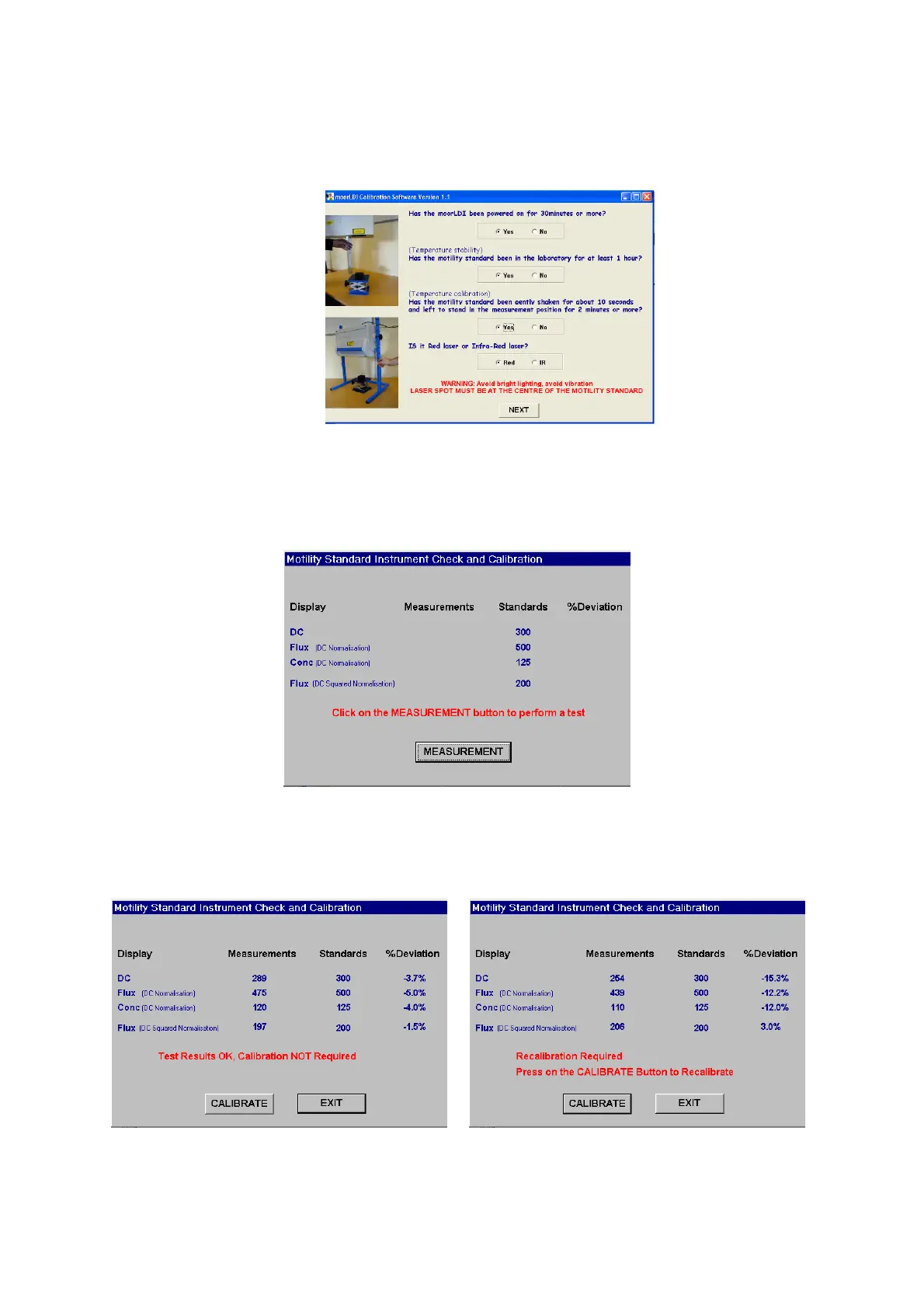
2.8 Check set up conditions on start-up screen and click on the NEXT button. Note you will not be able
to progress to check and calibrate unless these conditions have been satisfied.
2.9 The Measurement screen appears next. This allows the user to check actual measurements from the
motility standard with standard values.
Click Measurement to proceed.
2.10 Test results appear with % Deviation from standard calculated. In the example, below left, the
deviation is within the acceptable range and calibration is not recommended - in which case quit the
utility with the EXIT key.



 To Next Page