GENESYS User Manual Issue 1
Optional Console Hardware
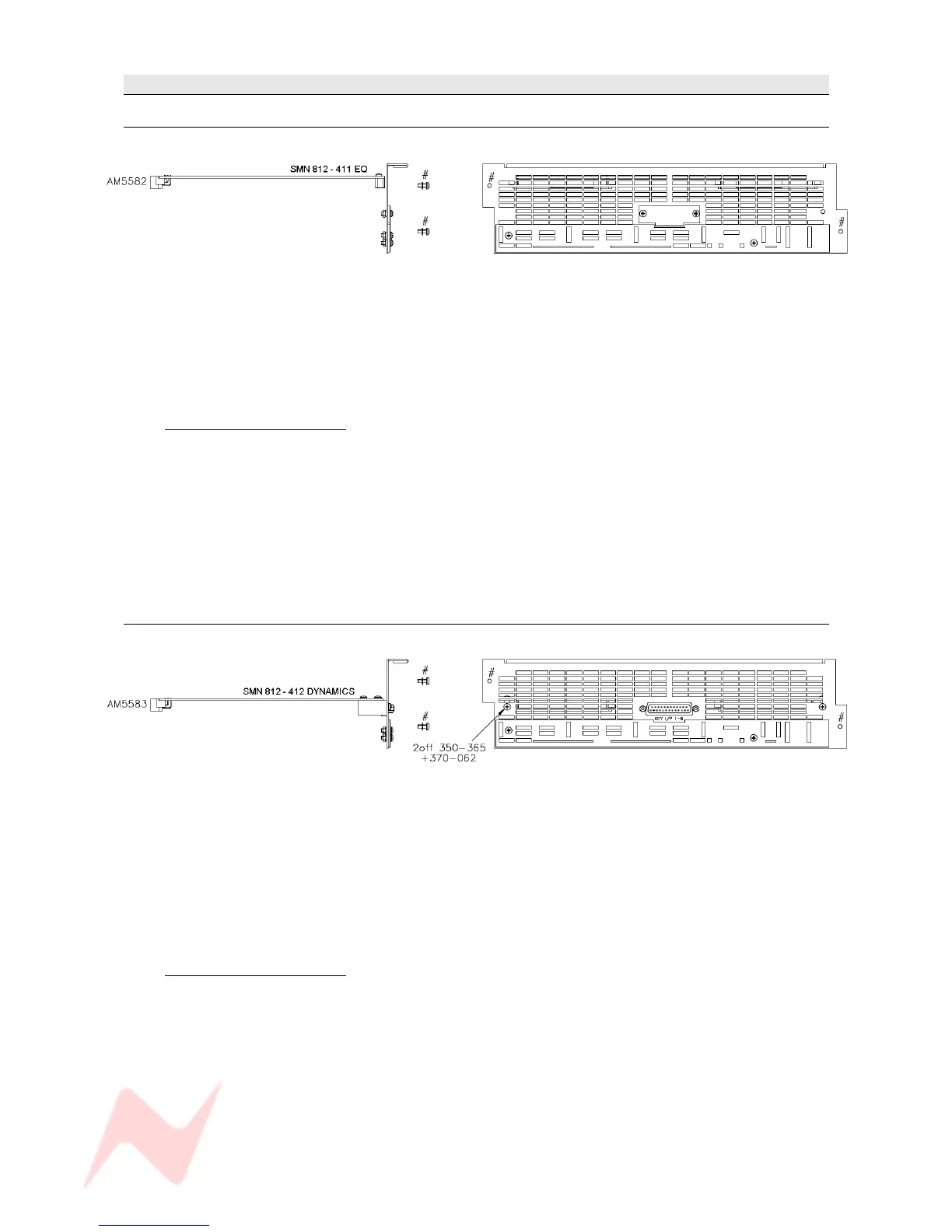
EQ Cassette
(Part number SMN 812-411)
This cassette provides 8 Channels with classic Neve 1084 EQ (3 bands per channel).
Without this card, the EQ button (and led) on each channel strip will not function.
The EQ button underneath the DAW screen will also be locked out.
When the EQ cassette is present, the parameters are set using the four encoders under the small DAW
screen.
The card itself has no external connectors / pin-outs.
Installation Instructions
> Remove the power to the console.
> Ensure the switch settings have been set correctly for this card 's position.
See Appendix A on Switch Settings at the end of this document.
> Remove the entire ventilation facing plate on the rear of the console by removing the two
screws shown above.
> Slide the EQ cassette into the top-most available slot and push it to the rear until the
connectors mate securely onto the backplane.
> Screw the faceplate back into place.
Dynamics Cassette
(Part number SMN 812 – 412)
The Dynamics cassette provides 8 channels with Dynamics processing (Compressor and Gate, including
the provision of an external Key Input).
This external Key Input is available on both the Gate and Compressor.
Without this card, the DYN button (and led) on each channel strip will not function.
The DYN button under the DAW screen will also be locked out.
When the Dynamics cassette is present, the parameters are set using the four encoders under the small
DAW screen.
Installation Instructions
> Remove the power to the console
> Ensure the switch settings have been set correctly for this card 's position.
See Appendix A on Switch Settings at the end of this document.
> Remove the ventilation facing plate on the rear of the console, and remove the Key Input
blanking plate in the centre.
> Slide the Dynamics cassette into the middle slot and push the card firmly to the rear until the
connectors mate securely onto the backplane.
> Screw the faceplate back into place, ensuring the Key Input D-type connector and two
adjacent pillars comfortably clear the faceplate surface.
> Secure the Key Input D-type connector in place through the faceplate using the adjacent pillars
and two screws.
- 13 -


 To Next Page