GENESYS User Manual Issue 1
TALKBACK Section
All of the Talkback functions can be accessed remotely via relays and the
5VCTL from the back of the console on a 15-pin D-type connector.
These relays & 5VCTL also allow the remote operation of the Loudspeaker
CUTS, DIM, TALKBACK to CUE 1 / CUE 2, RED LIGHT, RTB ON and
SLATE.
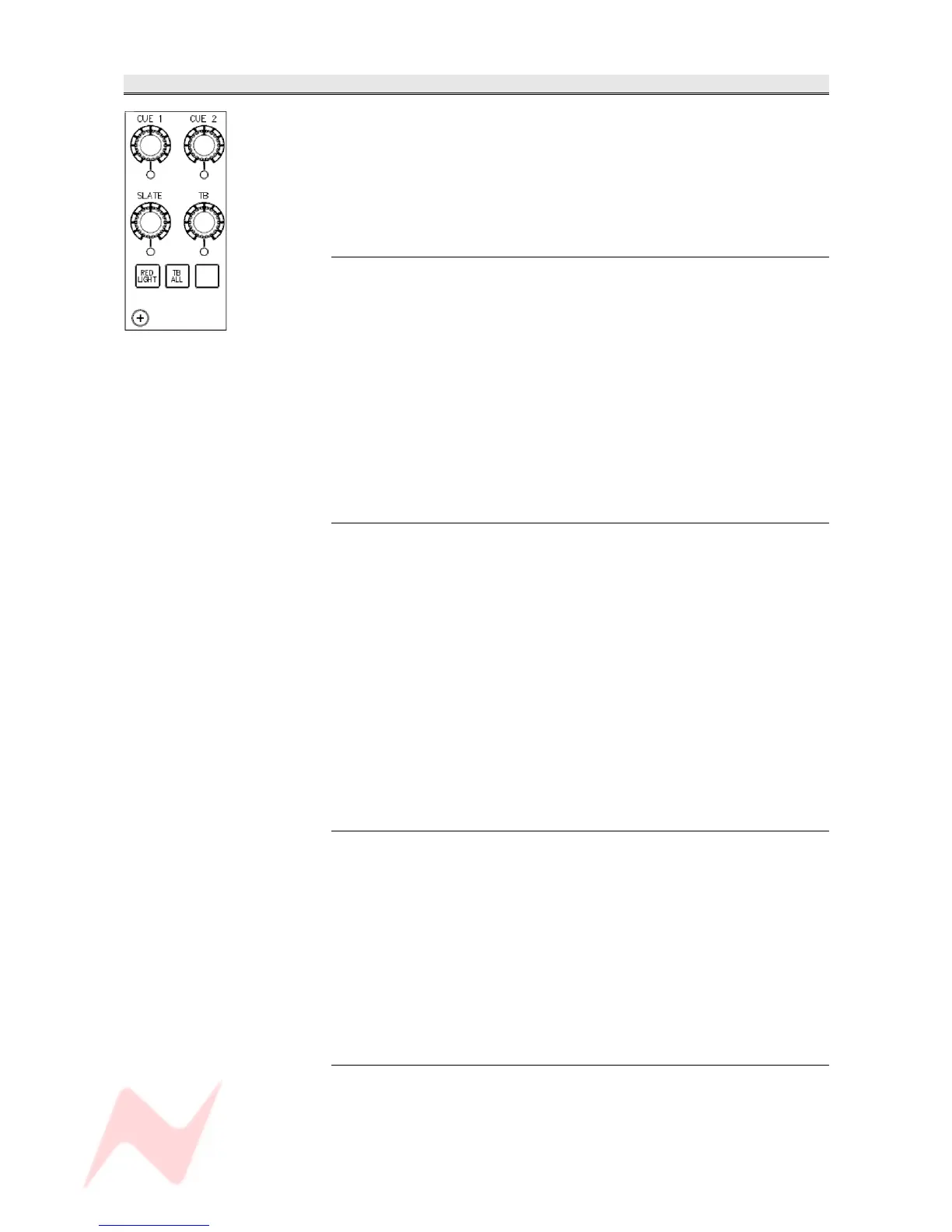
CUE 1 & CUE 2
Each of these level controls and momentary switches can be used to set
the talkback level to each Cue.
It has a range of -∞ to 0dB.
> Press to enable, the adjacent led will light and send Talkback to the Cue.
It will also turn on the DIM lamp, and the display will temporarily display
the amount of dim, set by the DIM TB preset located above the Monitor
DIM button.
If RTB is on M2 SEL, then the action of talking to CUE 1 or CUE 2 will
temporarily suspend RTB, whether it is selected locally or externally.
As stated it is possible to talk to the Cues externally, in which case each
Cue light will flash to show remote control.
SLATE
This level control and momentary push switch can be used to set the Slate
level to Grp, 8T 2T and Main Mix Outputs.
It has a range of -∞ to 0dB.
It will also turn on the DIM lamp and the monitoring will be dimmed.
SLATE can also be set to include tone from the oscillator so to provide a
tape oscillator slate (this is done via the setup screen).
It is now possible to toggle this function on or off.
• If the function has been set to ON from the setup screen, then the led
below the pot will flash when selected.
• If there is no selection, the led will show solid for when Slate is
selected.
If RTB is on M2, then Slating will also temporarily suspend the RTB
Talkback.
TB
This level control and momentary push switch can be used to set Talkback
level and to talk to the TB Output jack on the rear of the console.
The level has a range of -∞ to 0dB.
> Press to Operate, the yellow led underneath will light and talkback will
be sent to TB Output.
This will also dim the monitoring (and light the DIM lamp).
If RTB is on M2, then Applying TB will temporarily suspend the Return
Talkback.
TB ALL
This momentary push switch can be used to send Talkback to all available
talkback destinations.
The led lights yellow for the length of the press, and the talkback will be
sent to all available destinations.
- 53 -



 To Next Page