GENESYS User Manual Issue 1
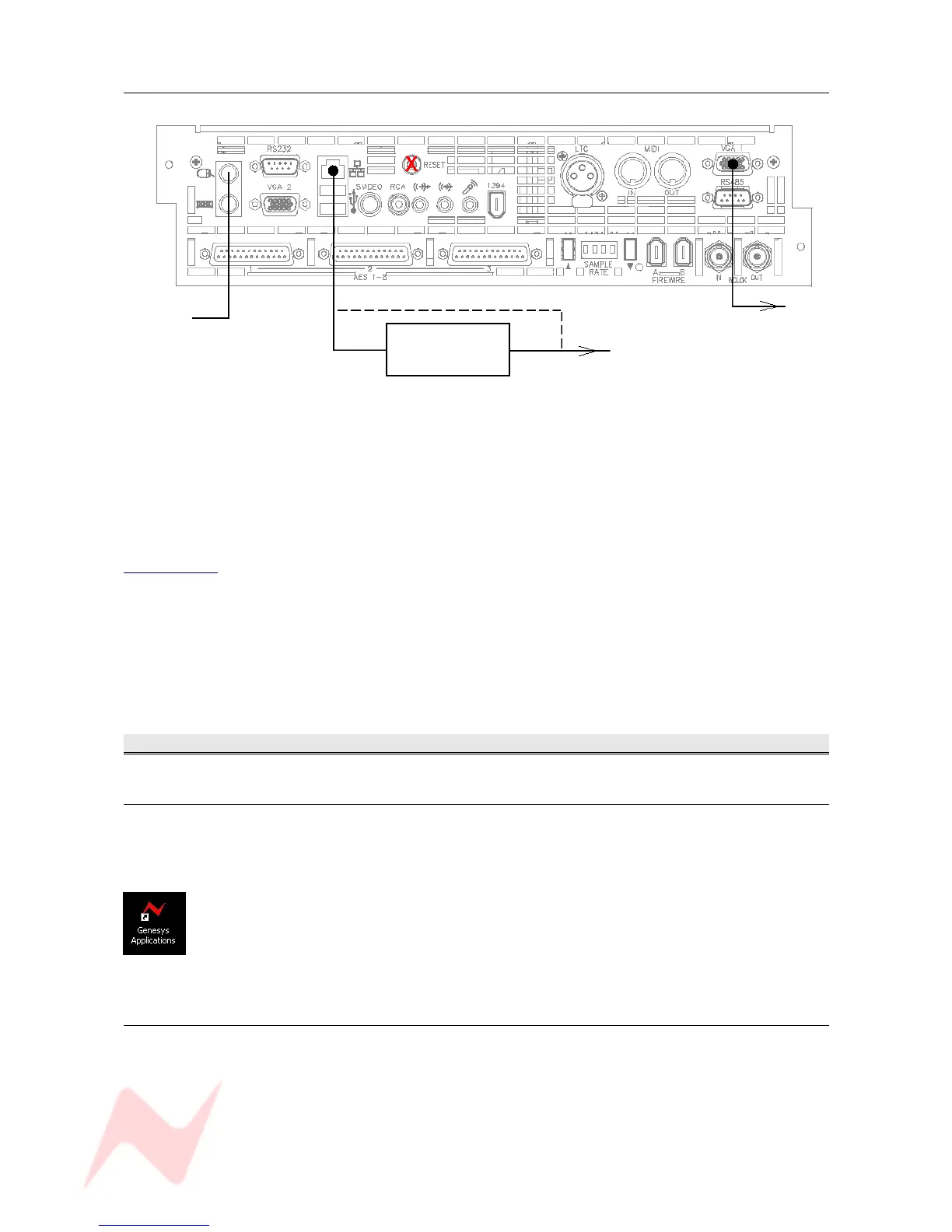
NEW type computer
To TFT screen
Ethernet hub * To DAW
* The Ethernet hub is optional if the computers are not to be networked.
NB:
If you do not wish to run HUI over LAN (Local Area Network) then retain the blue Ethernet cable as
supplied and connect as shown in the upper diagram.
If you wish to run HUI over LAN, connect the Genesys computer as shown, discarding the Ethernet link
cable on old style computer cassettes.
In order to run the HUI control over LAN, you will need to download and install IPMIDI from
www.nerds.de (this is a 3rd-party driver that allows HUI communication across a network) and choose
the one applicable to your DAW system.
Please see your DAW documentation on how to configure the DAW for HUI control.
Powering Procedure
Switch On Procedure
> Switch on the Ethernet hub (if used)
> Switch on the console. The computer should boot Windows XP.
(If not, press the Reset switch on the computer cassette (marked in the above
diagrams with a red X)
> Once into the Windows Desktop, double click the Genesys App application (left).
This will then boot the console.
After about 20 – 30 seconds you will see the Genesys front screen open, at which
point the console will be ready to be used.
Power-down Procedure
> Ensure your work is saved to the relevant medium.
> Shut the XP computer down in the usual way, by selecting Shut Down from the Start menu.
> Turn the Control Room Monitoring knob down as far as it will go OR press the master CUT button for
the speakers.
> Turn the output level on the speaker's amplifier down to CUT, then turn the power off (if using active
speakers, turn each speaker down before removing the power).
> Remove the power to Genesys.
- 18 -


 To Next Page