GENESYS User Manual Issue 1
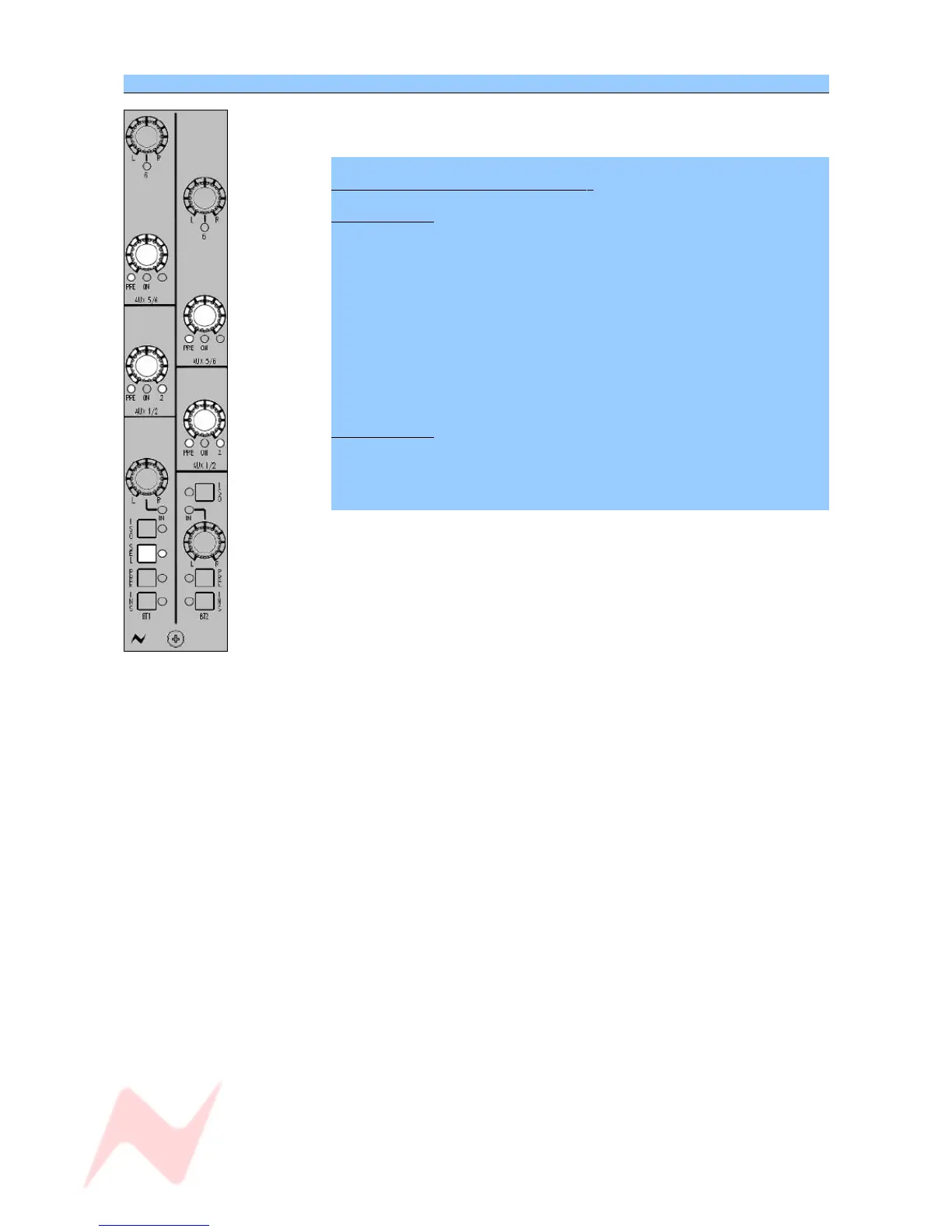
SEL Mode on the 8T AUXES Section
There is one SEL button for each pair of 8T faders, so pressing, holding
and then releasing it will put a pair of fader strips into SEL Mode.
To set which Auxes are fed by the 8T s
Aux 1 / Aux 2
> Press the SEL button to go into SEL Mode.
Each press of the AUX 1/2 level control will cycle the feeds through:
> Aux 1, Post fader
> Aux 1, Pre fader
> Aux 2, Post fader
> Aux 2, Pre fader
After exiting SEL Mode, pressing the level control will turn the contribution
to that Aux On/Off.
Aux 5 / Aux 6
For Auxes 5 and 6, the only settable control in SEL Mode is the Pre/Post
state.
> Press to switch between Pre- and Post-.
Selecting between Aux 5 and Aux 6 is achieved by toggling the L/R PAN
control.
In it's default state, it contributes to Aux 5 (led off).
> Press the PAN control to send it to Aux 6 instead (led will light).
It is not necessary to go into SEL Mode to make this selection.
- 35 -



 To Next Page