GENESYS User Manual Issue 1
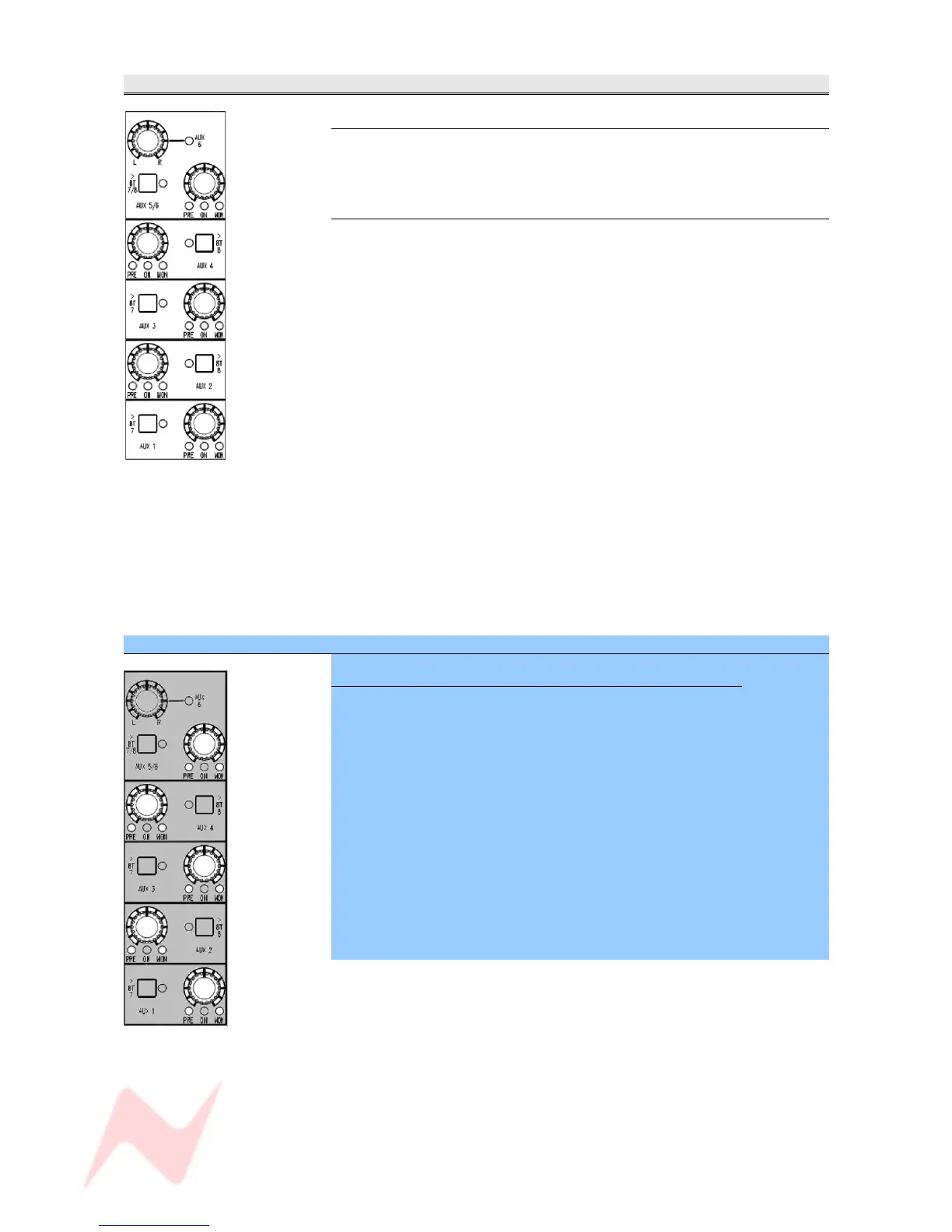
AUXES Section
Master Level
Sets the output contribution of the Aux.
It has a range of -∞ to 0dB.
> Press to enable, and the adjacent led will light.
>8T buttons
Sets the destination and level control for sending the Auxes to the last two
8T busses.
Different destinations apply depending on whether the Aux is mono or
stereo.
• Aux 1 and Aux 3 will be sent to 8T 7
• Aux 2 and Aux 4 will be sent to 8T 8
> Press the >8T button next to the Aux to send it to it's associated 8T bus
(the led will light).
NB:
• Aux 5 and Aux 6 will be sent to both 8T 7 & 8T 8
In it's default state, the PAN and 8T 7/8 buttons apply to Aux 5.
> To set this to be Aux 6, press the PAN control.
The adjacent led will light.
It is not possible to send the same channel to Aux 5 and Aux 6 at the
same time on the same channel.
When an Aux is sent to an 8T bus, then the contribution to the Aux bus is
disconnected but the ON led will still work as normal.
SEL Mode on the AUXES Section
To Set How the Channel and Monitor paths feed the Auxes
Either the Channel or Monitor path can be set to feed the Aux, either Pre-
or Post- fader.
> Hold down and then release the SEL button to enter SEL Mode.
Pressing the level control will cycle the Aux through the following options:
> Channel path, Post- fade (no leds lit)
> Channel path, Pre- fade
> Monitor path, Post- fade
> Monitor path, Pre- fade
At any point in this cycle, press SEL to exit Sel mode, to save your
changes and return to normal operation.
The selection will be displayed on the adjacent leds.
After exiting SEL Mode, pressing the level control will turn the contribution
to that Aux On/Off.
- 26 -


 To Next Page