GENESYS User Manual Issue 1
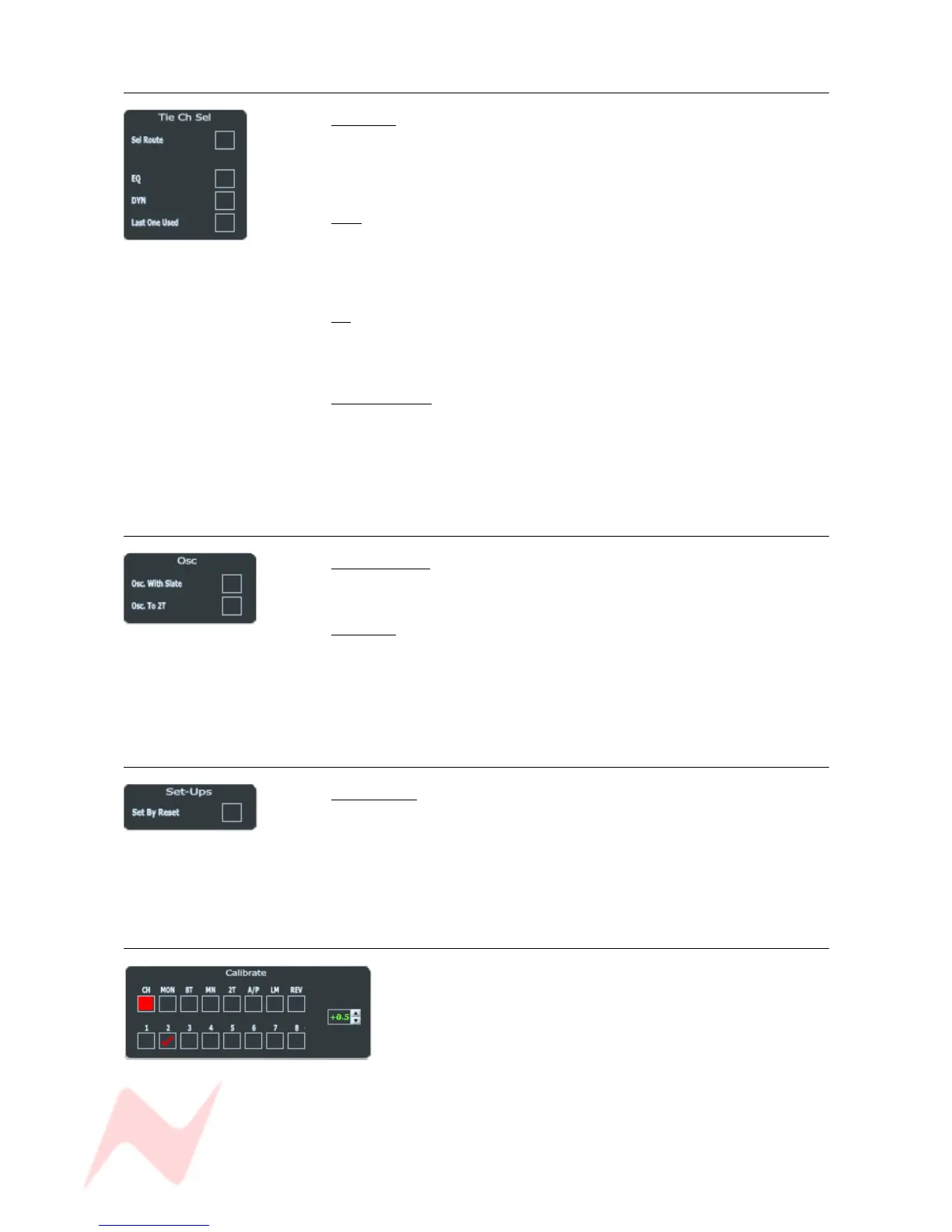
Tie Ch Sel
Sel Route
If ticked, whenever a Channel + >8T or Rev return SEL button is pressed,
the ROUTE SEL panel will also go into SEL Mode, allowing that path's
routing to be set.
DYN
If ticked, whenever a Channel SEL button is double pressed, then the DAW
Control screen will swap to showing the Dynamics parameters for that
path.
EQ
If ticked, whenever a Channel SEL button is single pressed, then the DAW
Control screen will swap to showing the EQ parameters for that path.
Last One Used
This will bring up either the EQ or the DYN screen, depending on the last
screen displayed associated with that particular path irrespective of a
single or double press.
DYN, EQ and Last Once Used can all be selected if desired .
OSC
Osc with Slate
Sends a low-level 30Hz tone with the Talkback when Slate is selected.
Osc to 2T
Without this option ticked, enabling the Tone and pressing the 2T/MIX
button will only send tone to MIX.
With this option ticked, Tone will be sent to both the MIX and 2T busses.
Setups
Set by Reset
If this is ticked, then when the console is re-powered or reset, then the
settings for LS Settings, 8T Solo Linking, Osc and Tie Ch Sel will be loaded
as well depending on which Power Up option has been set (see above).
If this option is unticked, then these settings will remain unchanged on
Reset.
Calibrate
Allows you to calibrate all of the Input and Output paths on
the console.
Click any of the top row of buttons to select the path type
(these buttons are interlocked).
CH selects the channel paths within each channel to be trimed.
> Where there are path numbers greater than eight on any type, click the top
button again so the lower row of buttons display 9 – 16, 17 – 24 etc.
- 73 -



 To Next Page