GENESYS User Manual Issue 1
Optional Console Software
Automation
(Requires Part number SMN 812 – 400)
When a console has the optional automation package fitted, it comes with the following additions to a
standard console:
• The Encore Plus™ automation software to record, edit and play back automation of Faders, Cuts and
Channel Events (Aux On/Off, Insert On/Off etc) (not available in this version of software).
• Motorised channel faders, enabling playback of automated moves
• A row of Master Automation buttons next to the Main Output faders for setting the automation
modes (not available in this version of software).
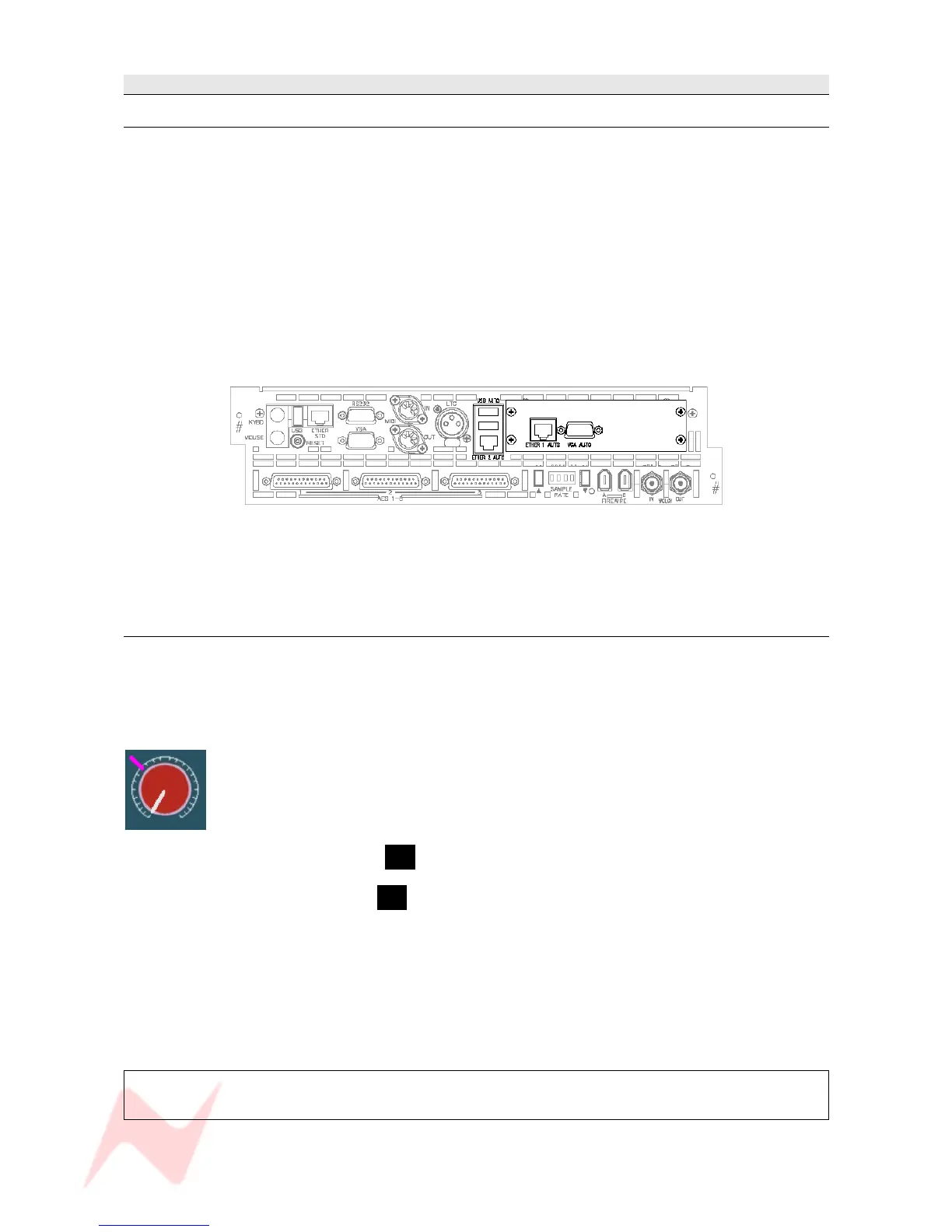
• Shown below, the computer cassette will utillise the additional hardware that contains:
> A VGA output
> 2 USB ports
> Hard drive for storing automation files
> Ethernet connectors used for HUI control and communication
For the purposes of this manual, it is presumed the Automation hardware has been installed.
Recall
The Recall package means that as well as taking snapshots of the console surface as you would on a
standard console (including any internal routing), the Recall software allows you to record the positions
of all rotary controls and switch states so they can be manually matched at a later date providing full
console reset ability.
It does not need any specific hardware to run other than that supplied with a standard console.
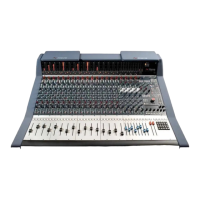
As each control is matched by hand, an on-screen graphic will display the position of
the control as you set it, plus an indication of where the control should actually be
(indicated by a purple mark). Once it has been matched, the next control will be
displayed and so on, until all of the surface has been reset.
• If Recall has been fitted, the letter R will be displayed in red in the top right corner of the main
screen just by the timecode display.
• If Recall is not present, the letter R will be displayed in grey instead.
Recall Stores are stored by default in the same location as any Automation files (for ease of use) but they
can be stored in any user-defined location on the system (or network if present).
For the purposes of this manual, it has been presumed that the Recall package has been installed.
See chapter on Recall.
For more information on the optional Automation and Recall packages,
please contact your local Neve distributor.
- 16 -


 To Next Page