GENESYS User Manual Issue 1
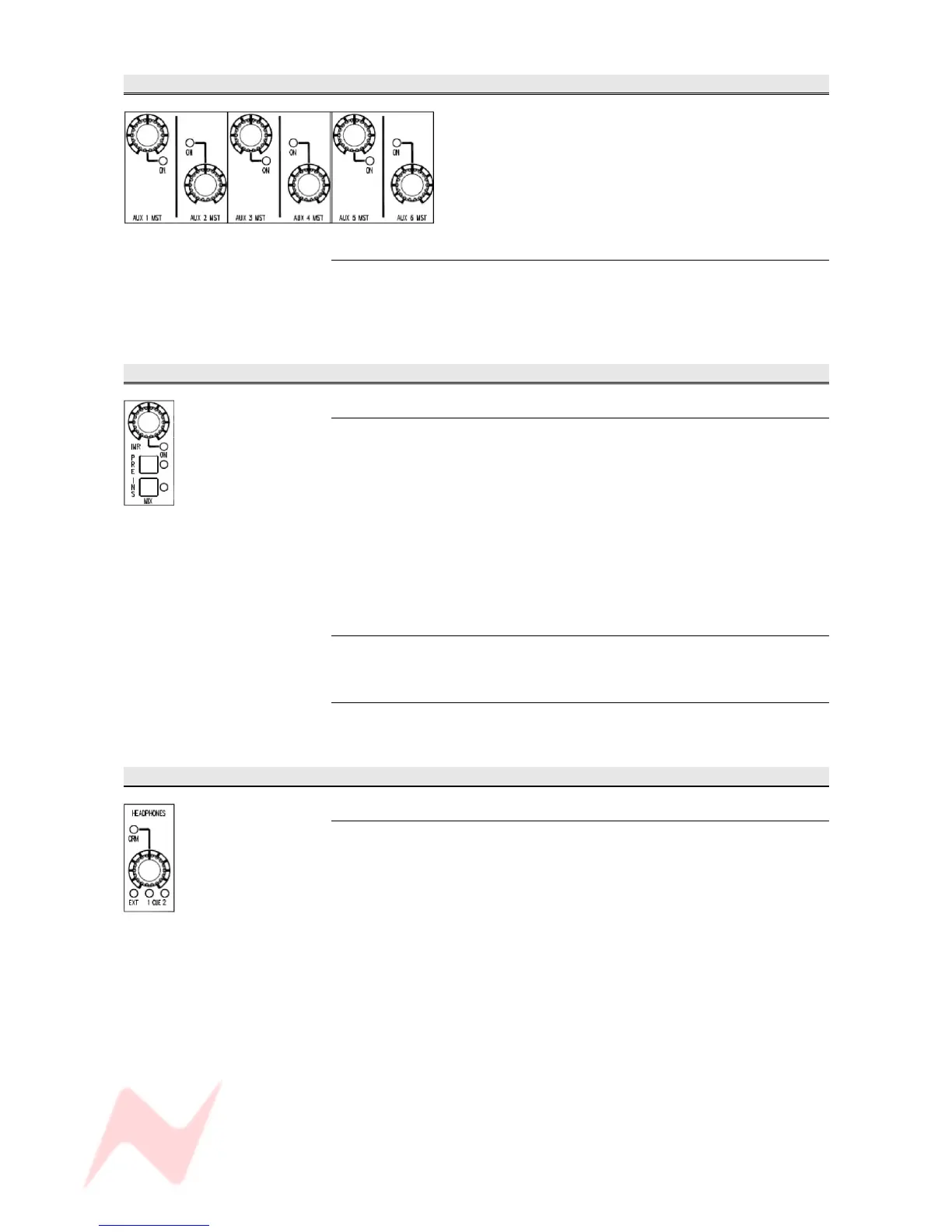
AUX MASTERS Section
Master Send
Sets the Master Send level for each Aux.
This control runs from –∞ to 0dB.
> Press to enable the Master Send.
MIX Section
IMR
Sets and controls the Insert Mix Return level.
> Press to enable (the led will light).
When using the IMR Insert across the Main Mix Output, it is possible to
listen to a mix of the main Insert return and the IMR Insert Return.
This control has a range of 0% Return (hard Left) to 100% Return (hard
Right).
If this control is not enabled, you will hear 100% of the main insert Return
signal.
PRE
Sets whether the Insert is patched Pre- or Post- the Main Mix faders.
INS
Switches the Insert In/Out of circuit.
HEADPHONES Section
Master Send
Sets the level and source of the feed to the headphone jack-socket,
situated on the underside of the front right of the console.
The push switch is a 4-state toggle:
> Defaults to CRM (where the headphone feed follows whichever
source is selected to the Left and Right Control Room Monitors)
> EXT (where whichever External is selected on the Control Room
Monitor panel is sent to the headphones. If a Surround External is
selected, then just the Left and Right will be sent)
> CUE 1
> CUE 2
- 33 -



 To Next Page