GENESYS User Manual Issue 1
> Press the knob again to set the AFL level (the AFL led will light).
The AFL level will be shown on the alpha display and has a range of 0dB
to -36dB.
> Rotate the knob to set the value.
In Safe mode, whenever AFL is pressed anywhere on the console, it will
dim by this amount.
> Press the knob again to set the PFL level (the PFL led will light).
The PFL level will be shown on the alpha display and has a range of 0dB
to -36dB.
In Safe mode, whenever a PFL is pressed anywhere on the console, the
PFL signal will be at this amount relative to 0dB.
> Rotate the knob to set the value.
> Press the knob again to set the SIF (Solo In Front) level (the SIF led
will light).
The SIF percentage will be shown on the alpha display, and ranges from
30% to 100%.
• 100% indicates you are listening to 100% of the AFL signal and
nothing else.
• 30% indicates you are listening to 30% AFL signal and 70% of the
current monitoring selection.
• 50% indicates equal amounts of AFL and Monitor selection.
> Rotate the knob to set the value.
Press the knob again to return to it's default state of setting the Control
Room Monitoring Level.
Any changes you have made will be automatically saved.
SEL Mode on the CONTROL ROOM MONITOR Section
To enter and exit SEL Mode
Press LOCK and RTE SEL to enter SEL Mode, and any selection already
made on the ROUTE SEL panel will start to flash (along with the RTE SEL
button).
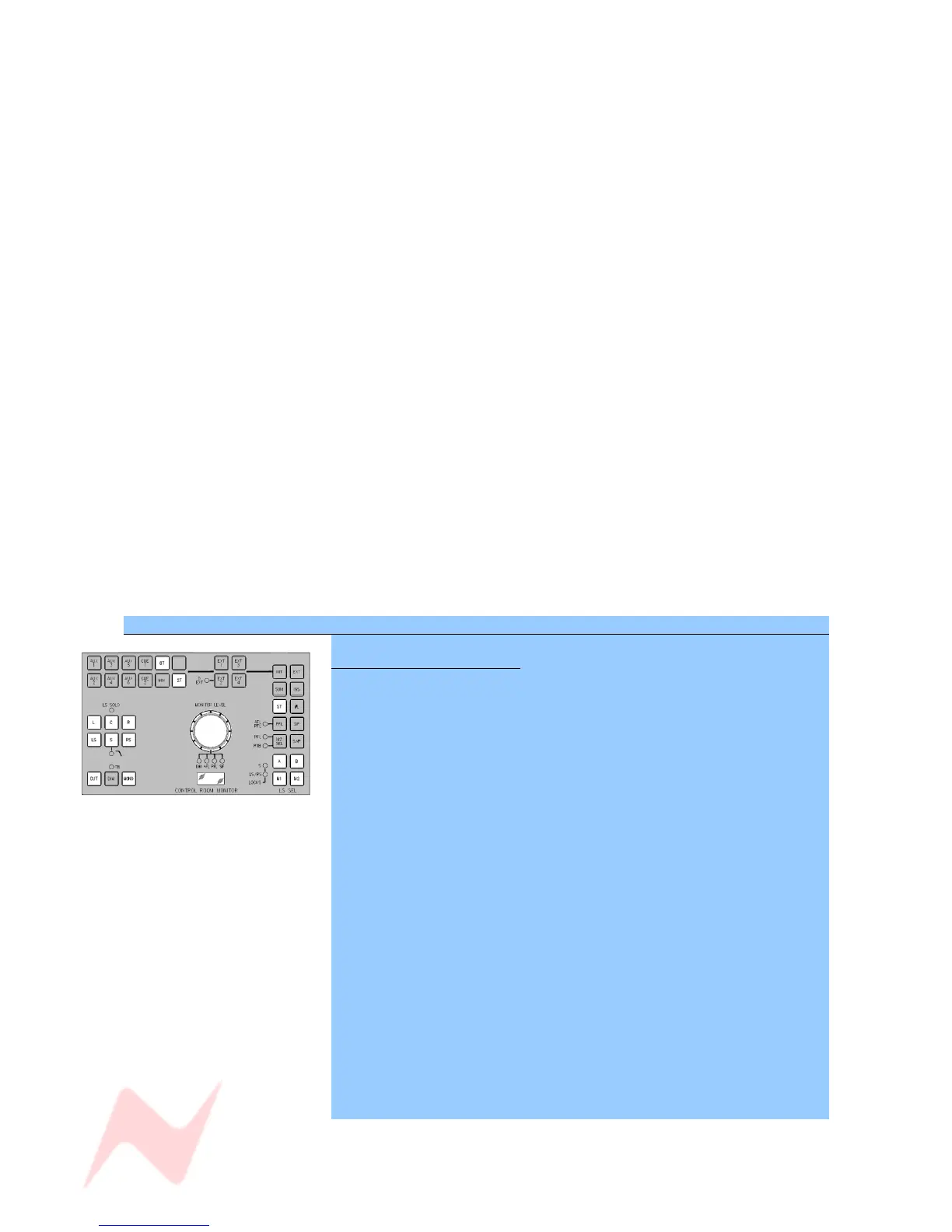
Once SEL Mode has been switched on, it switches the DAW screen over to
the Routing Screen display and suspends the operation of all the buttons
on the Control Room Monitor panel, apart from (shown in white, left):
. 8T
• 2T
• ST
• MONO
• CUT
• Individual Loudspeaker Cuts
• The Monitor Pot push-switch
• A, B, M1 & M2
The rest of the Control Room Monitoring panel's button display and
functionality - plus the ability to swap the control room monitoring - is
suspended.
(If lit, the D-EXT, AFL/PFL & RTB leds will also be suspended).
> Make any desired changes.
> Press RTE SEL again to exit SEL Mode.
Any changes you have made will be saved, and the buttons, display
screen and audio will revert to their last selection.
- 50 -



 To Next Page